


Layer template for easily making magic circles.
It's a set of layers and rulers I set up while designing magic circles for my visual novel. Rulers are preserved where possible. It starts with all the layers off except the circles. Just turn on the ones you want, merge to a new layer, and then use whatever effects you'd like. To add more fun elements, you could add circular text, patterned brushes, etc. "Smart Shape" is great for drawing in more details.
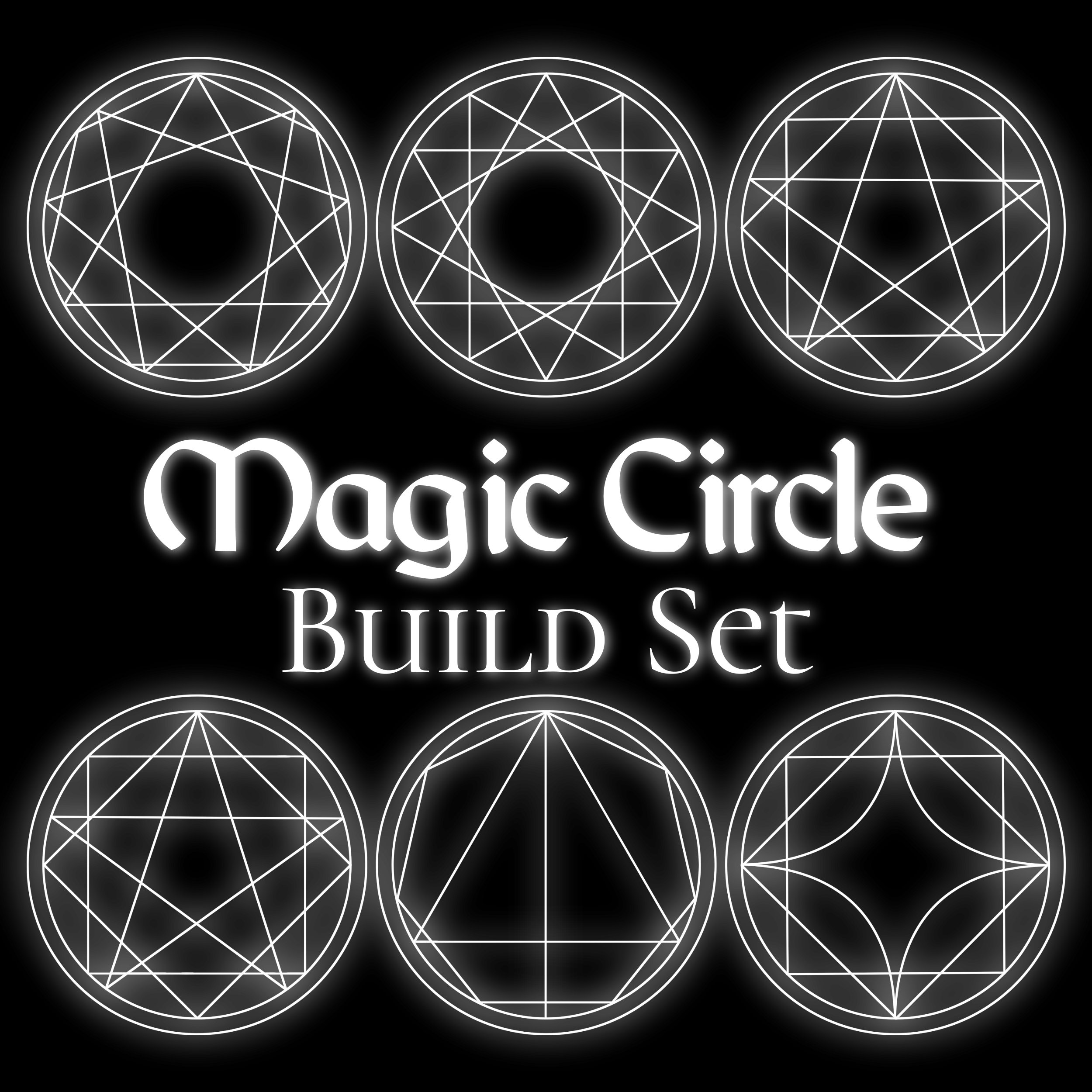
I tried to be tidy, but these are not mathematically perfect. Some combinations of shapes might come out slightly mis-aligned at first, but everything is vector layers so it should be easy to adjust. Pro tip: Use "Align Vertical/Horizontal Centers" to help line things up neatly.
To add a glow, duplicate your magic circle and blur it. Gaussian and radial blurs work well.
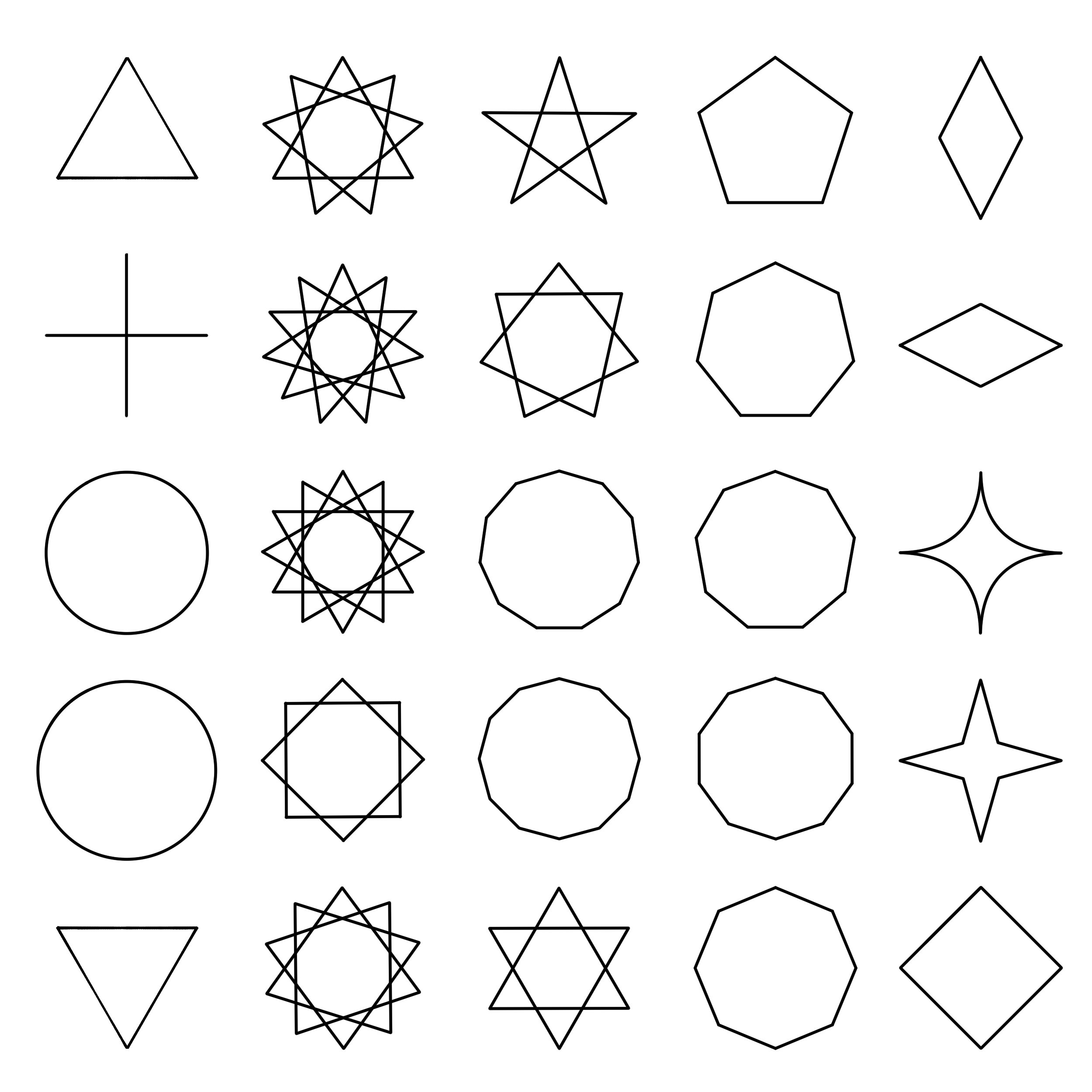
Shapes included (pictured below):
Circles, triangles, diamonds and squares
5 to 12 pointed star polygons
5 to 12 pointed polygons
Circles, triangles, diamonds and squares
5 to 12 pointed star polygons
5 to 12 pointed polygons
Have fun! I hope it's useful. :)








Other materials by doodlemancy


Popular “Layer template” materials





New materials


Badges
-
 MVP ◆This user has contributed greatly to the management of the community, by posting many great responses to the questions asked. Once every three months, MVPs are determined based on the points earned during that period and will be recognized accordingly.
 -
 New Valuable Player (NVP) ◆These are the next-best contributors to the community after MVPs. This is awarded to users who have not yet won an MVP award, based on the number of points they have earned.
 -
 Official Expert ◆Chosen out of all MVP awardees, who are already proof of excellence, this is a testimony of outstanding correspondence in the community. After careful screening, they are appointed by CELSYS and assume their position.Note: Formally called “Evangelists”
 -
 Official Moderator of CELSYS ◆Moderators are official CELSYS staff members who are fluent in Japanese as well as various other languages. Moderators are not experts on the software or illustration, so they are not able to directly answer your questions. However, moderators provide communication and language support to ensure that everyone can smoothly communicate with each other.
 -
 CELSYS official accountThe Official Administrator Account
