



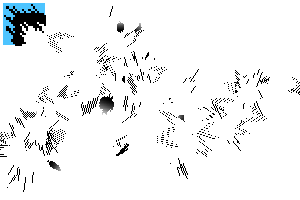
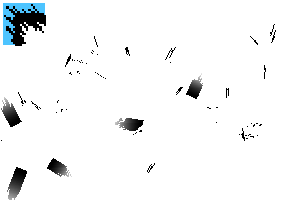
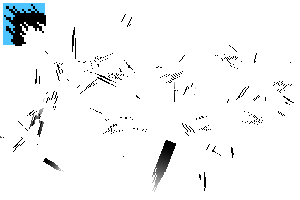
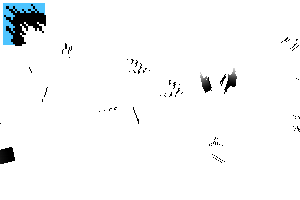
It's a flashy shockwave brush tool.
It contains some of the same things as the separately released Hade Shooting Wave Trial (Content ID: 2251229 ).
派手目な衝撃波のブラシツールです。
別途公開している、ハデ撃波おためし(コンテンツID: 2251229 )と一部同じものが入っています。
- It is brush tool, so please register and use it on the sub tool palette.
- Draw on the raster layer. Tools with continuous spraying turned on do not draw well when vector layer.
- Please draw the canvas display without flipping left and right.

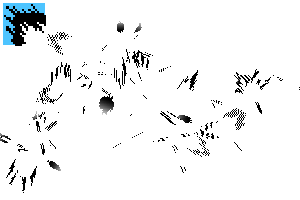
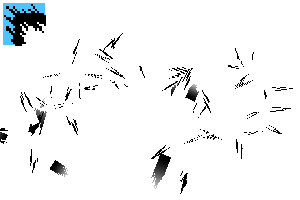
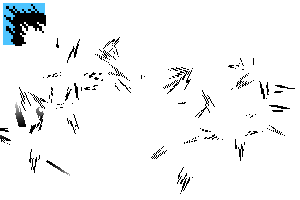
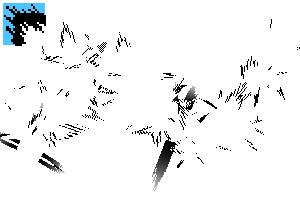
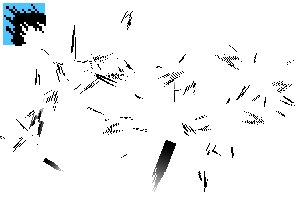
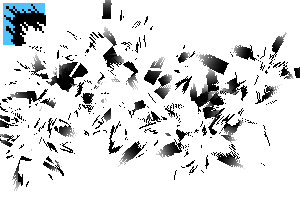
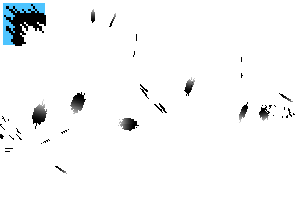
- There is a transparent version and a two-color version.
- In both translucent and bicolor, the color of the center of the brush is fixed in black and white.
- The outer edge is slightly transparent to reflect the foreground color.
- Bicolor reflects the two colors of main color and sub color on the outside.

- There are brushes that have an A version and a B version.
- The internal line is thicker in B than in A.


- Please add to the parts where the base is lacking each time.
- For additional drawings, it may be useful to use the brush tool combine mode as a [background].
- Since it is a tool with randomness, the atmosphere changes depending on the drawing.
- If you draw something you like, it is convenient to save it as a separate image material.
- Sample images are created, exported, and scaled down in B5 format/600 dpi.
- ブラシツールですので、サブツールパレットに登録して使ってください。
- ラスターレイヤーに描いてください。連続吹き付けをオンにしているツールは、ベクターレイヤーだとうまく描画されません。
- キャンバス表示は左右反転せずに描いてください。
- 透けバージョンと二色バージョンとがあります。
- 透と二色どちらも、ブラシの中心の色は白黒で固定されています。
- 透は、外側のフチが少し透けていて、描画色が反映されます。
- 二色は、外側にメインカラーとサブカラーの二色が反映されます。
- aバージョンとbバージョンとがあるブラシがあります。
- aよりbの方が内部の線が太めです。
- 下地が足りない部分は都度描き足してください。
- 描き足しには、ブラシツールの合成モードを【背景】にして使用すると便利な場合があります。
- ランダム性のあるツールなので、描画によって雰囲気が変わります。
- 気に入ったものが描けたら、別途画像素材として保存しておくと便利です。
- サンプル画像は B5判/600dpi で作成書き出し、縮小したものです。
K_a_ transparent K_a_透
-
Hade Strike K 1_a Toru ハデ撃波K 1_a 透
-
Hade Shooting Wave K 2_a Toru ハデ撃波K 2_a 透
-
Hade Wave K 3_a Toru ハデ撃波K 3_a 透
-
Hade Strike K 4_a Toru ハデ撃波K 4_a 透
-
Hade Strike K 5_a Toru ハデ撃波K 5_a 透
-
Hade Strike K 6_a Toru ハデ撃波K 6_a 透
-
Hade Strike K 7_a Toru ハデ撃波K 7_a 透
-
Hade Strike K 8_a Toru ハデ撃波K 8_a 透
-
Hade Attack Wave K 9_a Toru ハデ撃波K 9_a 透
-
Hade Shock Wave K 10_a Toru ハデ撃波K 10_a 透
-
Hade Strike K 11_a Toru ハデ撃波K 11_a 透
-
Hade Shot Wave K 12_a Toru ハデ撃波K 12_a 透
-
Hade Strike K 13_a Toru ハデ撃波K 13_a 透
-
Hade Strike K 14_a Toru ハデ撃波K 14_a 透
-
Hade Strike K 15_a Toru ハデ撃波K 15_a 透
-
Hade Strike K 16_a Toru ハデ撃波K 16_a 透







K_b_ transparent K_b_透
-
Hade Strike K 1_b Toru ハデ撃波K 1_b 透
-
Hade Strike K 2_b _Toru ハデ撃波K 2_b _透
-
Hade Strike K 3_b Toru ハデ撃波K 3_b 透
-
Hade Shot Wave K 4_b Toru ハデ撃波K 4_b 透
-
Hade Shot Wave K 5_b Toru ハデ撃波K 5_b 透
-
Hade Shot Wave K 6_b Toru ハデ撃波K 6_b 透
-
Hade Attack Wave K 7_b Toru ハデ撃波K 7_b 透
-
Hade Strike K 8_b Toru ハデ撃波K 8_b 透
-
Hade Shooting Wave K 9_b Toru ハデ撃波K 9_b 透
-
Hade Strike K 10_b Toru ハデ撃波K 10_b 透
-
Hade Strike K 11_b Toru ハデ撃波K 11_b 透
-
Hade Shock Wave K 12_b Toru ハデ撃波K 12_b 透
-
Hade Strike K 13_b Toru ハデ撃波K 13_b 透
-
Hade Shot Wave K 14_b Toru ハデ撃波K 14_b 透
-
Hade Attack Wave K 15_b Toru ハデ撃波K 15_b 透
-
Hade Strike K 16_b Toru ハデ撃波K 16_b 透









K_a_ bicolor K_a_二色
-
Hade Strike K1_a Bicolor ハデ撃波K1_a 二色
-
Hade Attack Wave K 2_a Bicolor ハデ撃波K 2_a 二色
-
Hade Strike K 3_a Bicolor ハデ撃波K 3_a 二色
-
Hade Shooting Wave K 4_a Bicolor ハデ撃波K 4_a 二色
-
Hade Shooting Wave K 5_a Bicolor ハデ撃波K 5_a 二色
-
Hade Shooting Wave K 6_a Bicolor ハデ撃波K 6_a 二色
-
Hade Shot Wave K 7_a Bicolor ハデ撃波K 7_a 二色
-
Hade Shooting Wave K 8_a Bicolor ハデ撃波K 8_a 二色
-
Hade Strike K 9_a Bicolor ハデ撃波K 9_a 二色
-
Hade Shooting Wave K 10_a Bicolor ハデ撃波K 10_a 二色
-
Hade Shooting Wave K 11_a Bicolor ハデ撃波K 11_a 二色
-
Hade Shooting Wave K 12_a Bicolor ハデ撃波K 12_a 二色
-
Hade Strike K 13_a Bicolor ハデ撃波K 13_a 二色
-
Hade Shooting Wave K 14_a Bicolor ハデ撃波K 14_a 二色
-
Hade Shooting Wave K 15_a Bicolor ハデ撃波K 15_a 二色
-
Hade Strike K 16_a Bicolor ハデ撃波K 16_a 二色


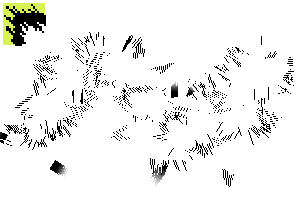

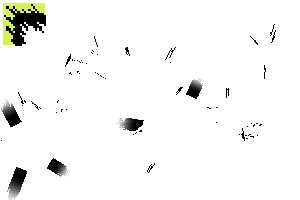


K_b_ bicolor K_b_二色
-
Hade Shot Wave K 1_b Bicolor ハデ撃波K 1_b 二色
-
Hade Strike K 2_b Bicolor ハデ撃波K 2_b 二色
-
Hade Strike K 3_b Bicolor ハデ撃波K 3_b 二色
-
Hade Strike K 4_b Bicolor ハデ撃波K 4_b 二色
-
Hade Shot Wave K 5_b Bicolor ハデ撃波K 5_b 二色
-
Hade Shot Wave K 6_b Bicolor ハデ撃波K 6_b 二色
-
Hade Strike K 7_b Bicolor ハデ撃波K 7_b 二色
-
Hade Shooting Wave K 8_b Bicolor ハデ撃波K 8_b 二色
-
Hade Shooting Wave K 9_b Bicolor ハデ撃波K 9_b 二色
-
Hade Strike K 10_b Bicolor ハデ撃波K 10_b 二色
-
Hade Strike K 11_b Bicolor ハデ撃波K 11_b 二色
-
Hade Shooting Wave K 12_b Bicolor ハデ撃波K 12_b 二色
-
Hade Wave K 13_b Bicolor ハデ撃波K 13_b 二色
-
Hade Shot Wave K 14_b Bicolor ハデ撃波K 14_b 二色
-
Hade Shot Wave K 15_b Bicolor ハデ撃波K 15_b 二色
-
Hade Strike K 16_b Bicolor ハデ撃波K 16_b 二色



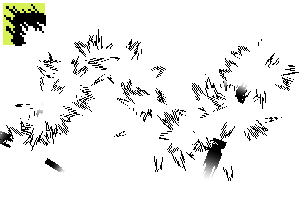
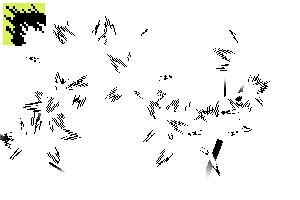


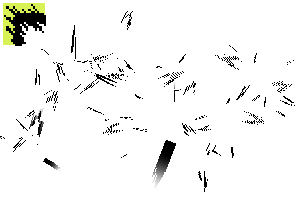








Other materials by あらまちこ


Popular “Material catalog” materials


New materials









-
 MVP ◆This user has contributed greatly to the management of the community, by posting many great responses to the questions asked. Once every three months, MVPs are determined based on the points earned during that period and will be recognized accordingly.
 -
 New Valuable Player (NVP) ◆These are the next-best contributors to the community after MVPs. This is awarded to users who have not yet won an MVP award, based on the number of points they have earned.
 -
 Official Expert ◆Chosen out of all MVP awardees, who are already proof of excellence, this is a testimony of outstanding correspondence in the community. After careful screening, they are appointed by CELSYS and assume their position.Note: Formally called “Evangelists”
 -
 Official Moderator of CELSYS ◆Moderators are official CELSYS staff members who are fluent in Japanese as well as various other languages. Moderators are not experts on the software or illustration, so they are not able to directly answer your questions. However, moderators provide communication and language support to ensure that everyone can smoothly communicate with each other.
 -
 CELSYS official accountThe Official Administrator Account