



※Excuse me! There was a mistake in the material, so I will upload it again! !!
It is a auto action that allows you to dim the current foreground color from the edges of what is being drawn on the selected layer inward. You can also use it to paint your skin!
※すみません!素材にミスがあったので再度アップロードいたします!!
選択したレイヤーに描画されているものの縁から内側に向かって、現在の描画色でぼやっと光らせることができるオートアクションです。肌塗りにも使えます!
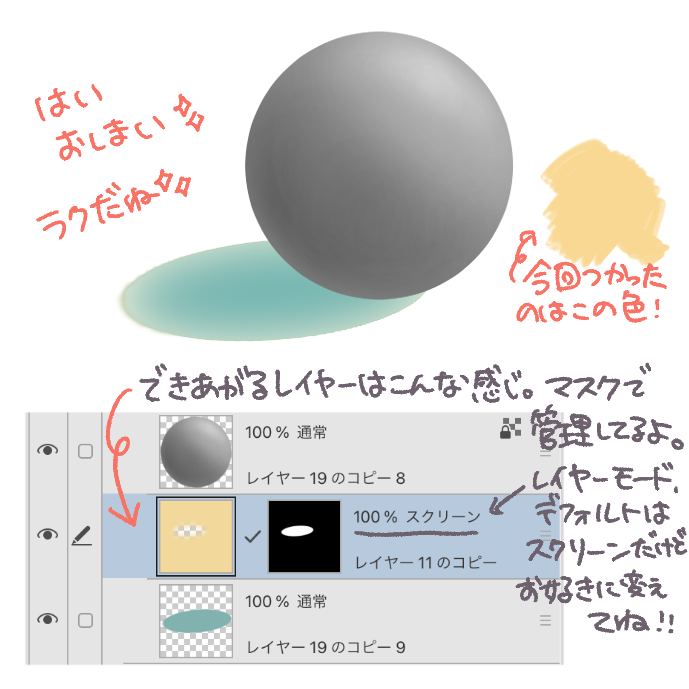
The layer to be made to glow is created separately from the selected layer, so you can freely change the transparency and layer mode later! !!

The operation method is very simple!
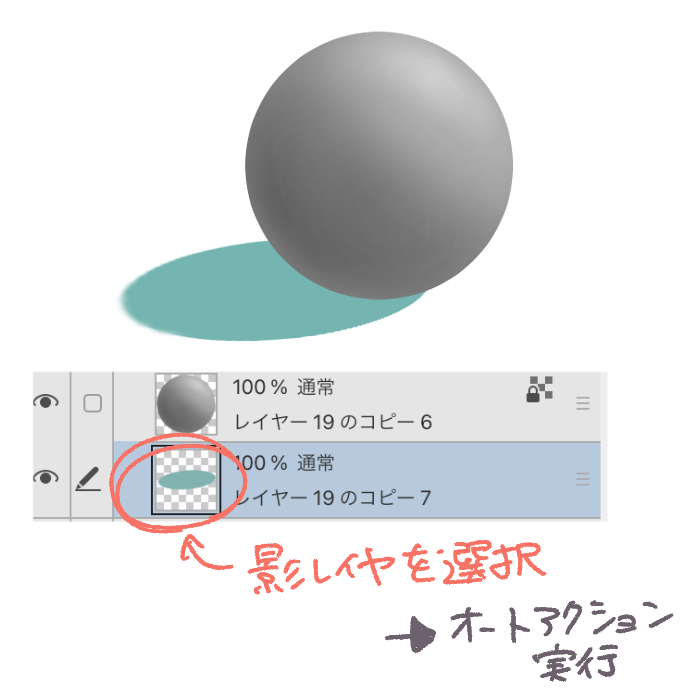
Just set the light color to the foreground color, select the shadow layer, and run the auto action!
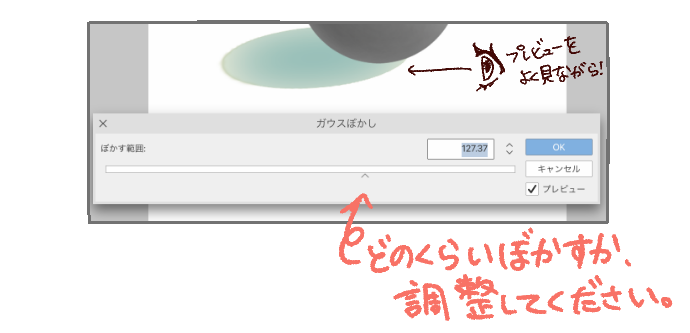
Then, a bar will appear that allows you to adjust how much it glows, so please operate it!
It's easier to make adjustments while turning on the preview!
That's all you need to do! It's that easy!
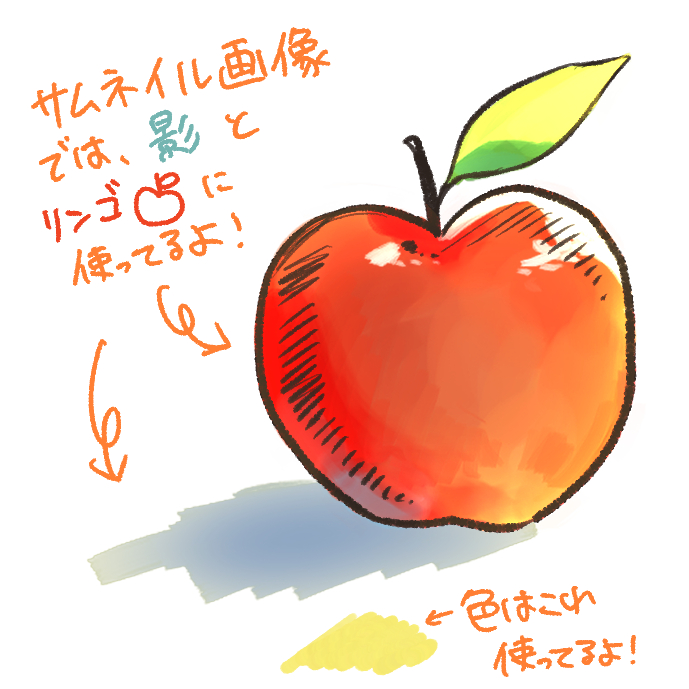
You can also use it when applying skin!
For example:
(I'm changing it to normal mode as a hobby, but I thought that those who are painting luminous light could use the screen as it is thumbnail and the apple looks like this!)

thumbnail apples look like this!
光らせるレイヤーは選択したレイヤーとは別に作成されますので、透明度やレイヤーモードなどあとからご自由に変更可能です!!
操作方法はとっても簡単!
光の色を描画色に設定しておき、影レイヤーを選択して、オートアクションを実行するだけ!
すると、どのくらいボワっと光らせるかを調整できるバーが出てくるので、操作してください!
プレビューをオンにしながら調整するとやりやすいよ!
必要な操作はこれだけです!とっても簡単!
肌を塗る時にも使うことができます!
たとえばこんな感じに!
(私の趣味で通常モードに変更してますけど、発光塗りしてる方はそのままスクリーンの方が使えるんじゃないかと思いサムネイルのリンゴはこんな感じ!
サムネイルのリンゴはこんな感じ!
auto action オートアクション





Other materials by ミリーIllst


Popular “Material catalog” materials


New materials





Badges
-
 MVP ◆This user has contributed greatly to the management of the community, by posting many great responses to the questions asked. Once every three months, MVPs are determined based on the points earned during that period and will be recognized accordingly.
 -
 New Valuable Player (NVP) ◆These are the next-best contributors to the community after MVPs. This is awarded to users who have not yet won an MVP award, based on the number of points they have earned.
 -
 Official Expert ◆Chosen out of all MVP awardees, who are already proof of excellence, this is a testimony of outstanding correspondence in the community. After careful screening, they are appointed by CELSYS and assume their position.Note: Formally called “Evangelists”
 -
 Official Moderator of CELSYS ◆Moderators are official CELSYS staff members who are fluent in Japanese as well as various other languages. Moderators are not experts on the software or illustration, so they are not able to directly answer your questions. However, moderators provide communication and language support to ensure that everyone can smoothly communicate with each other.
 -
 CELSYS official accountThe Official Administrator Account