



It is a gradient map to match your thievery.
It is specialized in changing the color taste to the extreme.
It is recommended when you want to add a retro atmosphere of a nice feeling.
自分の手癖に合わせたグラデーションマップです。
極端に色味を変えることに特化しています。
なんとなくいい感じのレトロな雰囲気を足したいときにおすすめです。
◆ List of materials included

◆ Original picture ◆

gradient map Name
Layer Mode: * *%
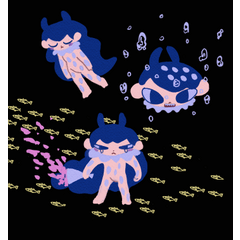
Left: The normal layer state after the gradient map applied.
The gradient on the right is also a guide.
Right: Edit the layer mode or view the finished picture that changed the transparency.
Middle: The right finished illustration is expanding.
* Gradient map applies to duplicated layers *
◆ Example of Use

Pointed if broken
Layer mode: Exclusion 36%

Fulfilling courage
Layer mode: Hue 44%

Large plates
Layer mode: color dodge 30%

Lively day
Layer Mode: Color comparison (dark) 60%

Refreshing noise
Layer mode: Hue 80%

Refreshing noise
Layer mode: Divide by 60%

They lose their mind
Layer mode: Divide by 100%

The ice is broken.
Layer mode: Divide by 100%

The ice is broken.
Layer mode: Multiply by 100%

Solid Red
Layer mode: Subtract 38%

Unknown light
Layer mode: usually 50%

Unknown light
Layer mode: Luminance 50%

Unknown light
Layer mode: Hue 50%

Moss Liquid
Layer Mode: 60% comparison (dark)

The bottom of a thin mist
Layer mode: Multiply by 45%

Embarrassed piece
Layer mode: 100% saturation

Embarrassed piece
Layer mode: Hue 100%

Embarrassed piece
Layer mode: Color 100%

Original picture
+
Embarrassed piece
Layer mode: usually 100%
+
Moss Liquid
Layer mode: Subtract 30%
◆収録素材一覧◆
◆元絵◆
グラデーションマップ名
レイヤーモード:**%
左:グラデーションマップ適用後の通常レイヤーの状態です。
右端のグラデーションも目安にしてください。
右:レイヤーモードを編集したり透明度を変更した完成図を表示します。
中央:右の完成イラストを拡大しています。
※グラデーションマップは複製したレイヤーに適用しています※
◆使用例◆
折れたら尖る
レイヤーモード:除外36%
充実勇気
レイヤーモード:色相44%
大きめのお皿
レイヤーモード:覆い焼きカラー30%
活き活きデー
レイヤーモード:カラー比較(暗)60%
さわやかノイズ
レイヤーモード:色相80%
さわやかノイズ
レイヤーモード:除算60%
気が抜ける
レイヤーモード:除算100%
氷面が割れた
レイヤーモード:除算100%
氷面が割れた
レイヤーモード:乗算100%
紅一色
レイヤーモード:減算38%
知らない光
レイヤーモード:通常50%
知らない光
レイヤーモード:輝度50%
知らない光
レイヤーモード:色相50%
苔むしリキッド
レイヤーモード:比較(暗)60%
薄霧の底
レイヤーモード:乗算45%
ドギマギピース
レイヤーモード:彩度100%
ドギマギピース
レイヤーモード:色相100%
ドギマギピース
レイヤーモード:カラー100%
元絵
+
ドギマギピース
レイヤーモード:通常100%
+
苔むしリキッド
レイヤーモード:減算30%


Other materials by まくたく


Popular “Gradient set” materials


New materials








Badges
-
 MVP ◆This user has contributed greatly to the management of the community, by posting many great responses to the questions asked. Once every three months, MVPs are determined based on the points earned during that period and will be recognized accordingly.
 -
 New Valuable Player (NVP) ◆These are the next-best contributors to the community after MVPs. This is awarded to users who have not yet won an MVP award, based on the number of points they have earned.
 -
 Official Expert ◆Chosen out of all MVP awardees, who are already proof of excellence, this is a testimony of outstanding correspondence in the community. After careful screening, they are appointed by CELSYS and assume their position.Note: Formally called “Evangelists”
 -
 Official Moderator of CELSYS ◆Moderators are official CELSYS staff members who are fluent in Japanese as well as various other languages. Moderators are not experts on the software or illustration, so they are not able to directly answer your questions. However, moderators provide communication and language support to ensure that everyone can smoothly communicate with each other.
 -
 CELSYS official accountThe Official Administrator Account