


Customizable spray pencils for any situation! :0
These are particle pencils, meaning they use the spray functionality. They are very customizable due to this: changing particle size, hardness (on some), density, opacity, spray direction, spray grouping, etc. is all possible. These can run slow on slower computers due to the spray function, however.

1. Crackle pencil. The fine line between soft & hard. Uses default circle, so it can be increased or decreased in hardness.

2. Whispy Spot Pencil. Great for drafts and rough sketches. Has slight gaps that can be increased or decreased.

3. Yeehaw Pencil. Bold line with a crunchy texture. Draws thick.
6. Color Dip Pencil. The more pressure you apply, the darker the color will be with color jitter. You can turn it off in the settings. Can also have its hardness changed. This one doesn't increase particle size with normal size, so you can get a really bold small line or a sparse big line.

4. Gentle Colored Pencil - A pencil that's lovely for coloring. Applies softly with good control & a fair amount of texture like a real colored pencil.

5. Wick Pencil. Works with velocity in size, opacity, & density to give you a whip-like line. Lays down thick on slow lines, gently on fast lines.

7. Skipping lineart pencil - A solid line with a lot of gaps at small sizes. Good for vintages looking things. Unfortunately, I haven't been able to get it to have the same effect at sizes above 6px, but it does make a good shading tool above it for spotty textures.

8. Thin Lineart Pencil. Close to a mechanical pencil, very precise with a small size curve. Also great for vintage looks!
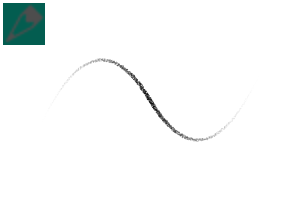
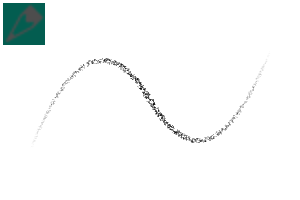
Here's the stroke comparison. They're in numerical order, I just made them too big ;w;


Solid and Spotty for any occasion










Other materials by saturns_day


Popular “Material catalog” materials


New materials





Badges
-
 MVP ◆This user has contributed greatly to the management of the community, by posting many great responses to the questions asked. Once every three months, MVPs are determined based on the points earned during that period and will be recognized accordingly.
 -
 New Valuable Player (NVP) ◆These are the next-best contributors to the community after MVPs. This is awarded to users who have not yet won an MVP award, based on the number of points they have earned.
 -
 Official Expert ◆Chosen out of all MVP awardees, who are already proof of excellence, this is a testimony of outstanding correspondence in the community. After careful screening, they are appointed by CELSYS and assume their position.Note: Formally called “Evangelists”
 -
 Official Moderator of CELSYS ◆Moderators are official CELSYS staff members who are fluent in Japanese as well as various other languages. Moderators are not experts on the software or illustration, so they are not able to directly answer your questions. However, moderators provide communication and language support to ensure that everyone can smoothly communicate with each other.
 -
 CELSYS official accountThe Official Administrator Account
