



It is the one like the variation of "diagonal for erasing" distributed by "Eraser which seems to cross-hatching a solid" before. 以前に「ベタをカケアミっぽくする消しゴム」で配布した「消し用の斜線」のバリエーションのようなものです。
It is the one like the variation of "diagonal for erasing" distributed by "Eraser which seems to cross-hatching a solid" before.
https://assets.clip-studio.com/ja-jp/detail?id=1675094
It disappears in a diagonal shape when I use it from a solid top.
"Diagonal line for erasing" was a bit bosoboso lines, but the type that is a beautiful line, handwriting-like type, and ribbon brush version of this time.
It will also be up for ComicStudio later.
Sample ↓ It looks like this first.

■ Diagonal Erase V2 (70)

※ Scraping Clean If the AMI point of 60 lines (printed confirmation)
It is a considerably clear line when comparing it with "diagonal slash for erasing".
■ Diagonal Eraser V2-ribbon (25)

Shaded on the Ribbon type. It becomes beautiful when I use a ruler.
■-Like diagonal shading (65)

Handwritten style.
It is not suitable for tone scraping!
Sample addition because it is difficult to understand this sample.
CLIP STUDIO Tone "Forest 01-Black"

以前に「ベタをカケアミっぽくする消しゴム」で配布した「消し用の斜線」のバリエーションのようなものです。
https://assets.clip-studio.com/ja-jp/detail?id=1675094
ベタを塗った上から使うと斜線状に消えます。
「消し用の斜線」は線が少しぼそぼそした感じになってましたが、綺麗な線になっているタイプと、手書きっぽいタイプ、それにリボンブラシ版が今回のです。
あとでコミスタ用もupします。
サンプル。↓まずはこんな感じ。
■斜線消しV2(70)
※60線のアミ点ならそこそこ綺麗に削れます(印刷確認済み)
「消し用の斜線」と比較するとだいぶはっきりした線です。
■斜線消しV2-リボン(25)
リボンタイプの斜線です。定規を使うと綺麗になります。
■手書き風斜線消し(65)
手書き風。
トーン削りには向きません!
あとこのサンプルだとわかりにくいのでサンプル追加。
クリスタに入ってるトーン「森林01-黒」
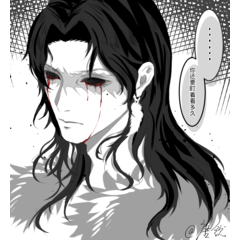
Slash off 斜線消し










Other materials by もの区


Popular “Material catalog” materials


New materials











Badges
-
 MVP ◆This user has contributed greatly to the management of the community, by posting many great responses to the questions asked. Once every three months, MVPs are determined based on the points earned during that period and will be recognized accordingly.
 -
 New Valuable Player (NVP) ◆These are the next-best contributors to the community after MVPs. This is awarded to users who have not yet won an MVP award, based on the number of points they have earned.
 -
 Official Expert ◆Chosen out of all MVP awardees, who are already proof of excellence, this is a testimony of outstanding correspondence in the community. After careful screening, they are appointed by CELSYS and assume their position.Note: Formally called “Evangelists”
 -
 Official Moderator of CELSYS ◆Moderators are official CELSYS staff members who are fluent in Japanese as well as various other languages. Moderators are not experts on the software or illustration, so they are not able to directly answer your questions. However, moderators provide communication and language support to ensure that everyone can smoothly communicate with each other.
 -
 CELSYS official accountThe Official Administrator Account