



3D Costello's Lipstick
Problems when scaling and rotating with sliders:
○ If you want to rotate the slider larger than the slider, the size will be reset.
○ If you use the LT conversion preview or run, the slider will be converted to a reset, etc.
○ The part that the inside of the lip container is made to become transparent after the LT conversion (it is the part that I put out, and cannot be seen depending on the angle).
As a workaround, I checked the size and angle of the LT conversion manipulator it goes to the top left, and I have confirmed that it will not reset when I convert it.
Because it might be improved in the version up, etc., until then, it is recommended to do the angle adjustment and size in the manipulator in the upper left.
(The "opening and closing of the lid" and "lip" in the slider were not reset even if LT was converted)
3Dコスメシリーズ リップスティック 口紅
スライダでの拡大縮小や回転などした時の問題:
○スライダで大きくしたものを更にスライダで回転させたいといった場合、大きさがリセットされてしまう
○LT変換プレビューや実行などすると、スライダでの拡大縮小等がリセットされて変換されてしまう
○LT変換後にリップ入れ物の内側が一部透明化する部分が出ます(リップを出していたりや、角度によっては見えない部分です)。
回避策として、LT変換をする場合は左上に出るマニピュレータにて、大きさや角度を調節後、変換するとリセットされないことを確認しました。
バージョンアップなどで改善される可能性もありますので、それまでは、角度調節や大きさなどは左上のマニピュレータにて行うことをおすすめします。
(スライダでの「蓋の開閉」、「リップのだし入れ」に関してはLT変換してもリセットされませんでした)

Material マテリアル
-
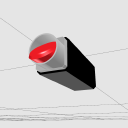
Gold Case x Red Lip ゴールドケース×レッドリップ
-
Gold Case x Pink Lip ゴールドケース×ピンクリップ
-
Black Case x Red lip ブラックケース×レッドリップ
-
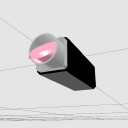
Black Case x Pink Lip ブラックケース×ピンクリップ
-
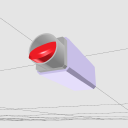
Lavender Case x Red Lip ラベンダーケース×レッドリップ
-
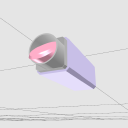
Lavender Case X Pink Lip ラベンダーケース×ピンクリップ
-
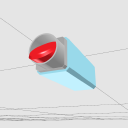
Blue Case x Red Lip 水色ケース×レッドリップ
-
Blue Case x Pink Lip 水色ケース×ピンクリップ
-
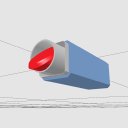
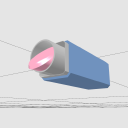
Blue Case x Red Lip ブルーケース×レッドリップ
-
Blue Case x Red Lip ブルーケース×レッドリップ
-
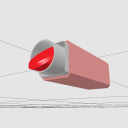
Beige Pink x Red Lip ベージュピンク×レッドリップ
-
Beige Pink x Pink Lip ベージュピンク×ピンクリップ
-
Azeriacase x Red Lip アゼリアケース×レッドリップ
-
Azeriacase x Pink Lip アゼリアケース×ピンクリップ
-
No color 色無し



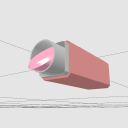
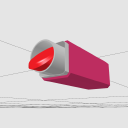
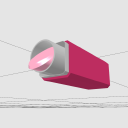
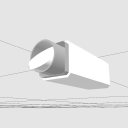
Layout レイアウト
-
With lid 蓋あり
-
No lid 蓋なし

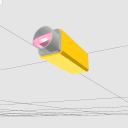
pose parts 可動パーツ
-
Zoom In 拡大縮小
-
The cover is movable. 蓋可動
-
Lip and unload リップ出し入れ
-
Vertical rotation 垂直回転
-
Horizontal rotation 水平回転
-
Turn left and right 左右回転
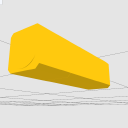
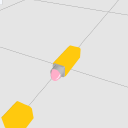
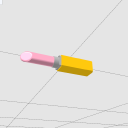


Other materials by pi0ip


Popular “Old format 3D file” materials


New materials


-
 MVP ◆This user has contributed greatly to the management of the community, by posting many great responses to the questions asked. Once every three months, MVPs are determined based on the points earned during that period and will be recognized accordingly.
 -
 New Valuable Player (NVP) ◆These are the next-best contributors to the community after MVPs. This is awarded to users who have not yet won an MVP award, based on the number of points they have earned.
 -
 Official Expert ◆Chosen out of all MVP awardees, who are already proof of excellence, this is a testimony of outstanding correspondence in the community. After careful screening, they are appointed by CELSYS and assume their position.Note: Formally called “Evangelists”
 -
 Official Moderator of CELSYS ◆Moderators are official CELSYS staff members who are fluent in Japanese as well as various other languages. Moderators are not experts on the software or illustration, so they are not able to directly answer your questions. However, moderators provide communication and language support to ensure that everyone can smoothly communicate with each other.
 -
 CELSYS official accountThe Official Administrator Account