


선택한 레이어 내보내기 (자동 작동) (Export Selected Layer (Auto-Action)) Export Selected Layer (Auto-Action)
콘텐츠 ID:2302636
-
222
by
 ◆
◆
◆

현재 레이어를 PNG로 내보내세요 Export the current layer as a PNG
현재 선택된 레이어를 자동으로 PNG로 내보내며, 다른 레이어의 가시성에는 영향을 주지 않습니다. 개별 레이어나 레이어 폴더에서 작동합니다. 레이어를 선택하고 자동 행동을 실행한 후 파일 이름을 선택하면 됩니다. 레이어 컴포를 사용해 문서 상태를 임시로 저장하므로, 3.0 이전 버전의 Clip Studio 버전이나 Clip Studio Debut에서는 작동하지 않습니다.
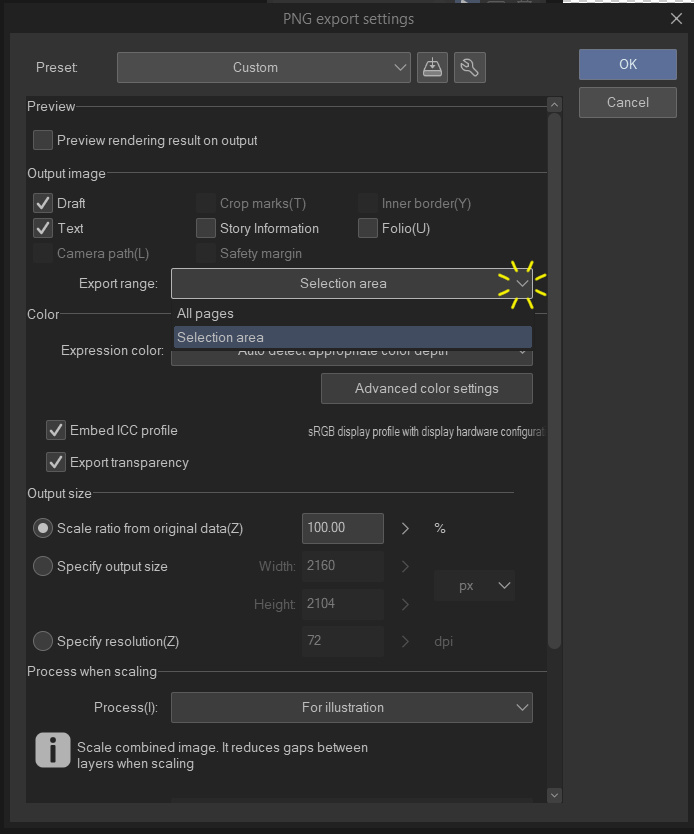
파일을 내보낼 위치를 선택할 때, "범위 내보내기" 드롭다운을 "선택 영역"으로 변경하여 그려진 레이어 부분만 내보내는 방법(가장자리의 투명 픽셀은 자르기)을 선택할 수 있습니다. "모든 페이지"로 두면 캔버스와 같은 해상도로 레이어가 내보내집니다.
키보드 단축키에 자동 동작을 등록해 더 빠른 내보내기를 할 수도 있습니다. "파일 -> 바로가기 설정"을 사용하고 카테고리를 "자동 행동"으로 바꾸면 됩니다.
예시 사용
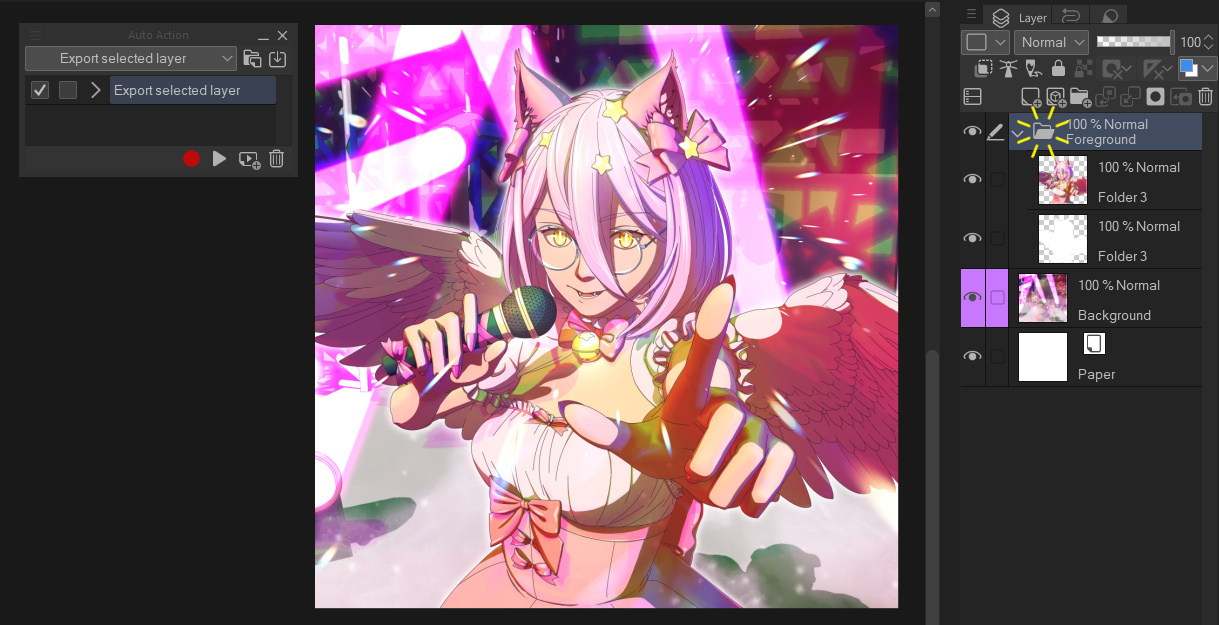
내보내고 싶은 레이어를 선택하세요
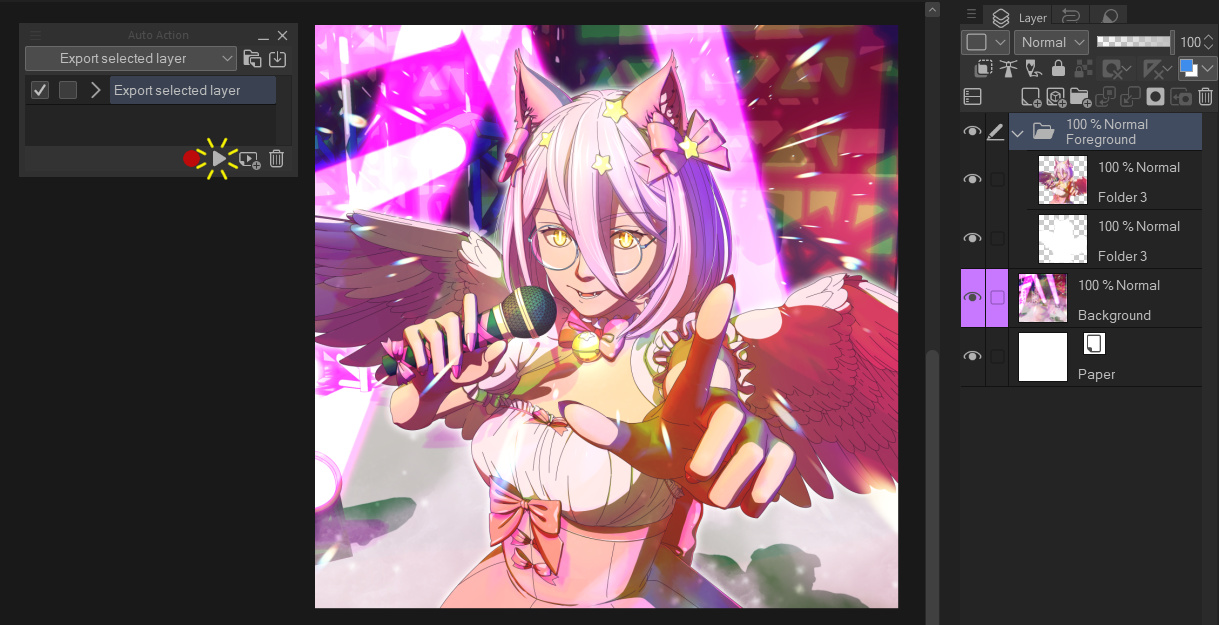
자동 행동을 실행하세요 (재생 버튼 누르기)
파일 이름을 선택한 후, 내보내기 범위는 "선택 영역" 또는 "모든 페이지" 중 하나를 선택하세요
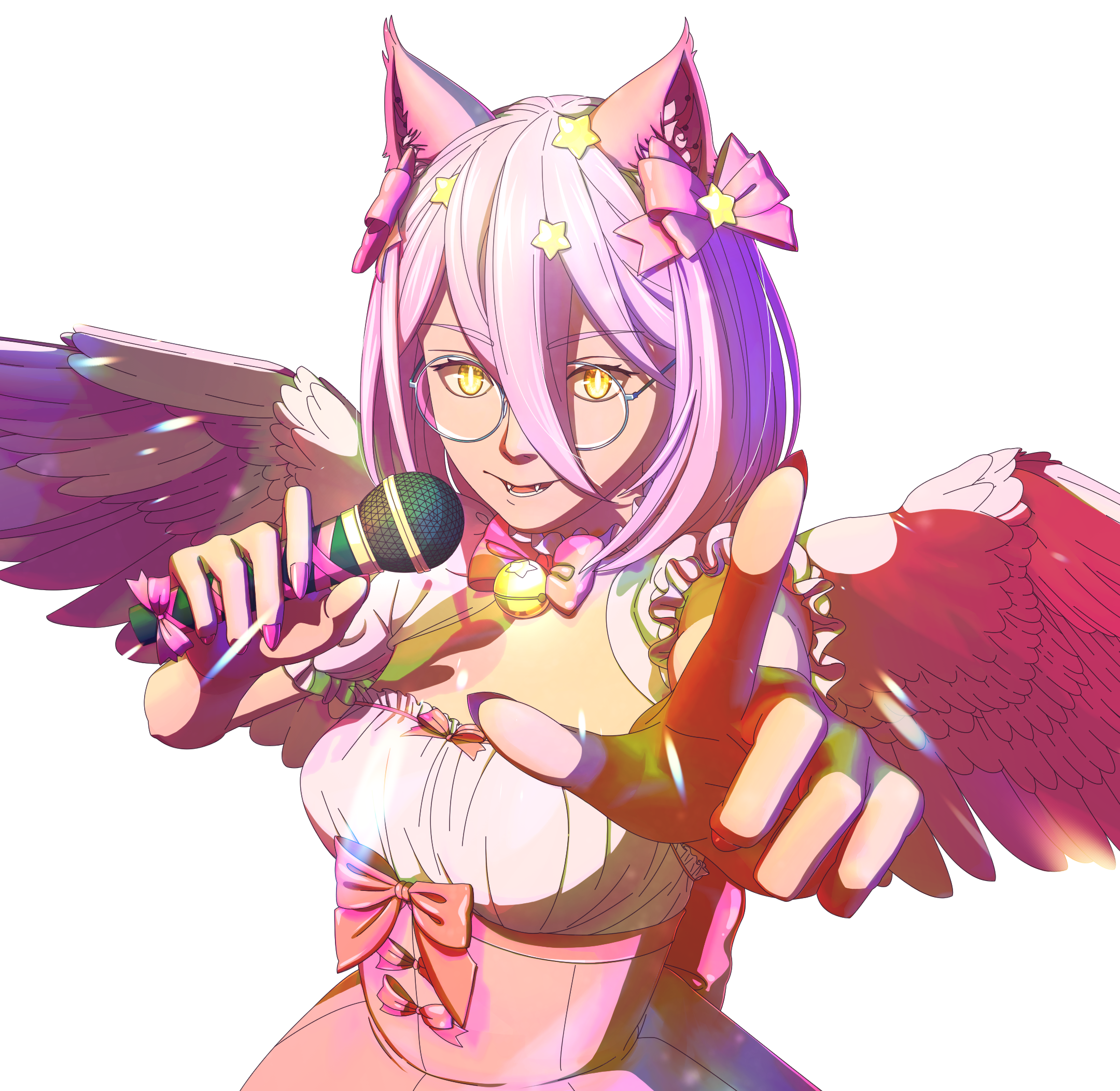
끝!
오토 액션 소개
오토액션을 한 번도 사용해본 적이 없다면, 다음은 사용법에 대한 가이드입니다:
https://support.clip-studio.com/en-us/faq/articles/20210077
https://support.clip-studio.com/en-us/faq/articles/20220025
Automatically export the currently selected layer on its own as a PNG, without affecting the visibility of any other layers. Works on individual layers or layer folders. Just select a layer, run the auto-action, then choose the file name. Uses layer comps to temporarily save the document state, so will not work on versions of Clip Studio before version 3.0, or in Clip Studio Debut.
When choosing where to export the file, you can choose to either export only the parts of the layer that are drawn on (cropping any transparent pixels on the edges) by changing the "Export range" dropdown to "Selection area". Leaving it on "All pages" will export the layer at the same resolution as the canvas.
You can also register auto-actions to keyboard shortcuts for even faster exporting. Use "File -> Shortcut settings" and change the category to "Auto actions" to set this up.
Example usage
Select the layer you want to export
Run the auto-action (press the play button)
Choose a name for your file, then choose either "Selection area" or "All pages" for the export range
Done!
About Auto Actions
If you've never used an Auto Action before, here's some guides on how to use them:
https://support.clip-studio.com/en-us/faq/articles/20210077
https://support.clip-studio.com/en-us/faq/articles/20220025







'DragonWithaFez'님의 다른 소재


'오토 액션'의 인기 소재


신규 소재





배지
-
 MVP ◆질문에 적절한 답변을 많이 게시하고 커뮤니티 운영에 크게 공헌한 사용자입니다. MVP는 3개월에 한 번, 그 사이에 획득한 포인트를 바탕으로 결정하고 표창을 실시하고 있습니다.
 -
 NVP(New Valuable Player) ◆MVP 다음으로 커뮤니티 운영에 공헌한 사용자입니다. 이제까지 MVP 수상 경험이 없는 분 중에서 획득한 포인트를 바탕으로 결정하여 표창을 실시하고 있습니다.
 -
 공식 엑스퍼트 ◆뛰어난 응답자의 증표인 MVP수상자 중에서 선택된 커뮤니티에서 가장 뛰어난 응답자의 증표입니다. 심사를 거쳐서 저희 회사에서 의뢰할 경우 취임되십니다.※ 옛 명칭 '에반젤리스트'
 -
 셀시스 공인 모더레이터 ◆모더레이터는 일본어와 기타 언어로 말할 수 있는 셀시스 공인 스태프입니다. 소프트웨어나 창작 전문가가 아니므로 직접 의문을 해결할 수는 없지만 여러분이 순조롭게 소통할 수 있도록 언어나 커뮤니케이션 측면에서 지원합니다.
 -
 셀시스 공식운영에 관련된 공식 계정입니다.