



3D 단순 빗방울

3D 공간에 흩어진 눈물 모양의 비!
다양한 색상 옵션을 포함하고 있습니다.


이 모델은 다른 3D 비 효과를 만들면서 만든 연습용 모델입니다. 약간의 완벽함이 있을 수 있지만, 그래도 유용하길 바랍니다!
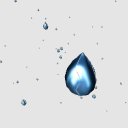
반짝이는 모습은 제가 재질에 그려낸 질감입니다. 이 모델은 텍스처이기 때문에 렌더링 효과가 아니기 때문에 이전 버전의 Clip Studio Paint와 더 호환성이 좋습니다.
3D 미리보기 중에 반짝이는 텍스처가 울퉁불퉁해 보이기도 합니다. 레이어를 래스터화(2D 레이어로 변환)하면 보통 이 문제가 해결됩니다. 텍스처에 균열이 남아 있으면 블러 도구로 빠르게 수정할 수 있습니다.
왼쪽 이미지: 3D 오브젝트 미리보기. 오른쪽 이미지: 래스터화 후 레이어.

.: 감사합니다 :.
이 정보가 빠르게 빗방울을 많이 만드는 데 도움이 되길 바랍니다! 지금 비를 주제로 한 에셋이 많이 올려져 있으니, 한 번 봐주세요. 감사합니다!
- 엘리스 -
모든 3D 에셋 재질, 3D 텍스처, 예제 이미지는 모두 제가 직접 창작한 것입니다.
[참고] 저는 자주 온라인에 있지 않아 댓글에 답글을 달 수 없습니다. 도움이 필요하다면 공식 튜토리얼과 포럼을 확인하거나 Clip Studio 지원팀에 연락하세요. 이해해 주셔서 감사합니다!
3D Simple Raindrops
Teardrop-shaped rain scattered in a 3D space!
Includes different color options.
This was a practice model I made while creating other 3D rain effects. It may have some imperfections, but I hope it can still be useful!
The shiny reflection is a texture I painted onto the material. Since it is a texture (and not a rendering effect) this model should be more compatible with older versions of Clip Studio Paint.
Sometimes the shiny texture will look jagged during 3D preview. Rasterizing the layer (converting it to a 2D layer) will usually fix this issue. If any cracks in the texture remain, the blur tool can quickly fix it.
Left image: 3D object preview. Right image: after rasterizing layer.
.: Thank You :.
I hope this helps you quickly create lots of rain drops! I have many rain-themed assets posted right now, please take a look. Thank you!
- Elise -
All 3D asset materials, 3D textures, and example images are my own creations.
【Note】 I'm not online often and can't respond to comments. If you need help: check official tutorials and forums, or contact Clip Studio support team. Thank you for understanding!
재료 Material
-
블루 샤이니 Blue Shiny
-
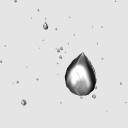
회색 빛나는 Grey Shiny
-
화이트 White
-
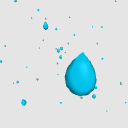
아쿠아 Aqua
-
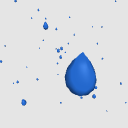
파란색 Blue

배분 Allocate
-
기본 레이아웃 Default layout






'mh.elise'님의 다른 소재


'3D 오브젝트'의 인기 소재


신규 소재


배지
-
 MVP ◆질문에 적절한 답변을 많이 게시하고 커뮤니티 운영에 크게 공헌한 사용자입니다. MVP는 3개월에 한 번, 그 사이에 획득한 포인트를 바탕으로 결정하고 표창을 실시하고 있습니다.
 -
 NVP(New Valuable Player) ◆MVP 다음으로 커뮤니티 운영에 공헌한 사용자입니다. 이제까지 MVP 수상 경험이 없는 분 중에서 획득한 포인트를 바탕으로 결정하여 표창을 실시하고 있습니다.
 -
 공식 엑스퍼트 ◆뛰어난 응답자의 증표인 MVP수상자 중에서 선택된 커뮤니티에서 가장 뛰어난 응답자의 증표입니다. 심사를 거쳐서 저희 회사에서 의뢰할 경우 취임되십니다.※ 옛 명칭 '에반젤리스트'
 -
 셀시스 공인 모더레이터 ◆모더레이터는 일본어와 기타 언어로 말할 수 있는 셀시스 공인 스태프입니다. 소프트웨어나 창작 전문가가 아니므로 직접 의문을 해결할 수는 없지만 여러분이 순조롭게 소통할 수 있도록 언어나 커뮤니케이션 측면에서 지원합니다.
 -
 셀시스 공식운영에 관련된 공식 계정입니다.