


횃불 • 모닥불 • 열린 불꽃 (Torches • Campfire • Open Flames) Torches • Campfire • Open Flames
콘텐츠 ID:2245123
-
6,035


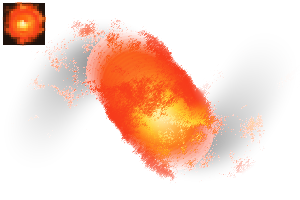
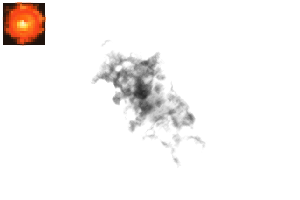
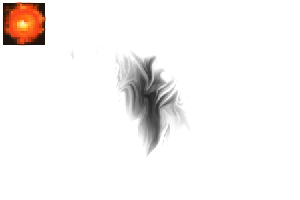
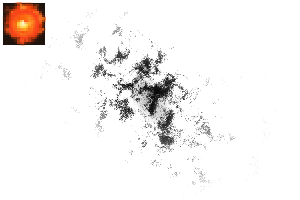
횃불, 모닥불, 파이어볼 등 다양한 불꽃을 빠르게 묘사할 수 있는 붓들. Brushes that can quickly illustrate flames for torches, campfires, fireballs, or more.


열화염 브러시 Open Flame Brushes


갱신 이력
업데이트 2026.02.13 || 새로운 '노이즈' 텍스처를 만들었어요. 이 질감에 새로 추가된 브러시 두 개. 또한 다른 언어로 번역할 때 더 명확해지도록 문구도 업데이트했습니다. 새 브러시를 카탈로그에 추가하려면 자산을 다시 다운로드해 주세요! 감사합니다! Update 2026.02.13 || Created a new "noise" texture. Two new brushes added with this texture. Also updated wording to be hopefully more clear when translated into other languages. Please redownload the asset to add new brushes to your catalogue! Thank you!
구 버전





'mh.elise'님의 다른 소재


'소재집'의 인기 소재


신규 소재


-
 MVP ◆질문에 적절한 답변을 많이 게시하고 커뮤니티 운영에 크게 공헌한 사용자입니다. MVP는 3개월에 한 번, 그 사이에 획득한 포인트를 바탕으로 결정하고 표창을 실시하고 있습니다.
 -
 NVP(New Valuable Player) ◆MVP 다음으로 커뮤니티 운영에 공헌한 사용자입니다. 이제까지 MVP 수상 경험이 없는 분 중에서 획득한 포인트를 바탕으로 결정하여 표창을 실시하고 있습니다.
 -
 공식 엑스퍼트 ◆뛰어난 응답자의 증표인 MVP수상자 중에서 선택된 커뮤니티에서 가장 뛰어난 응답자의 증표입니다. 심사를 거쳐서 저희 회사에서 의뢰할 경우 취임되십니다.※ 옛 명칭 '에반젤리스트'
 -
 셀시스 공인 모더레이터 ◆모더레이터는 일본어와 기타 언어로 말할 수 있는 셀시스 공인 스태프입니다. 소프트웨어나 창작 전문가가 아니므로 직접 의문을 해결할 수는 없지만 여러분이 순조롭게 소통할 수 있도록 언어나 커뮤니케이션 측면에서 지원합니다.
 -
 셀시스 공식운영에 관련된 공식 계정입니다.