


Shapefy (랜덤 도형 생성기) (Shapefy (Random Shapes Generator)) Shapefy (Random Shapes Generator)
콘텐츠 ID:2244264
-
22


무작위 실루엣을 생성해 그려보세요 Generate random silhouettes to draw
Shapefy는 Alchemy라는 오래된 개념 소프트웨어에서 영감을 받았습니다.
이 도구는 '풀-쉐이프' 기능이 있어, 캔버스 위에 무작위로 그려 겹칠 수 있는 도형을 사용할 수 있었습니다.
무작위 도형에서 아이디어를 생성하는 것은 '빈 페이지에 대한 두려움'을 깨는 제가 가장 좋아하는 방법 중 하나입니다. 한번 시도해 보세요!
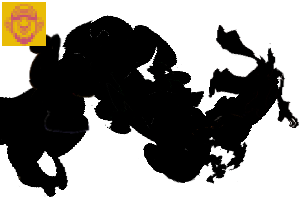
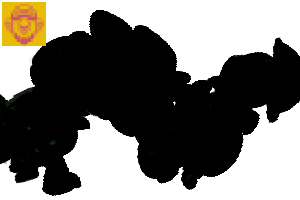
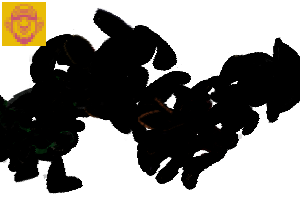
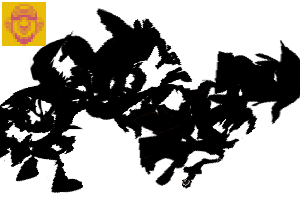
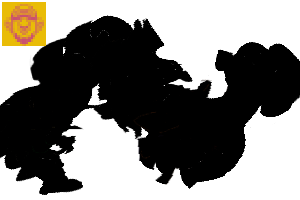
형태는 제 작품을 사용해 만들어졌습니다. 저것들은 제가 직접 만든 캐릭터 디자인의 실루엣 컷아웃입니다.
무작위 도형에서 아이디어를 생성하는 것은 '빈 페이지에 대한 두려움'을 깨는 제가 가장 좋아하는 방법 중 하나입니다. 한번 시도해 보세요!
형태는 제 작품을 사용해 만들어졌습니다. 저것들은 제가 직접 만든 캐릭터 디자인의 실루엣 컷아웃입니다.
이 브러시를 올바르게 사용하는 방법은 없습니다. 실험적인 도구입니다.
---------------------------
직접 만드는 방법
이 작품에 CP를 쓰지 않겠다고 느끼신다 면(제 원작 아트를 사용해서 시간이 많이 걸려서 묻는 거예요), 자유롭게 직접 만들어 주세요.
무작위 도형을 브러시 재질 팁(가능하면 저해상도)으로 저장하고, 도구의 브러시 팁 파라미터에 모두 불러오면 됩니다.
또한 Gap 파라미터를 조정하고, Stroke 파라미터에서 Repeat 메서드를 Random으로 설정하는 것도 중요합니다.
이 작품에 CP를 쓰지 않겠다고 느끼신다 면(제 원작 아트를 사용해서 시간이 많이 걸려서 묻는 거예요), 자유롭게 직접 만들어 주세요.
무작위 도형을 브러시 재질 팁(가능하면 저해상도)으로 저장하고, 도구의 브러시 팁 파라미터에 모두 불러오면 됩니다.
또한 Gap 파라미터를 조정하고, Stroke 파라미터에서 Repeat 메서드를 Random으로 설정하는 것도 중요합니다.

이게 사용한 브러시 팁들이에요 - 일부러 저해상도로 만들어서 성능에 부담이 없도록 한 거예요. 100% 불투명한 느낌을 위해서는 레이어를 단색으로 설정하는 것이 더 좋습니다.

예를 들어보겠습니다.
무작위 도형을 정확히 따라가야 하거나 따라갈 수 없을 것 같아요. 하지만 실제로는 잠재의식 속에 떠다니는 이미지로 가는 실용적인 관문이기도 합니다.

그거야!
즐거운 시간 보내.
Shapefy is inspired by an old conceptual software called Alchemy.
This tool had a 'pull-shapes ' function that uses random shapes that can be draw and overlapped on the canvas.
Generate ideas from random shapes is one of my favorites methods to break the 'fear of the blank page'. Give it a try!
Shapes were created using my own artwork. Those are cutouts silhouettes from some character designs I made for myself.
Generate ideas from random shapes is one of my favorites methods to break the 'fear of the blank page'. Give it a try!
Shapes were created using my own artwork. Those are cutouts silhouettes from some character designs I made for myself.
There's no correct way to use this brush. It's an experimental tool.
---------------------------
HOW TO CREATE YOUR OWN
If you feel not spending CPs on this one (just asking because it uses my original art and it took a lot of time to do it), please feel free to create your own.
Just save your random shapes as Brush material tips (preferably, low res) and load them all on the Brush Tip Parameter of the tool.
Also it's important to adjust the Gap parameter and set the Repeat method to Random on the Stroke parameter.
If you feel not spending CPs on this one (just asking because it uses my original art and it took a lot of time to do it), please feel free to create your own.
Just save your random shapes as Brush material tips (preferably, low res) and load them all on the Brush Tip Parameter of the tool.
Also it's important to adjust the Gap parameter and set the Repeat method to Random on the Stroke parameter.
Those are all the Brush Tips used - they're low res on purpose so you don't have with performance. It's better to set the layer to monochrome for a 100% opaque look.
Here's an example.
I don't think you should (or will be able) to follow the random shape precisely. But it's indeed a practical gateway to some imagery that may be floating on your subconscious mind.
That's it!
Have fun.
쉐이프파이 Shapefy



'Dadotronic'님의 다른 소재


'소재집'의 인기 소재


신규 소재


배지
-
 MVP ◆질문에 적절한 답변을 많이 게시하고 커뮤니티 운영에 크게 공헌한 사용자입니다. MVP는 3개월에 한 번, 그 사이에 획득한 포인트를 바탕으로 결정하고 표창을 실시하고 있습니다.
 -
 NVP(New Valuable Player) ◆MVP 다음으로 커뮤니티 운영에 공헌한 사용자입니다. 이제까지 MVP 수상 경험이 없는 분 중에서 획득한 포인트를 바탕으로 결정하여 표창을 실시하고 있습니다.
 -
 공식 엑스퍼트 ◆뛰어난 응답자의 증표인 MVP수상자 중에서 선택된 커뮤니티에서 가장 뛰어난 응답자의 증표입니다. 심사를 거쳐서 저희 회사에서 의뢰할 경우 취임되십니다.※ 옛 명칭 '에반젤리스트'
 -
 셀시스 공인 모더레이터 ◆모더레이터는 일본어와 기타 언어로 말할 수 있는 셀시스 공인 스태프입니다. 소프트웨어나 창작 전문가가 아니므로 직접 의문을 해결할 수는 없지만 여러분이 순조롭게 소통할 수 있도록 언어나 커뮤니케이션 측면에서 지원합니다.
 -
 셀시스 공식운영에 관련된 공식 계정입니다.