



파운(사우니) 같은 다리의 간단한 모형이었다.
블렌더로 만들었어요.
A simple model of a faun like leg.
Made with Blender.
모델은 다운로드 탭에서 볼 수 있어야 하며, 그 후 캔버스로 드래그할 수 있습니다.

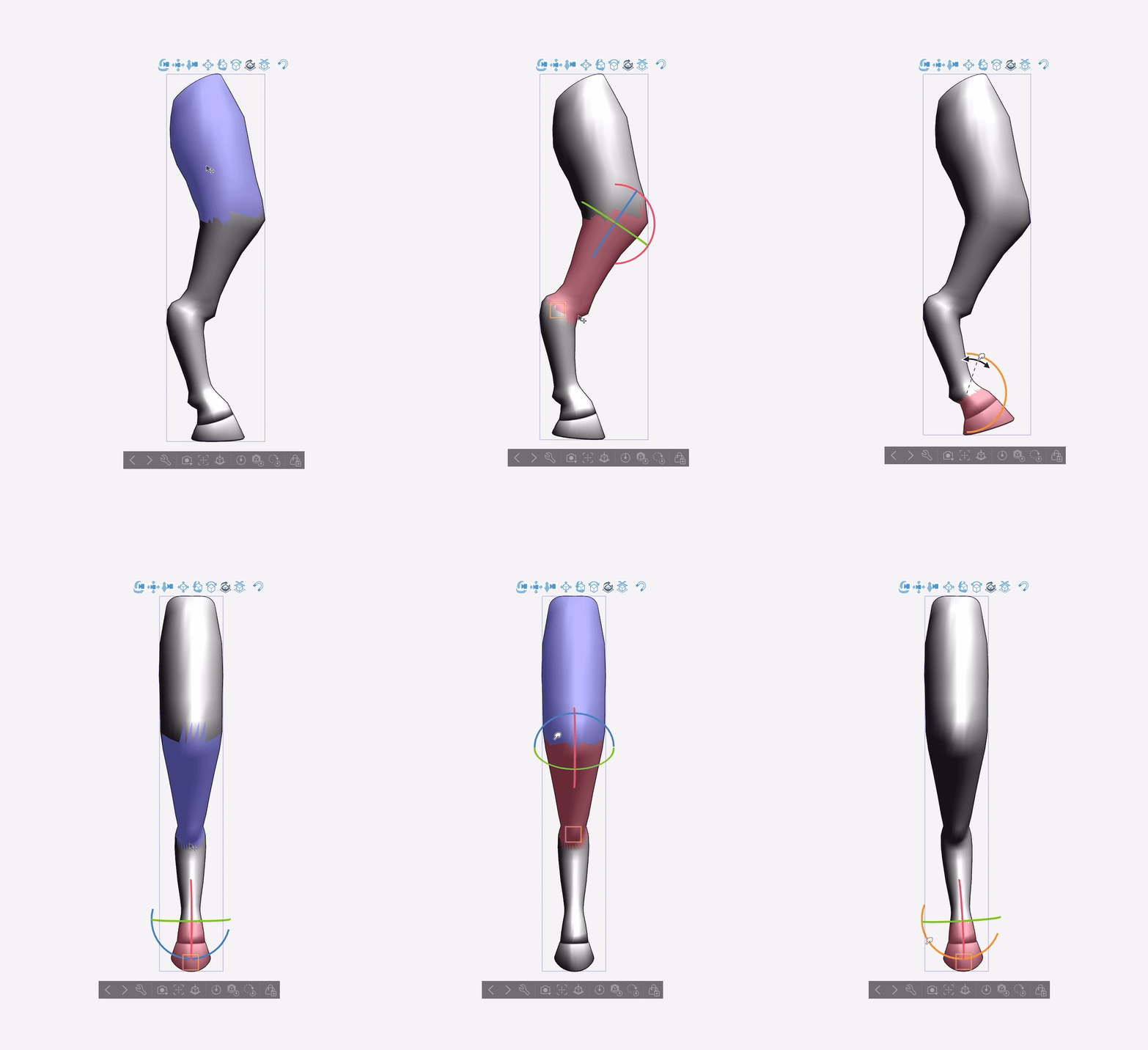



모델은 Clip Studio 페인트에서 이렇게 보여야 합니다:

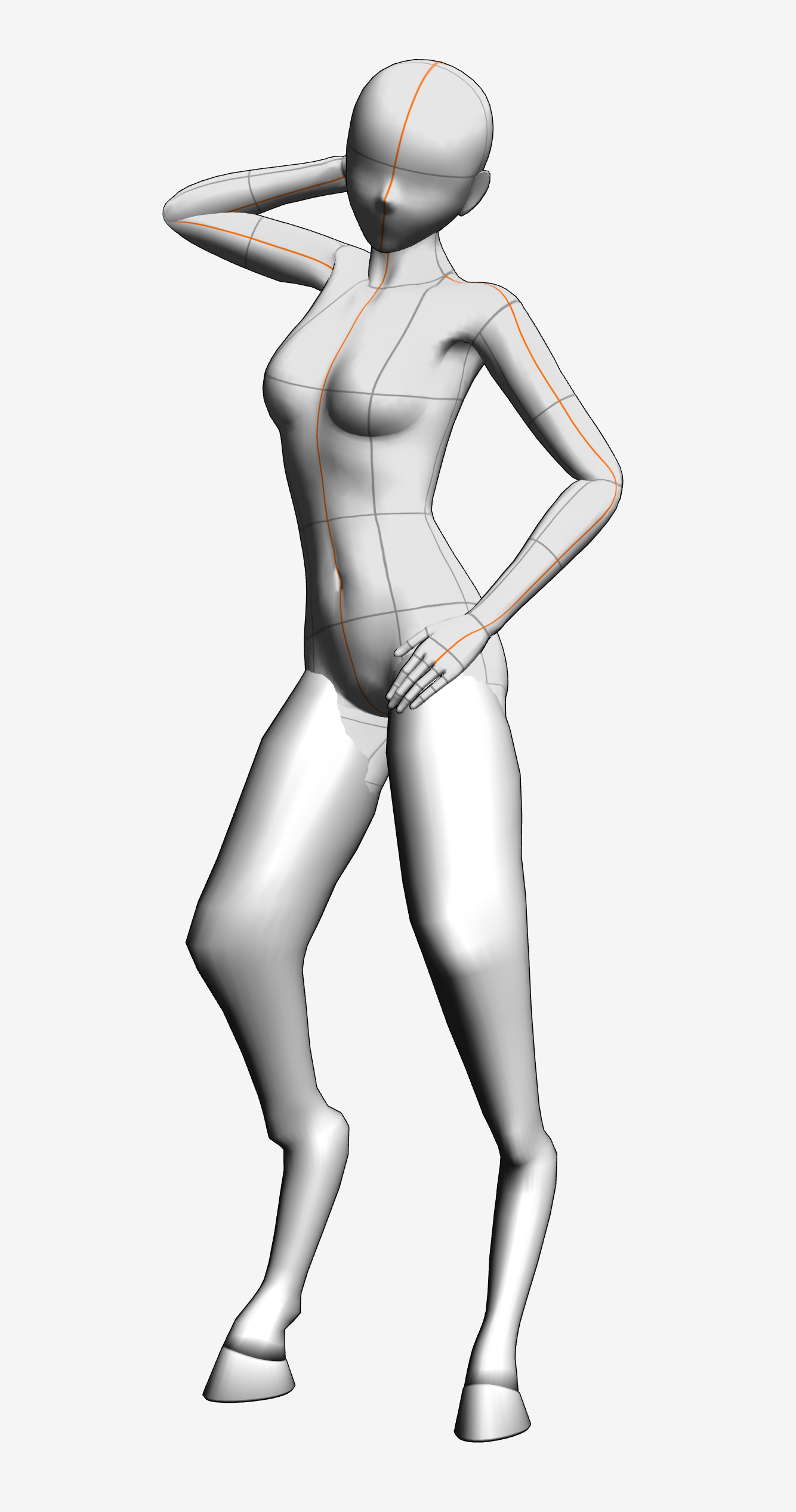
이 모델은 3D 캐릭터의 다리를 대체하기 위해 만들어졌기 때문에 클리핑이 꽤 많을 것입니다. 이 문제를 최소화하기 위해 3D 캐릭터의 다리(허벅지 제외)와 발을 최대한 작게 만드는 것을 추천합니다:

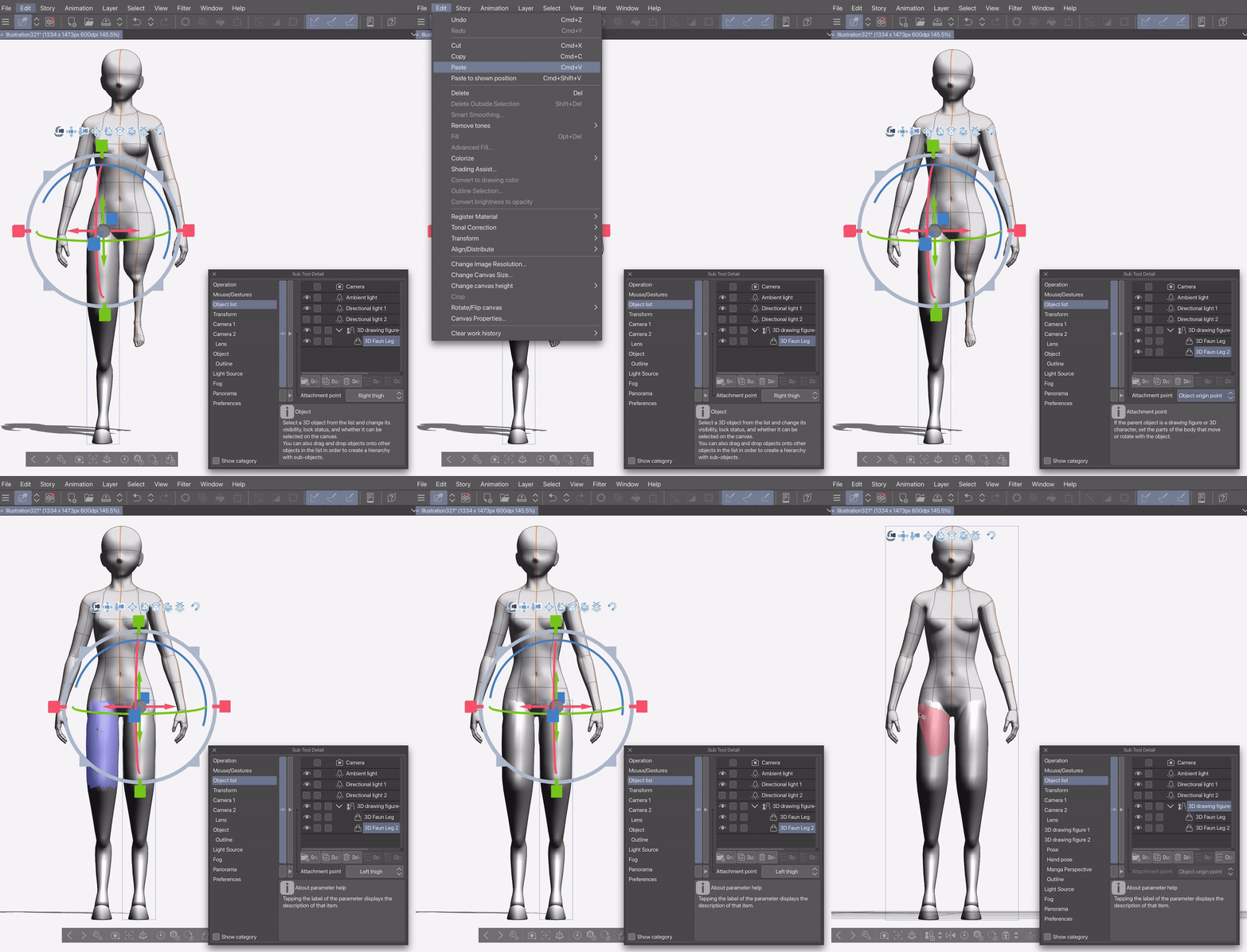
이렇게 해도 다운로드한 포즈를 사용하면 클리핑이 계속 발생할 가능성이 큽니다. 이를 해결하려면 캐릭터를 포즈로 잡은 후 "서브 툴 디테일" 메뉴에 들어가 관절 각도 제한을 끄면 됩니다. 그 후 발을 허벅지 쪽으로 구부릴 수 있습니다:

포즈를 더 쉽게 취하기 위해, 모델을 3D 캐릭터의 허벅지에 부착 지점으로 부착하는 것을 추천합니다. 이 지점에서 모델을 원하는 대로 조작할 수 있습니다. 한쪽 다리를 붙이고 조정한 뒤, 복사해서 남은 허벅지에 붙이는 걸 추천합니다:


The model should be available in the downloads tab, after which can be dragged onto the canvas.
The model should look like this in Clip Studio paint:
Given that this model is meant to replace the 3-D characters legs, There will be quite a lot of clipping. To minimise this, I recommend making the 3-D character’s legs (except the thighs) and feet as small as possible:
Even when doing this, if you use downloaded poses, the clipping will probably persist. To fix it, after you’ve posed your character, you can go into the “Sub Tool Detail” menu and turn off joint angle limit. You can then bend the feet into the thighs:
To make posing easier, I recommend attaching the model to the 3-D characters thighs with an attachment point, at which point you can manipulate the model to fit as you want. I recommend attaching and adjusting one leg, before then copy pasting it and attaching the copy to the remaining thigh:
재료 Material


'aBookshelf'님의 다른 소재


'3D 오브젝트'의 인기 소재


신규 소재


배지
-
 MVP ◆질문에 적절한 답변을 많이 게시하고 커뮤니티 운영에 크게 공헌한 사용자입니다. MVP는 3개월에 한 번, 그 사이에 획득한 포인트를 바탕으로 결정하고 표창을 실시하고 있습니다.
 -
 NVP(New Valuable Player) ◆MVP 다음으로 커뮤니티 운영에 공헌한 사용자입니다. 이제까지 MVP 수상 경험이 없는 분 중에서 획득한 포인트를 바탕으로 결정하여 표창을 실시하고 있습니다.
 -
 공식 엑스퍼트 ◆뛰어난 응답자의 증표인 MVP수상자 중에서 선택된 커뮤니티에서 가장 뛰어난 응답자의 증표입니다. 심사를 거쳐서 저희 회사에서 의뢰할 경우 취임되십니다.※ 옛 명칭 '에반젤리스트'
 -
 셀시스 공인 모더레이터 ◆모더레이터는 일본어와 기타 언어로 말할 수 있는 셀시스 공인 스태프입니다. 소프트웨어나 창작 전문가가 아니므로 직접 의문을 해결할 수는 없지만 여러분이 순조롭게 소통할 수 있도록 언어나 커뮤니케이션 측면에서 지원합니다.
 -
 셀시스 공식운영에 관련된 공식 계정입니다.