



이것은 디지털 아트 작품을하기위한 나의 개인적인 설정입니다! 그래서 새로운 예술 작품에 대한 다양한 설정으로 9 개의 명명 된 레이어를 만드는 자동 액션을 만들었습니다. This is my personal set-up for doing digital art pieces! So I made an auto-action that creates 9 named layers with various settings for new art pieces.
일반적으로 새로운 아트 워크 파일에 필요한 레이어와 다양한 설정을 자동 동작으로 바꿨습니다! 나는 희망적으로 다른 사람들이 너무 시간을 절약 할 수 있도록 게시하기로 결정했습니다 <3 즐기십시오! !
- 참조 레이어는 '초안'으로 설정되므로 특정 작업 (예 : 채우기 도구)에서 참조되지 않습니다.
- 선화 레이어는 '참조'로 설정되어 있으므로 색상 레이어에 브러시를 사용할 수 있으며 선 외부의 색상이 아닙니다. (브러시 설정에는 오버플로 방지>'참조 레이어의 선을 교차하지 않음'이 포함되어야 함)
- 강조 표시 및 음영 레이어는 '아래 레이어로 클리핑'으로 설정되므로 "플랫 컬러"레이어에서 채색 된 영역 위에만 페인트됩니다.

I turned the layers and their various settings that I usually need for new artwork files into an automatic action! I decided to post it to hopefully help save others some time too <3 Enjoy!!
- Reference layer is set to 'draft' so it wont be referenced by certain actions (ie fill tool)
- Lineart layer is set to 'reference' so you can use a brush on the color layers & not color outside of the lines. (brush settings must include: anti-overflow>'do not cross lines of reference layer')
- The highlight and shading layers are set to 'clip to layer below' so they will only paint on top of any area colored on the "flat color" layer


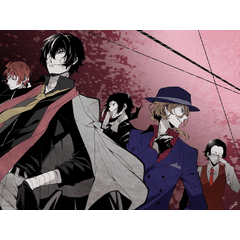


'drunkfur'님의 다른 소재


'오토 액션'의 인기 소재


신규 소재




배지
-
 MVP ◆질문에 적절한 답변을 많이 게시하고 커뮤니티 운영에 크게 공헌한 사용자입니다. MVP는 3개월에 한 번, 그 사이에 획득한 포인트를 바탕으로 결정하고 표창을 실시하고 있습니다.
 -
 NVP(New Valuable Player) ◆MVP 다음으로 커뮤니티 운영에 공헌한 사용자입니다. 이제까지 MVP 수상 경험이 없는 분 중에서 획득한 포인트를 바탕으로 결정하여 표창을 실시하고 있습니다.
 -
 공식 엑스퍼트 ◆뛰어난 응답자의 증표인 MVP수상자 중에서 선택된 커뮤니티에서 가장 뛰어난 응답자의 증표입니다. 심사를 거쳐서 저희 회사에서 의뢰할 경우 취임되십니다.※ 옛 명칭 '에반젤리스트'
 -
 셀시스 공인 모더레이터 ◆모더레이터는 일본어와 기타 언어로 말할 수 있는 셀시스 공인 스태프입니다. 소프트웨어나 창작 전문가가 아니므로 직접 의문을 해결할 수는 없지만 여러분이 순조롭게 소통할 수 있도록 언어나 커뮤니케이션 측면에서 지원합니다.
 -
 셀시스 공식운영에 관련된 공식 계정입니다.