



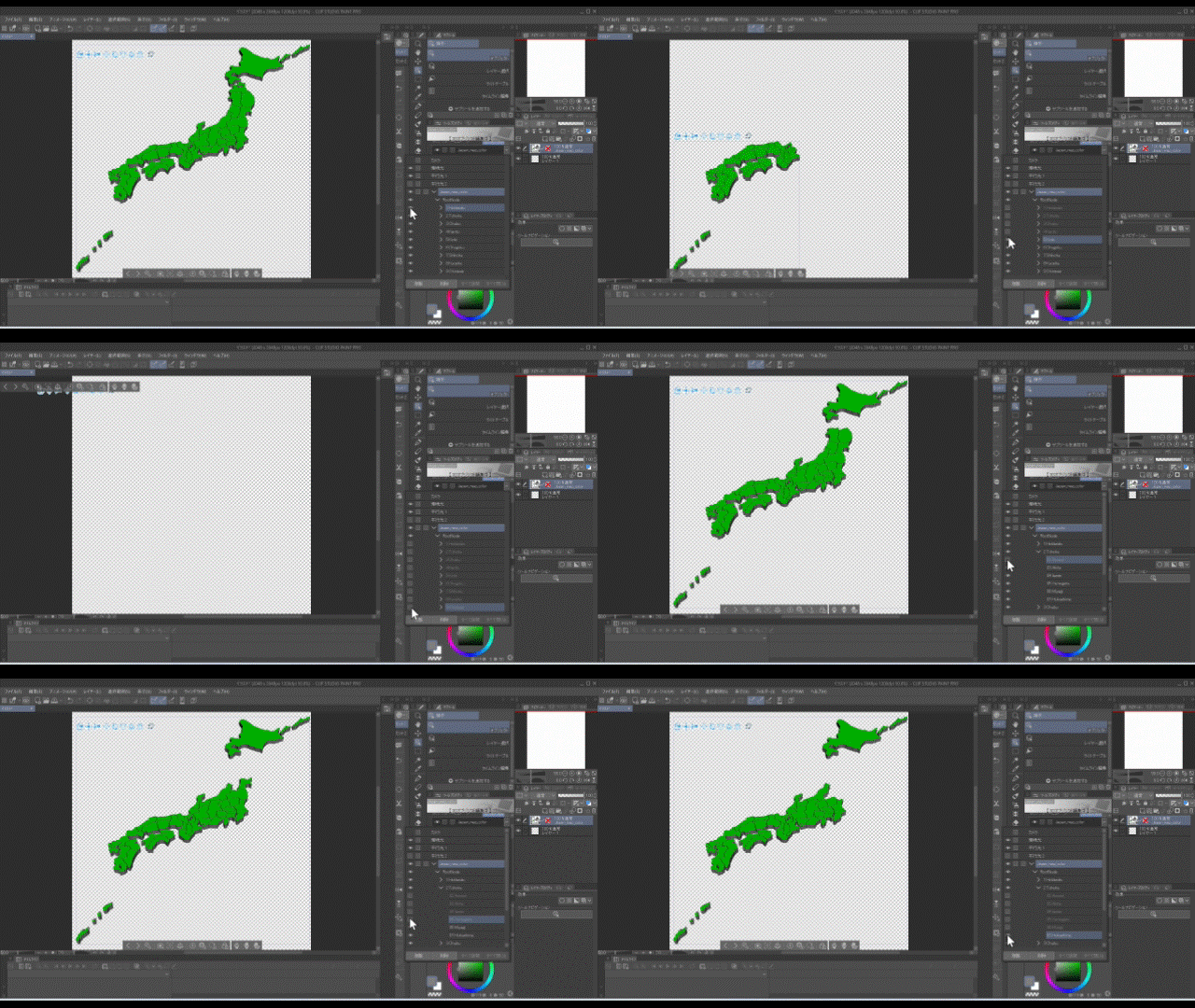
都道府県で分かれている3Dモデルの日本地図です。
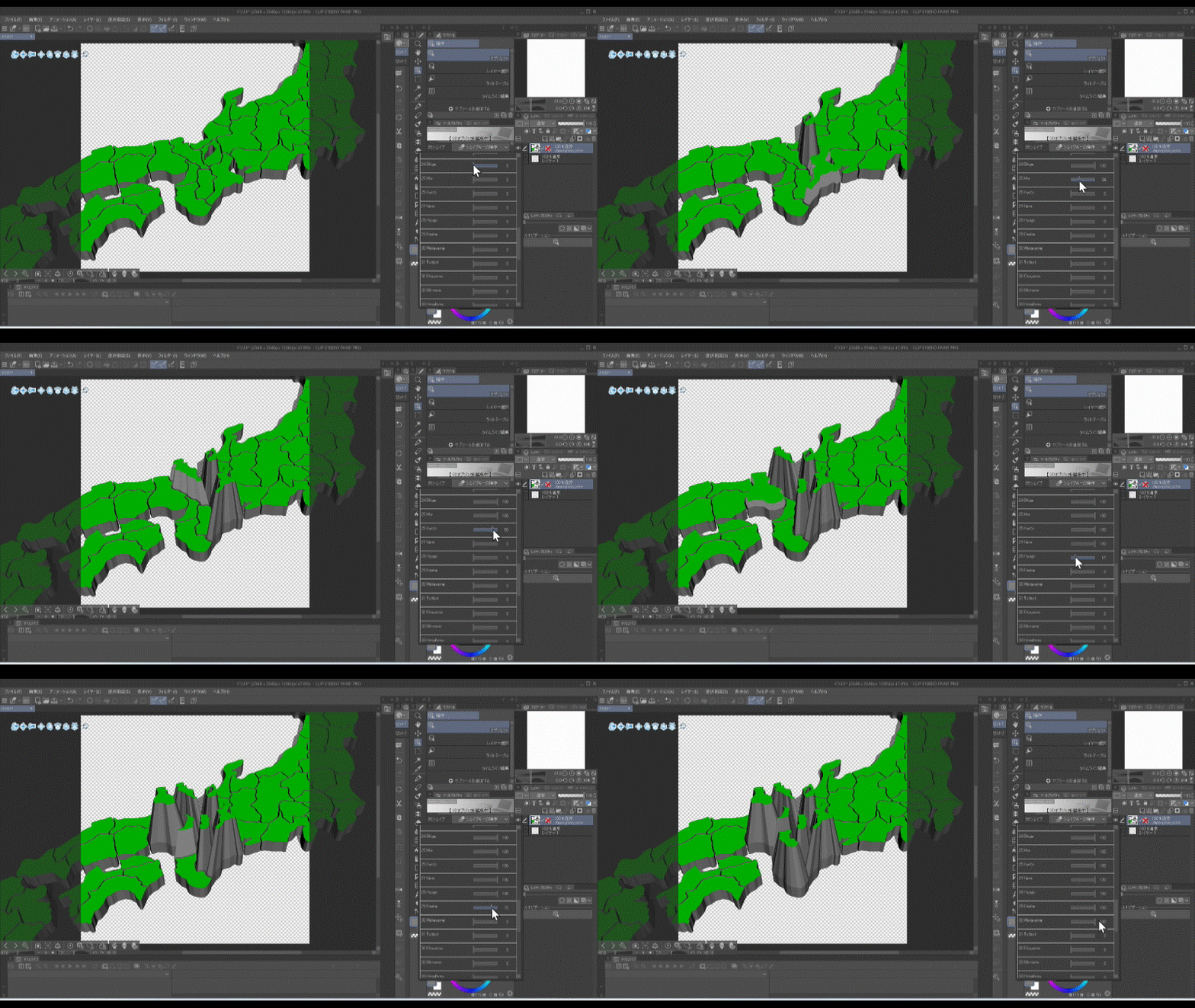
シェイプキーを使って県ごとに強調できます。
ぜひダウンロードをお願いします!
※clipstudio paintのver3.0以降でないと正常に表示されないかもしれません。
This is a 3D model map of Japan divided into prefectures.
You can highlight each prefecture using shape keys.
Please download it!
※It may not display properly unless you are using clipstudio paint version 3.0 or later.
【基本情報】




・頂点数(Vertices)…全体6496
・オブジェクト数(Objects)…各47
・マテリアル数(Materials)…各1
※このモデルにボーンは入っていません。
※This model does not contain any bones.
【使用例】
厚みのある日本地図全体や特定の都道府県を描画するのに使えます。
It can be used to draw a thick map of the entire Japan or Specific prefectures.
【ポイント1】
都道府県の間を物理的に間隔を空けることで境目の視認性を上げています。
またカラー版は表面のみ緑色で他は灰色にすることで形の視認性を上げています。
輪郭や境目は大雑把になっており、また離島などは省略しています。
正確な日本地図ではないのでご注意ください。
By leaving physical distance between prefectures, the visibility of the boundaries has been improved.
In addition, the color version has green only on the front side and gray elsewhere,
which improves the visibility of the shapes.
Outlines and borders are rough, and remote islands habe been omitted.
Please note that this is not an accurete map of Japan.

【ポイント2】
オブジェクトの構成を「全体→地方→都道府県」としているので、
特定の都道府県や地方だけ表示しやすくなっています。
The object strugture is "Global → region → prefecture",
making it easy to display only specific prefectures or regions.
【ポイント3】
FBXファイルを直接取り込んで素材登録しているので、
シェイプキーを使って都道府県ごとに強調表示ができます。
Since the FBX files are imported directly and registered as materials,
you can use shapekeys to highlight each prefecture.

〖方法〗
①3Dモデルを置いたレイヤーを選択
①Select the layer containing the 3D model

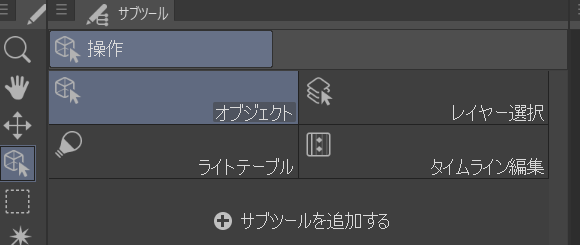
②ツールから[操作]を選択→サブツールから[オブジェクト]を選択
②Select [Operation] from the tool menu → Select [Object] from the sub tool menu
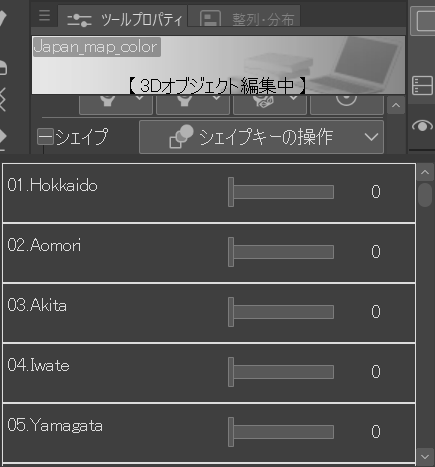
③ツールプロパティから対象となるオブジェクトを選択
③Select the target object from the tool properties

④ツールプロパティから[シェイプキーの操作]を選択し数値を変更
④Select [Shape Key Operation] from the tool properties and change the value
【その他1】
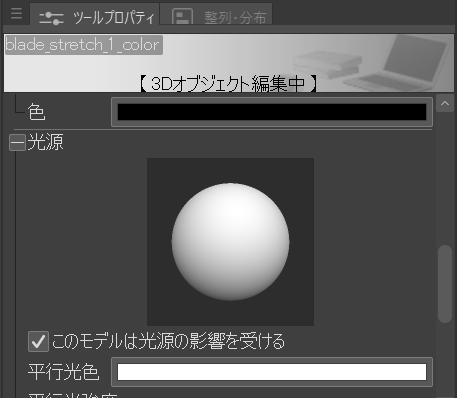
3Dモデル上の黒い部分(影)が不要な場合はツールプロパティの[光源]
から[このモデルは光源の影響を受ける]のチェックを外してください。
If you don't want black areas (shadows) on the 3D model,
uncheck [This model is affected by light sources] in the [Light Source] tool properties.
【その他2】
角度がかなり細かく変動しているのでLT変換や輪郭線は
あまり綺麗に機能しないと思われます。ご了承ください。
Since the angle fluctuates quite a bit, LT conversion and outlines may not work very well.
Thank you for your anderstanding.
ダウンロードしていただきありがとうございます!
引き続き素材を投稿していこうと思いますので、
アカウントのフォローなどもぜひお願いします!
Thank you for downloading!
I will continue to post materials,
so please follow my account!
カテゴリ1


更新履歴
2026/1/17…公開





"ななしパズル"さんの別の素材


"素材集"の人気素材


新着素材




バッジ
-
 MVP ◆質問に対して適切な回答を数多く投稿し、コミュニティの運営に大きく貢献したユーザーです。MVPは3ヶ月に一度、その間に獲得したポイントを元に決定し、表彰を行っています。
 -
 NVP (New Valuable Player) ◆MVPに次いでコミュニティの運営に貢献したユーザーです。これまでMVPの受賞経験のない方から、獲得したポイントを元に決定し、表彰を行なっています。
 -
 公式エキスパート ◆優れた回答者の証であるMVP受賞者の中からさらに選ばれた、コミュニティで最も優良な回答者の証です。審査を経て当社から依頼し就任いただいています。※旧名称「エバンジェリスト」
 -
 セルシス公認モデレーター ◆モデレーターは、日本語とその他の言語が話せるセルシス公認のスタッフです。ソフトウェアや創作のエキスパートではないので、直接疑問を解決することはできませんが、みなさんがスムーズにコミュニケーションできるように、言葉やコミュニケーションの側面からサポートします。
 -
 セルシス公式運営に関連した公式アカウントです。
