動く球(押す)5【PZL】

コンテンツID:2232095

  • 957
  • 100 CLIPPY
この素材集は CLIP STUDIO PAINT Ver. 3.0.0 以上で利用できます。 ( Ver. 3.0.0 を入手する )
この素材集はスタジオモードでご利用いただける素材が含まれています。(スタジオモードとは?)

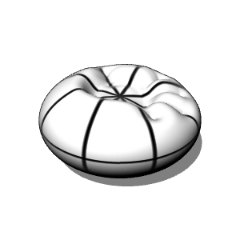
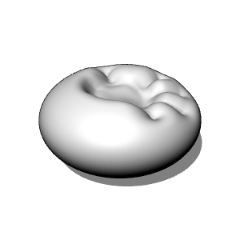
押されてへこむ球です。
シェイプキーを使って潰れるまでの好きな時点で止めることができます。
別パターンをでき次第公開していく予定です。
ぜひダウンロードをお願いします!
※clipstudio paintのver3.0以降でないと正常に表示されないかもしれません。

It's is a sphere that dents when pressed.
You can use the shape keys to stop the indentation at any point along the way.
We plan to release other patterns as soon as they are ready.
Please download them!
※It may not display properly unless you are using clipstudio paint version 3.0 or later.

【基本情報】
・頂点数(Vertices)…各10714
・オブジェクト数(Objects)…各1
・マテリアル数(Materials)…各1
・サイズ(Size)…30×30×30(cm)

※このモデルにボーンは入っていません。
※This model does not contain any bones.

すでに公開している「動く球(押す)1」の別パターンになります。
へこみ方以外の機能などは同じです。
This is a different pattern from the already released "動く球(押す)1".
Other than the way it dents,the functions are the same.

手で球の一点を押しているようなモーションです。
The motion is like pressing a point on a sphere with your hand.


【使用例】
おおよその柔らかい物のへこむ様子に使えます。
また果物や座布団などへこみとカーブが一緒にあるような物の参考にできます。
It can be used to roughly describe the dents in soft object.
It can also be used as a reference for objects
that have both dents and curves, such as fruit or cushions.


【ポイント1】
FBXファイルを直接取り込んで素材登録しているので、
シェイプキーを使って球がへこむまでの好きな時点で止めることができます。
The FBX file is imported ,
so you can use shape keys to stop the sphere from collapsing at any point.

〖使用イメージ〗


〖方法〗
①3Dモデルを置いたレイヤーを選択
①Select the layer containing the 3D model


②ツールから[操作]を選択→サブツールから[オブジェクト]を選択
②Select [Operation] from the tool menu → Select [Object] from the sub tool menu


③ツールプロパティから対象となるオブジェクトを選択
③Select the target object from the tool properties


④ツールプロパティから[シェイプキーの操作]を選択し数値を変更
④Select [Shape Key Operation] from the tool properties and change the value


【ポイント2】
変形する過程でどうなっているかが分かりやすいよう、
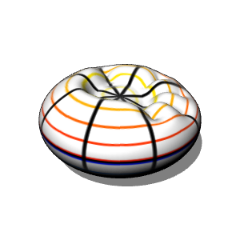
上下を結ぶラインと水平方向を一周するラインを引いています。
To make it easier to understand what is happening during the transformation process,
I've drawn a line connecting the top and bottom and a line going around horizontally.

マテリアルを複数割り当てることができないので、
無地(Basic)と外枠のみ(Flrame)は別素材として登録しています。
Since it is not possible to assign multiple materials,
(Basic) and (Flame) are registered as separate materials.


【その他1】
3Dモデル上の黒い部分(影)が不要な場合はツールプロパティの[光源]
から[このモデルは光源の影響を受ける]のチェックを外してください。
If you don't want black areas (shadows) on the 3D model,
uncheck [This model is affected by light sources] in the [Light Source] tool properties.


【その他2】
角度がかなり細かく変動しているのでLT変換や輪郭線は
あまり綺麗に機能しないと思われます。ご了承ください。
Since the angle fluctuates quite a bit, LT conversion and outlines may not work very well.
Thank you for your anderstanding.


ダウンロードしていただきありがとうございます!
引き続き素材を投稿していこうと思いますので、
アカウントのフォローなどもぜひお願いします!
Thank you for downloading!
I will continue to post materials,
so please follow my account!

動く球

更新履歴

25/12/21…公開

コンテンツID:2232095

公開日 : 9か月前

更新日 : 8か月前

ななしパズルさんのプロフィール ...もっと詳しく

趣味で3Dモデルを製作しています。作画の面倒を解消する3Dモデルを作りたいです。 ご質問等はこのサイトかXのDMからお願いします。I create 3D models as a hobby. I would like to create 3D models that will eliminate the hassle of drawing them. If you have any questions, please send me a DM on this site or X.