動く刃(伸ばす)2

コンテンツID:2233515

  • 15
  • 100 CLIPPY
この素材集は CLIP STUDIO PAINT Ver. 3.0.0 以上で利用できます。 ( Ver. 3.0.0 を入手する )
この素材集はスタジオモードでご利用いただける素材が含まれています。(スタジオモードとは?

部分的に伸び縮みさせられる刃です。
シェイプキーを使って好きな形に調整できます。
別パターンをでき次第公開していく予定です。
ぜひダウンロードをお願いします!
※clipstudio paintのver3.0以降でないと正常に表示されないかもしれません。

The blade can be partially extended and retracted.
You can use the shape keys to adjust the shape you like.
I plan to release another pattern as soon as it is available.Please download it!
※It may not display properly unless you are using clipstudio paint version 3.0 or later.

【基本情報】
・頂点数(Vertices)…各1382
・オブジェクト数(Objects)…各1
・マテリアル数(Materials)…各1
・サイズ(Size)…73.7×4.23×8.5(cm)

※このモデルにボーンは入っていません。
※This model does not contain any bones.

西洋の剣のような形をイメージして作りました。
It was made with the image of a Western sword shape in mind.


【使用例】
刃を好みの形に調整してから角度を変えてどう見えるかなどの参考にできます。
You can adjust the blade to your desired shape
and then change the angle to get an idea of how it looks.


【ポイント1】
FBXファイルを直接取り込んで素材登録しているので、
シェイプキーを使って刃を好みの形に近づけられます。
The FBX file is imported ,
so use the shape keys to get tha blade to your desired shape. 


〖使用イメージ〗
1.Blade Curve+/-


2.Blade Length+/-


3.Edge Curve+/-


4.Tip Curve+/-


5.Tip Length+/-


6.Tip Thickness+/-


7.Tip Width+/-


複数のシェイプキーを組み合わせて使えます。
You can use multiple shape keys in combination.


〖方法〗
①3Dモデルを置いたレイヤーを選択
①Select the layer containing the 3D model


②ツールから[操作]を選択→サブツールから[オブジェクト]を選択
②Select [Operation] from the tool menu → Select [Object] from the sub tool menu


③ツールプロパティから対象となるオブジェクトを選択
③Select the target object from the tool properties


④ツールプロパティから[シェイプキーの操作]を選択し数値を変更
④Select [Shape Key Operation] from the tool properties and change the value


【ポイント2】
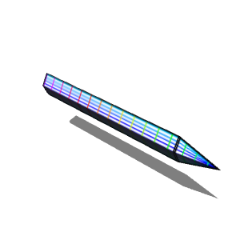
変形する過程でどうなっているかが分かりやすいよう、
上下を結ぶラインと水平方向にラインを引いています。
To make it easier to see what happens during the transformation process,
I've drawn lines connecting the top and bottom and horizonal lines.

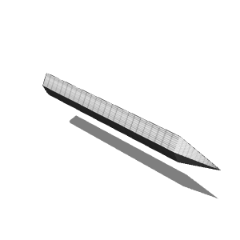
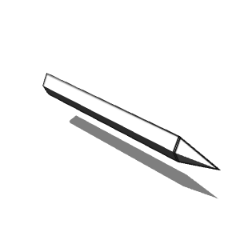
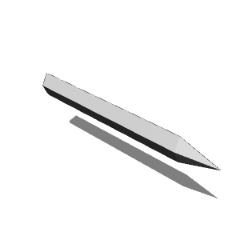
マテリアルを複数割り当てることができないので、
無地(Basic)と外枠のみ(Flrame)とポリゴン(Polygon)は別素材として登録しています。
Since it is not possible to assign multiple materials,
(Basic) and (Flame) and (Polygon) are registered as separate materials.


【その他1】
3Dモデル上の黒い部分(影)が不要な場合はツールプロパティの[光源]
から[このモデルは光源の影響を受ける]のチェックを外してください。
If you don't want black areas (shadows) on the 3D model,
uncheck [This model is affected by light sources] in the [Light Source] tool properties.


【その他2】
角度がかなり細かく変動しているのでLT変換や輪郭線は
あまり綺麗に機能しないと思われます。ご了承ください。
Since the angle fluctuates quite a bit, LT conversion and outlines may not work very well.
Thank you for your anderstanding.


ダウンロードしていただきありがとうございます!
引き続き素材を投稿していこうと思いますので、
アカウントのフォローなどもぜひお願いします!
Thank you for downloading!
I will continue to post materials,
so please follow my account!

動く刃

更新履歴

25/12/27…公開

コンテンツID:2233515

公開日 : 6日前

更新日 : 6日前

ななしパズルさんのプロフィール ...もっと詳しく

趣味で3Dモデルを製作しています。作画の面倒を解消する3Dモデルを作りたいです。 ご質問等はこのサイトかXのDMからお願いします。I create 3D models as a hobby. I would like to create 3D models that will eliminate the hassle of drawing them. If you have any questions, please send me a DM on this site or X.