



ファウンのような脚のシンプルな模型です。
Blenderで作ったものです。
A simple model of a faun like leg.
Made with Blender.
モデルはダウンロードタブで利用可能で、その後キャンバスにドラッグできます。

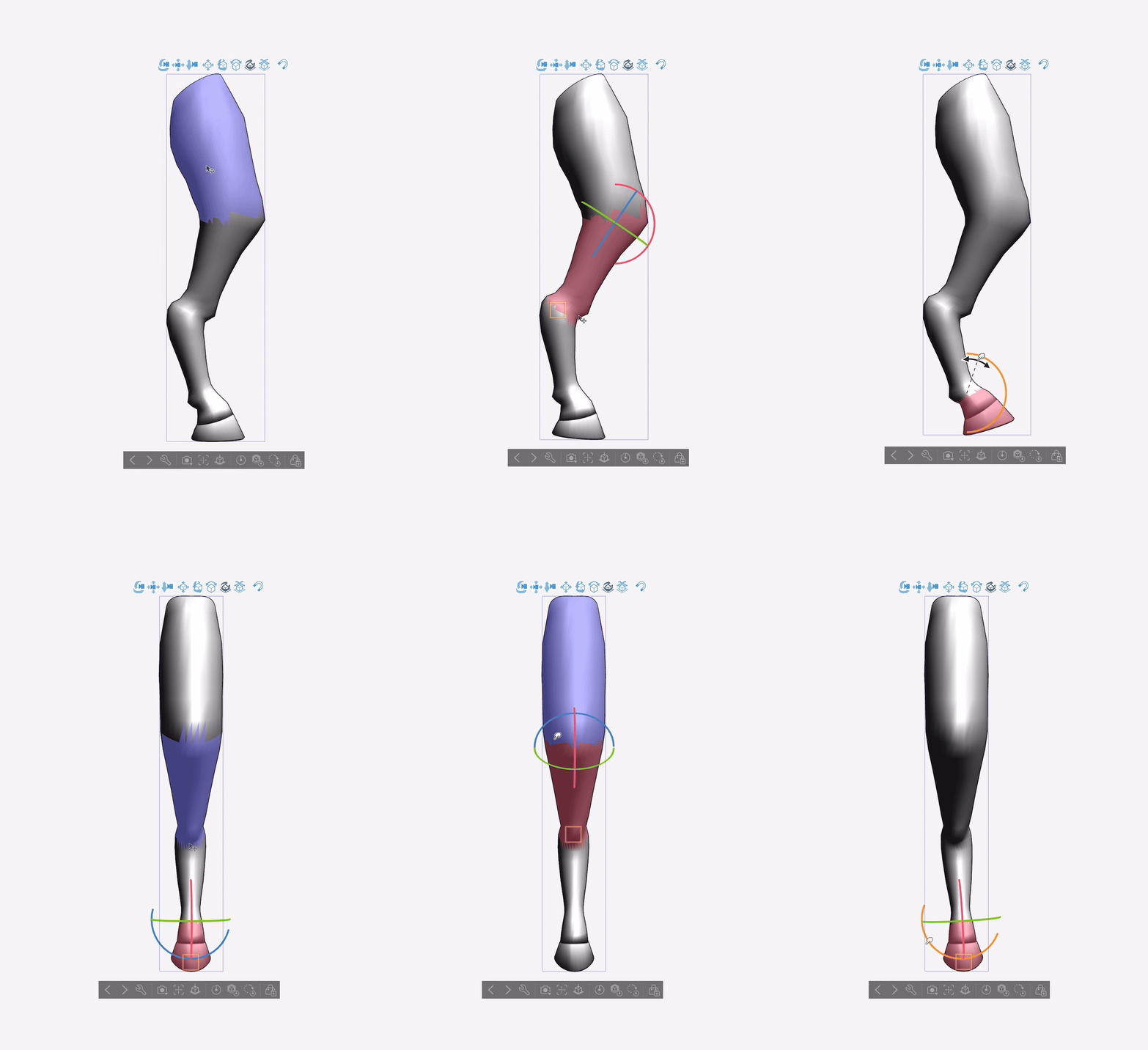



モデルはClip Studio Paintで次のように見えるはずです:

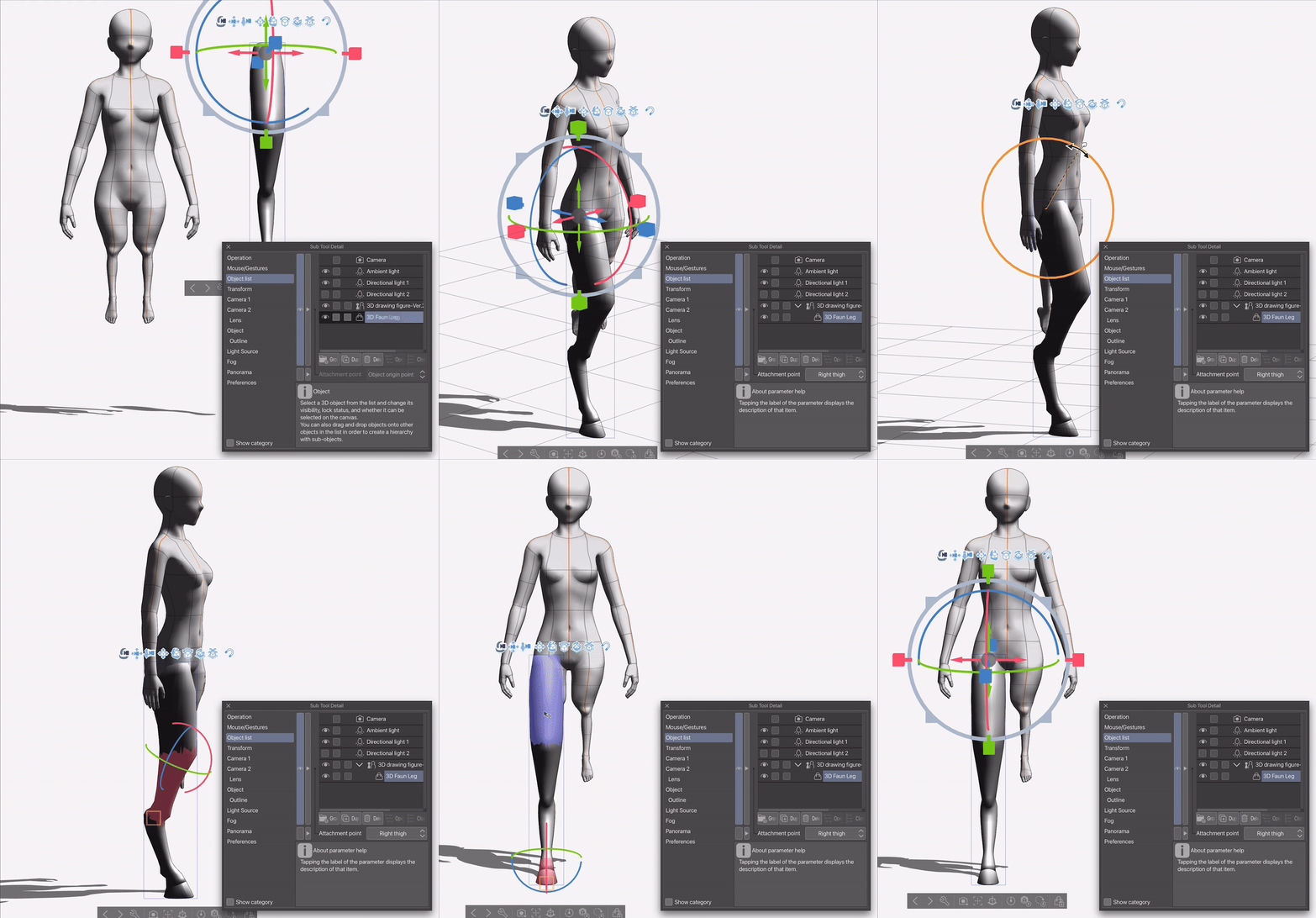
このモデルは3Dキャラクターの脚を置き換えるためのものなので、かなりのクリッピングが発生します。これを最小限に抑えるために、3Dキャラクターの脚(太ももを除く)と足をできるだけ小さくすることをおすすめします:

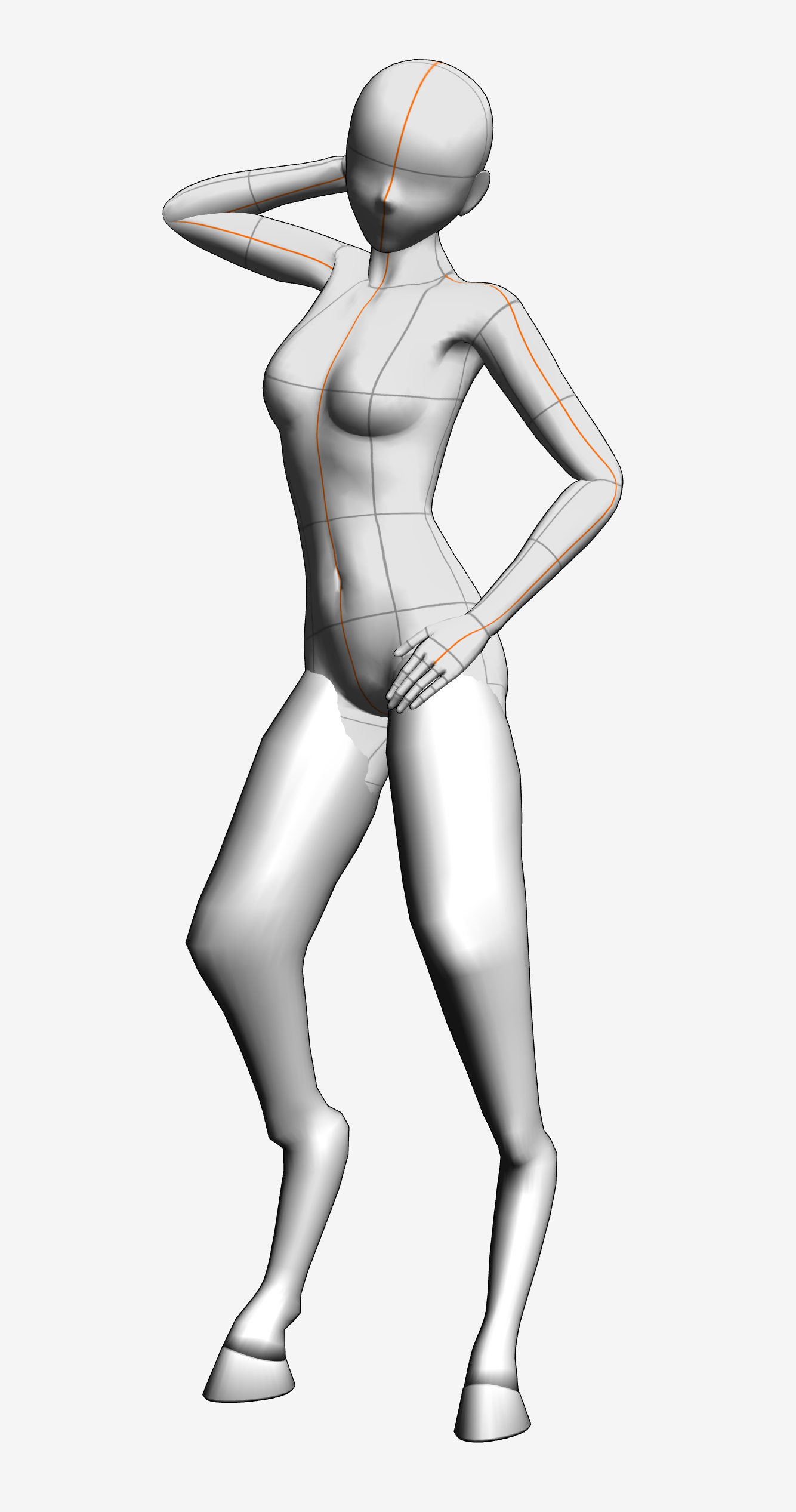
ダウンロードしたポーズを使うと、クリッピングはおそらく残るでしょう。直すには、キャラクターのポーズを決めた後、「サブツール詳細」メニューでジョイント角度制限をオフにすると良いです。その後、足を太ももに曲げて曲げることができます:

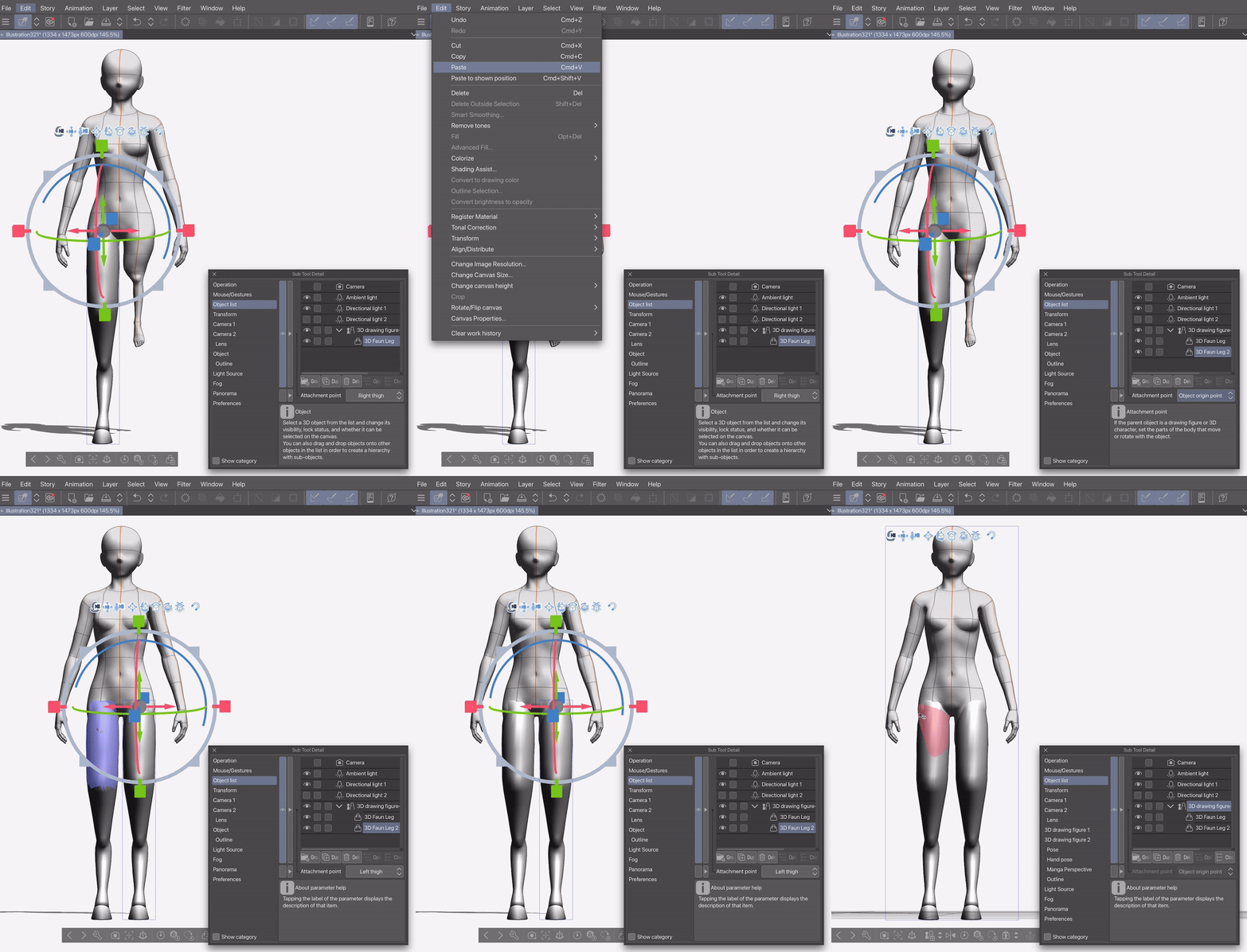
ポーズを楽にするために、モデルを3Dキャラクターの太ももに取り付けるポイントを設けて、その位置でモデルを好きなように調整することをおすすめします。片足を取り付けて調整し、その後コピー&ペーストして残りの太ももに貼り付けることをおすすめします:

The model should be available in the downloads tab, after which can be dragged onto the canvas.
The model should look like this in Clip Studio paint:
Given that this model is meant to replace the 3-D characters legs, There will be quite a lot of clipping. To minimise this, I recommend making the 3-D character’s legs (except the thighs) and feet as small as possible:
Even when doing this, if you use downloaded poses, the clipping will probably persist. To fix it, after you’ve posed your character, you can go into the “Sub Tool Detail” menu and turn off joint angle limit. You can then bend the feet into the thighs:
To make posing easier, I recommend attaching the model to the 3-D characters thighs with an attachment point, at which point you can manipulate the model to fit as you want. I recommend attaching and adjusting one leg, before then copy pasting it and attaching the copy to the remaining thigh:
素材 Material


"aBookshelf"さんの別の素材


"3Dオブジェクト"の人気素材


新着素材




バッジ
-
 MVP ◆質問に対して適切な回答を数多く投稿し、コミュニティの運営に大きく貢献したユーザーです。MVPは3ヶ月に一度、その間に獲得したポイントを元に決定し、表彰を行っています。
 -
 NVP (New Valuable Player) ◆MVPに次いでコミュニティの運営に貢献したユーザーです。これまでMVPの受賞経験のない方から、獲得したポイントを元に決定し、表彰を行なっています。
 -
 公式エキスパート ◆優れた回答者の証であるMVP受賞者の中からさらに選ばれた、コミュニティで最も優良な回答者の証です。審査を経て当社から依頼し就任いただいています。※旧名称「エバンジェリスト」
 -
 セルシス公認モデレーター ◆モデレーターは、日本語とその他の言語が話せるセルシス公認のスタッフです。ソフトウェアや創作のエキスパートではないので、直接疑問を解決することはできませんが、みなさんがスムーズにコミュニケーションできるように、言葉やコミュニケーションの側面からサポートします。
 -
 セルシス公式運営に関連した公式アカウントです。