


Hand drawn stars / Hand-drawn Stars (手描きの星空ブラシ / Hand-drawn Stars) 手描きの星空ブラシ / Hand-drawn Stars


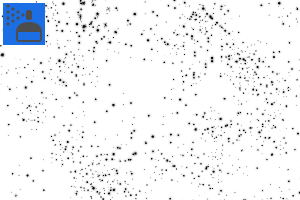
This is a starry sky brush created with a hand-drawn tip image.
Please ★ use it for warm and gentle expressions.
A starry sky brush set made with hand-drawn brush tip images.
Use it to add warmth and a gentle touch to your artwork. ★
手描きの先端画像で作成した星空ブラシです。
あたたかみや、やさしさのある表現にご活用ください★
A starry sky brush set made with hand-drawn brush tip images.
Use it to add warmth and a gentle touch to your artwork. ★

It is a flat brush without blurring.
If you draw with strokes, it will be unnatural unevenness, so
While changing the brush size, it is recommended to draw by tapping and layering.
Hand-drawn Stars
A flat brush with no blur.
Painting with continuous strokes may create unnatural unevenness, so we recommend gently tapping and layering the brush while varying the brush size.

"Hoshi Hand Drawing OV"
It is a brush that adds a sense of glow with blur.
It is recommended to set the blending mode of the layer to Add.
Hand-drawn Stars ov
A brush with a soft blur effect to add a glowing look.
We recommend setting the layer blending mode to Add (Glow) or a similar mode.

Examples of use
The perlin noise is layered to strengthen the analog feel.
It may be a good idea to suppress the color and match the background of the character.
We hope you feel free to use it!
Example
I've layered Perlin noise to enhance the analog feel.
You can also try reducing the saturation to better match the character's background.
I hope you enjoy using these brushes in your artwork!
ぼかしなしのフラットなブラシです。
ストロークで描画すると不自然なムラになるので、
ブラシサイズを変えながら、トントンと叩いて重ねていく描画がおすすめです。
Hand-drawn Stars
A flat brush with no blur.
Painting with continuous strokes may create unnatural unevenness, so we recommend gently tapping and layering the brush while varying the brush size.
『星手描きov』
ぼかしで光彩感を加えたブラシです。
レイヤーの描画モードを加算等にするのがおすすめです。
Hand-drawn Stars ov
A brush with a soft blur effect to add a glowing look.
We recommend setting the layer blending mode to Add (Glow) or a similar mode.
使用例
パーリンノイズを重ねてアナログ感を強めています。
色を抑えてキャラクターの背景に合わせるのも良いかも。
ご自由にご活用いただければ幸いです!
Example
I've layered Perlin noise to enhance the analog feel.
You can also try reducing the saturation to better match the character's background.
I hope you enjoy using these brushes in your artwork!
Brushes ブラシ


 Report problematic material
For those who don’t have a Clip Studio account
- Name of product/software
- Detailed information about the issue

-
 CLIP STUDIO PAINT PRO/EX
 Re-download


 Checkout Now
 Purchase successful.
 See save location for materials


Published : 19 minutes ago
Last updated : 19 minutes ago


-
 MVP ◆This user has contributed greatly to the management of the community, by posting many great responses to the questions asked. Once every three months, MVPs are determined based on the points earned during that period and will be recognized accordingly.
-
 New Valuable Player (NVP) ◆These are the next-best contributors to the community after MVPs. This is awarded to users who have not yet won an MVP award, based on the number of points they have earned.
-
 Official Expert ◆Chosen out of all MVP awardees, who are already proof of excellence, this is a testimony of outstanding correspondence in the community. After careful screening, they are appointed by CELSYS and assume their position.Note: Formally called “Evangelists”
-
 Official Moderator of CELSYS ◆Moderators are official CELSYS staff members who are fluent in Japanese as well as various other languages. Moderators are not experts on the software or illustration, so they are not able to directly answer your questions. However, moderators provide communication and language support to ensure that everyone can smoothly communicate with each other.
-
 CELSYS official accountThe Official Administrator Account