


High-precision [Highway] + [Secondary Road] (高精度の[高速道路]+[一般道路]) 高精度の[高速道路]+[一般道路]


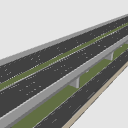
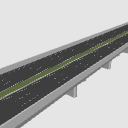
Made a highway and a general road underneath.
I think the scenes on the road will also increase the reality considerably.
I think it is easy to use for highways, under overpasses, and ordinary roads.
Elevated highways use regular realistic line sizes for highways. The lower general road is produced precisely in the line of the secondary road.
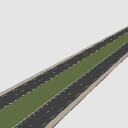
Expressways have 3 lanes on each side, and ordinary roads have 2 lanes on each side.
The layout includes only highways and secondary roads.
Note: In the case of the previous bridge (road), it was made to avoid as much as possible the software problem that the line and road surface flickered and the screen became rough when talking about the distance in color time, so I think it can withstand a reasonable pull. (It doesn't happen with monochrome)
Update) re-edited.
高速道路とその下の一般道路作りました。
道路上のシーンでもリアリティーがかなり増すと思います。
高速道路、高架下、一般道路、それぞれの個別にも使いやすいと思います。
高架上の高速道路は、高速道路用の正規のリアルなラインのサイズを使用しています。下部の一般道路は一般道路のラインで正確に制作しています。
高速は片側3車線、一般道は片側2車線となっております。
レイアウトには、高速道路のみ、一般道路のみを入れてあります。
注)以前の橋(道路)の時の、カラー時で距離を話すとラインや道路面がチラチラと画面的に荒れるソフトウエア上の問題を、できるだけ回避しての作りになっておりますので、そこそこの引きには耐えられると思います。(モノクロでは起こりません)
更新)再編集しました。

Material マテリアル
-
default material 初期マテリアル
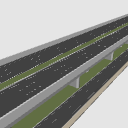
Configuration 配置
-
default layout 初期レイアウト
-
Highway only 高速道路のみ
-
Local roads only 一般道路のみ
Old version



 Report problematic material
For those who don’t have a Clip Studio account
- Name of product/software
- Detailed information about the issue

-
 CLIP STUDIO PAINT PRO/EX
-
CLIP STUDIO PAINT DEBUT
-
CLIP STUDIO MODELER
 Re-download


 Purchase
 Purchase successful.
 See save location for materials


Published : 40 minutes ago
Last updated : 40 minutes ago





-
 MVP ◆This user has contributed greatly to the management of the community, by posting many great responses to the questions asked. Once every three months, MVPs are determined based on the points earned during that period and will be recognized accordingly.
-
 New Valuable Player (NVP) ◆These are the next-best contributors to the community after MVPs. This is awarded to users who have not yet won an MVP award, based on the number of points they have earned.
-
 Official Expert ◆Chosen out of all MVP awardees, who are already proof of excellence, this is a testimony of outstanding correspondence in the community. After careful screening, they are appointed by CELSYS and assume their position.Note: Formally called “Evangelists”
-
 Official Moderator of CELSYS ◆Moderators are official CELSYS staff members who are fluent in Japanese as well as various other languages. Moderators are not experts on the software or illustration, so they are not able to directly answer your questions. However, moderators provide communication and language support to ensure that everyone can smoothly communicate with each other.
-
 CELSYS official accountThe Official Administrator Account