



Turn off the saturated line for a moment. 集中線をちょっと消します。
《Erase saturated line a little》
I mainly use it for manga production when I want to shave off my saturated line.
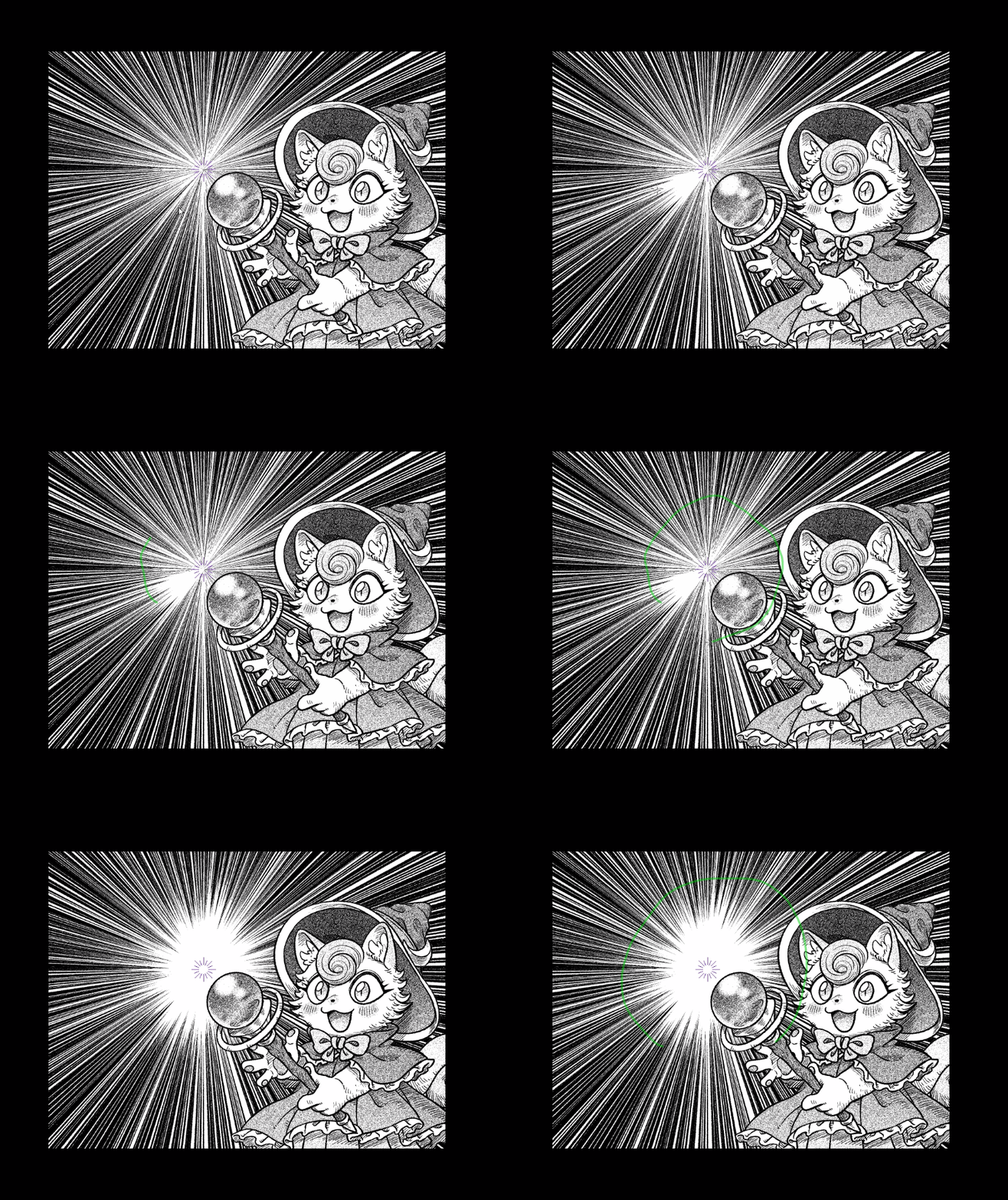
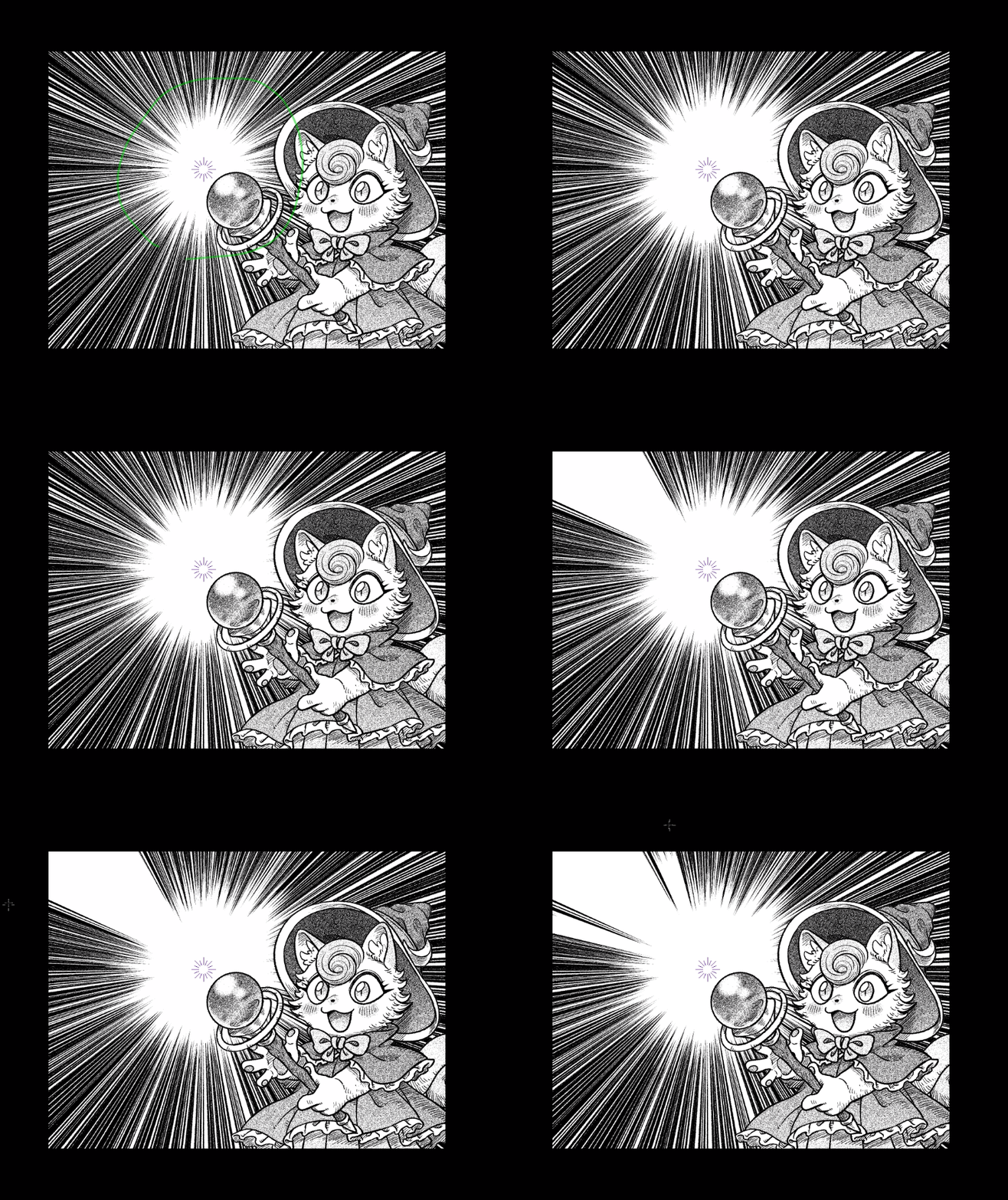
Let me snap to ruler a radiation ruler or focus curve.
Basically, it is intended for use on raster layer.
Use white or transparent foreground colors. You can erase > ink > combine mode.
I mainly use it for manga production when I want to shave off my saturated line.
This tool fills according to the radiation ruler on the layer to be edited.
Let me snap to ruler a radiation ruler or focus curve.
Basically, it is intended for use on raster layer.
(*It can also be used on saturated line layer, but the behavior is different)
Use white or transparent foreground colors. You can erase > ink > combine mode.
The tip is jagged, so it works better to keep a good distance from the canvas.
《集中線ちょっと消す》
おもに漫画制作で、集中線を削りたくなった時に使います。
放射線定規か放射曲線定規にスナップさせてください。
基本的にラスターレイヤー上での使用を想定しています。
描画色を白か、透明色で行います。インク>合成モード>消去にしても良いです。
おもに漫画制作で、集中線を削りたくなった時に使います。
編集対象レイヤー上の放射線定規に従って塗り潰すツールです。
放射線定規か放射曲線定規にスナップさせてください。
基本的にラスターレイヤー上での使用を想定しています。
(※集中線レイヤー上でも使用できるが挙動が異なる)
描画色を白か、透明色で行います。インク>合成モード>消去にしても良いです。
先端がギザギザなのでキャンバスから充分距離を取った方が上手く行きます。


Other materials by 白羊(Hakuyou)


Popular “Tool settings (other)” materials


New materials










Badges
-
 MVP ◆This user has contributed greatly to the management of the community, by posting many great responses to the questions asked. Once every three months, MVPs are determined based on the points earned during that period and will be recognized accordingly.
 -
 New Valuable Player (NVP) ◆These are the next-best contributors to the community after MVPs. This is awarded to users who have not yet won an MVP award, based on the number of points they have earned.
 -
 Official Expert ◆Chosen out of all MVP awardees, who are already proof of excellence, this is a testimony of outstanding correspondence in the community. After careful screening, they are appointed by CELSYS and assume their position.Note: Formally called “Evangelists”
 -
 Official Moderator of CELSYS ◆Moderators are official CELSYS staff members who are fluent in Japanese as well as various other languages. Moderators are not experts on the software or illustration, so they are not able to directly answer your questions. However, moderators provide communication and language support to ensure that everyone can smoothly communicate with each other.
 -
 CELSYS official accountThe Official Administrator Account