



This is a collection of materials that makes it easy to process punipunina characters, which was popular a while ago.
It contains auto action and gradient map.
少し前に流行ったぷにぷにな文字加工を簡単にできるようにした素材集です。
オートアクションとグラデーションマップが入っています。
[Until October 20, free for a limited time]
After that, it will be 100 CP.
This is a collection of materials that makes it easy to process punipunina characters, which was popular a while ago.
It contains auto action and gradient map.
Please rasterize all text etc. into one layer before executing it.
The auto action is applied twice so that reflected light enters. Sticking point.
After coloring with gradient map, make a tonal correction (change the three-dimensional effect just by changing the brightness and contrast) to make it look good.
It is recommended to change the atmosphere by changing the layer effect. You can also create a transparent feeling that looks like recent (lower right of the second picture).
The translation text is placed below the image, so I would be happy if you could take a look at the image even if you are not a native speaker of the Japanese.
Have a good CLIP STUDIO life!

↓ Text for translation
auto action and gradient set
I rasterize text layer, vector layer, etc., and consolidate them into one layer before running
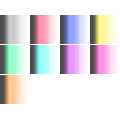
White Red Blue
Yellow Green Light blue
Purple Pink Orange

↓ Text for translation
I don't know what core it is, but I'm glad that I can make it right away because these characters are cute.
【How to make letters】
The two edges of the letters are hollowed out in the middle part.
Yellow part: auto action / thick, tonal correction (brightness / contrast),
Grademap yellow (dodge luminescence)
White part: auto action, thin, graded map white (additional luminescence)
Red part: auto action and thick, Grade map red (normal)
Just changing the layer effect of the grade map changes the atmosphere and is cute.
Normal color burn Screen
color dodge overlay linear light
pin light Color color dodge+tonal correction
【10月20日まで、期間限定無料】
以降は100CPにします。
少し前に流行ったぷにぷにな文字加工を簡単にできるようにした素材集です。
オートアクションとグラデーションマップが入っています。
テキスト等はすべてラスタライズして1つのレイヤーにしてから実行してください。
オートアクションは反射光が入るように2度かけています。こだわりポイント。
グラデーションマップで色を付けたあとに、色調補正(明るさ・コントラストを変更するだけで立体感が変わります)をして、いい感じにしてください。
レイヤー効果を変えると雰囲気が変わっておすすめです。最近っぽい透ける感じもつくれます(2枚目右下)。
画像下に翻訳用テキストを置いているので、日本語が母語でない方も画像を見ていっていただけるとうれしいです。
よいクリスタライフを!
↓翻訳用テキスト
オートアクションとグラデーションセット
テキストレイヤー、ベクターレイヤーなどはラスタライズし、1つのレイヤーに統合してから実行する
白色 赤色 青色
黄色 緑色 水色
紫色 桃色 橙色
↓翻訳用テキスト
何コアなのかわかんないけど、こういう文字がかわいいのですぐ作れるの嬉しいね
【文字の作り方】
文字のふちどり2つは、中の部分をくりぬいています。
黄色部分:オートアクション・太、色調補正(明るさ・コントラスト)、
グラデマップ黄(覆い焼き発光)
白部分:オートアクション・細、グラデマップ白(加算発光)
赤部分:オートアクション・太、グラデマップ赤(通常)
グラデマップのレイヤー効果を変えるだけでも雰囲気変わってかわいい
通常 焼き込みカラー スクリーン
覆い焼きカラー オーバーレイ リニアライト
ピンライト カラー 覆い焼きカラー+色調補正
Punipuni relief ぷにぷにレリーフ





Other materials by 棘巻ぱるす


Popular “Material catalog” materials


New materials







Badges
-
 MVP ◆This user has contributed greatly to the management of the community, by posting many great responses to the questions asked. Once every three months, MVPs are determined based on the points earned during that period and will be recognized accordingly.
 -
 New Valuable Player (NVP) ◆These are the next-best contributors to the community after MVPs. This is awarded to users who have not yet won an MVP award, based on the number of points they have earned.
 -
 Official Expert ◆Chosen out of all MVP awardees, who are already proof of excellence, this is a testimony of outstanding correspondence in the community. After careful screening, they are appointed by CELSYS and assume their position.Note: Formally called “Evangelists”
 -
 Official Moderator of CELSYS ◆Moderators are official CELSYS staff members who are fluent in Japanese as well as various other languages. Moderators are not experts on the software or illustration, so they are not able to directly answer your questions. However, moderators provide communication and language support to ensure that everyone can smoothly communicate with each other.
 -
 CELSYS official accountThe Official Administrator Account