



In making it, we overcame two setbacks to complete it.
Basically, I tried to improve the situation where if you bring the model into the paint, if you don't mislead it with two-color tones, one of them will go dark and collapse due to the light.
I went back and forth between the modeler and paint a lot, adjusting the color adjustments and the way I cut them.
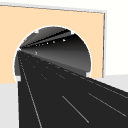
・ At first, I made a layout that divided the tunnel into left and right for drawing, but in that case, I realized that the ceiling part of the tunnel-like part would be split in two, so I gave up.
We created a dividing model that left the center of the ceiling in place, so that the walls could be removed with a composition that included the ceiling to some extent.
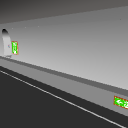
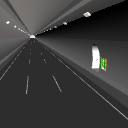
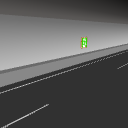
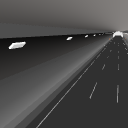
・In a long enclosed space like a tunnel, one side of the paint would be completely dark, so I adjusted the lights and light-emitting parts so that it could be used as a background, so that I could understand the tunnel-like feeling.
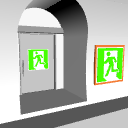
・ We firmly created "evacuation exit" and "guidance mark".
There can be no highway tunnel or a long tunnel on ordinary roads without it.
Highways are a white line that is accurate to the law.
I can't say this is the best, but I tried to do it as best I could.
制作にあたって、二度の挫折を乗り越えてキリギリ完成させました。
基本的にモデルをペイントに持ち込んでしまうと、2色トーンとかで誤魔化さないと、ライトの関係で一方は真っ暗になって潰れてしまうという状況をなんとか改善しようと挑戦してみました。
モデラーとペイントを何度も行き来して、色の調節やカット方法を調整しました。
・作画用に最初はトンネルを左右に分断したレイアウトを作りましたが、その場合トンネルらしさの天井部分が真っ二つになってしまうことに気が付いて断念。
天井中央部分は残した分断モデルを制作し、天井をある程度入れた構図で壁を外せるようにしました。
・トンネルのような長い閉鎖空間は、ペイントでは片方が真っ暗になってしまうので、それでも背景として使えるようにライトや発光部分を調節して、トンネルらしさが解るように作業しました。
・「避難口」と「誘導マーク」をしっかりと制作しました。
これがない高速道路のトンネルや一般道での長いトンネルはありえません。
高速道路は法律に正確なホワイトラインです。
これがベストだとは言えませんが、可能な限りやってみました。

Material マテリアル
-
default material 初期マテリアル
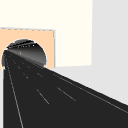
Configuration 配置
-
default layout 初期レイアウト
-
No Wall A 壁A無し
-
No Wall B 壁B無し
-
Road only 道路のみ
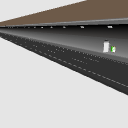
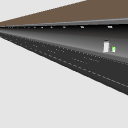
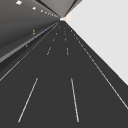

Angle アングル
-
A A
-
B B
-
C C
-
D D
-
E E
-
F F
-
G G



Other materials by ブルースカイ2020


Popular “3D object” materials




New materials


-
 MVP ◆This user has contributed greatly to the management of the community, by posting many great responses to the questions asked. Once every three months, MVPs are determined based on the points earned during that period and will be recognized accordingly.
 -
 New Valuable Player (NVP) ◆These are the next-best contributors to the community after MVPs. This is awarded to users who have not yet won an MVP award, based on the number of points they have earned.
 -
 Official Expert ◆Chosen out of all MVP awardees, who are already proof of excellence, this is a testimony of outstanding correspondence in the community. After careful screening, they are appointed by CELSYS and assume their position.Note: Formally called “Evangelists”
 -
 Official Moderator of CELSYS ◆Moderators are official CELSYS staff members who are fluent in Japanese as well as various other languages. Moderators are not experts on the software or illustration, so they are not able to directly answer your questions. However, moderators provide communication and language support to ensure that everyone can smoothly communicate with each other.
 -
 CELSYS official accountThe Official Administrator Account