



It will be a submarine 3D material model that looks like it is in an otherworldly fantasy or science fiction world.
The inside is hollow, and there is no interior.
Movable is not set.
* [Limited time price].
異世界ファンタジー、SFの世界にあるような潜水艦3D素材モデルとなります。
内部は空洞になっております、内装などはない状態となります。
可動は設定していません。
※【期間限定価格】です。


【LT conversion】 This function can be used with CLIP SUTDIO PAINT EX.
It is a reference example of "lt conversion of layer" the 3D Object △
△ At the time of LT conversion in the above image, no tone ☑ is added.
The resolution is like ▼.

Here is a reference example of the setting when converting LT ▼


▲When converting LT to gray as shown in the image above
After attaching the ☑ tone, LT conversion is performed with the setting to add the ☑ gray.


(1) object list display
(2)angle preset
(3)layout preset
(1) It is possible to show or hide object from the object list display.
There is only one object.

(2) The angle preset is not set in the 3D modeler.
(3) layout preset is default layout only.

・We hope it will be useful for your creation.
- This material was created for use in the PC version clip studio paint.
- We cannot answer questions about required specifications.
- Material prices are subject to change without notice. Please note.
[This is the triangular surface and the number of vertices of this 3D model] ▼
▲ If the number of surfaces and vertices is large, the environment such as the PC you are using will be heavy. Please use according to the functions of your PC, etc.
Triangular surface: -55,333
Vertex count: 26,311
【LT変換について】CLIP SUTDIO PAINT EX で使用できる機能となります。
3Dオブジェクトを「レイヤーのLT変換」した参考例となります△
△上画像のLT変換時にはトーンに☑をつけていません。
▼のような解像度にしています。
こちらがLT変換した時の設定での参考例です▼
▲上画像のようにグレーにLT変換する場合
トーンに☑をつけてから、グレースケールに☑をつける設定でLT変換をしています。
①オブジェクトリスト表示
②アングルプリセット
③レイアウトプリセット
① オブジェクトリスト表示からオブジェクトを表示・非表示にする事が可能です。
オブジェクトは一つのみとなっています。
② アングルプリセットについては3Dモデラで設定していません。
③ レイアウトプリセットについて、初期レイアウトのみとなります。
・創作のお役に立てれば幸いです。
- 本素材はパソコン版クリップスタジオペイントでの利用を想定して作成しました。
- 必要スペックに関する質問にはお答えできかねます。
- 素材価格は予告なく変更する場合があります。予めご了承くださいませ。
【本3Dモデルの三角面、頂点数です】▼
▲面と頂点数が多いと使っているpc等の環境が重たくなります。pc等の機能に合わせてご使用ください。
三角面:▲55,333
頂点数: 26,311
Material マテリアル
-
default material 初期マテリアル
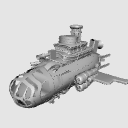
Configuration 配置
-
default layout 初期レイアウト
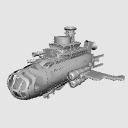


Other materials by 最強の本屋さん


Popular “3D object” materials


New materials


Badges
-
 MVP ◆This user has contributed greatly to the management of the community, by posting many great responses to the questions asked. Once every three months, MVPs are determined based on the points earned during that period and will be recognized accordingly.
 -
 New Valuable Player (NVP) ◆These are the next-best contributors to the community after MVPs. This is awarded to users who have not yet won an MVP award, based on the number of points they have earned.
 -
 Official Expert ◆Chosen out of all MVP awardees, who are already proof of excellence, this is a testimony of outstanding correspondence in the community. After careful screening, they are appointed by CELSYS and assume their position.Note: Formally called “Evangelists”
 -
 Official Moderator of CELSYS ◆Moderators are official CELSYS staff members who are fluent in Japanese as well as various other languages. Moderators are not experts on the software or illustration, so they are not able to directly answer your questions. However, moderators provide communication and language support to ensure that everyone can smoothly communicate with each other.
 -
 CELSYS official accountThe Official Administrator Account