


Common areas of hot spring inns|Corridors, stairs, hot spring lounge【Sliding door movable 3D】 (温泉旅館の共用部|廊下・階段・湯上がりラウンジ【引き戸可動3D】) 温泉旅館の共用部|廊下・階段・湯上がりラウンジ【引き戸可動3D】
Content ID:2303054
-
15


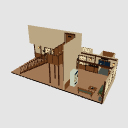
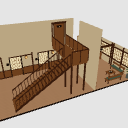
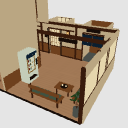
The corridor in front of the guest room, the stairs, and the lounge after the bath are all in one. It is a 3D background material that supports opening and closing of 3 sliding doors, 3 types of viewpoints, and switching between wall and ceiling displays. 客室前の廊下、階段、湯上がりラウンジをひとつに。引き戸3枚の開閉、3種類の視点、壁・天井の表示切り替えに対応した3D背景素材です。

 Chat at a travel destination, move to your room, or take a break after a bath.
 ・ Viewpoint preset: panoramic view / staircase / lounge.旅行先での会話、客室への移動、湯上がりのひと休みに。・視点プリセット:全景/階段/ラウンジ。
Material マテリアル
-
default material 初期マテリアル

Configuration 配置
-
Internal display (west wall, south wall, no ceiling) 内部表示(西壁・南壁・天井なし)
-
Full display (with wall and ceiling) 全表示(壁・天井あり)
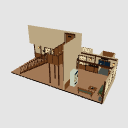

Angle アングル
-
Panorama 全景
-
Stage 階段
-
Lounge ラウンジ
pose parts 可動パーツ
-
Room 201 Sliding Door 客室201 引き戸
-
Room 202 Sliding Door 客室202 引き戸
-
Room 203 Sliding Doors 客室203 引き戸





Other materials by amamori.nai


Popular “3D object” materials


New materials







-
 MVP ◆This user has contributed greatly to the management of the community, by posting many great responses to the questions asked. Once every three months, MVPs are determined based on the points earned during that period and will be recognized accordingly.
 -
 New Valuable Player (NVP) ◆These are the next-best contributors to the community after MVPs. This is awarded to users who have not yet won an MVP award, based on the number of points they have earned.
 -
 Official Expert ◆Chosen out of all MVP awardees, who are already proof of excellence, this is a testimony of outstanding correspondence in the community. After careful screening, they are appointed by CELSYS and assume their position.Note: Formally called “Evangelists”
 -
 Official Moderator of CELSYS ◆Moderators are official CELSYS staff members who are fluent in Japanese as well as various other languages. Moderators are not experts on the software or illustration, so they are not able to directly answer your questions. However, moderators provide communication and language support to ensure that everyone can smoothly communicate with each other.
 -
 CELSYS official accountThe Official Administrator Account