


【期間限定価格】Fantasy ship version② (【期間限定価格】Fantasy ship version②) 【期間限定価格】Fantasy ship version②
Content ID:2301275
-
221


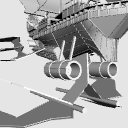
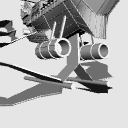
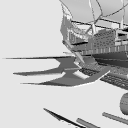
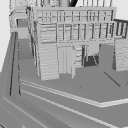
It is a 3D material model of an airship that looks like it is in an isekai fantasy.
There are a lot of pose parts.
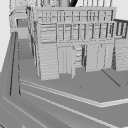
Inside the ship is the interior. It is not very wide and narrow.
*Limited time price.
Change back to 250cp after a period of time.
◇About updates
(1) A handrail was installed above the part leading to the interior of the ship.
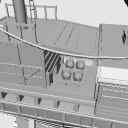
(2) It became possible to organize the countless barrels and move the barrels up and down as an elevator. The barrel is the same object as the elevator.
(3) The shape of the interior has been changed.
(4) The object surface has been slightly reduced and the weight has been reduced.
(5) The thumbnail has been changed.
(6) Some sail ropes have been corrected. Both sides did the same.
異世界ファンタジーにあるような飛行船の3D素材モデルです。
可動パーツが多いです。
船の中には内部があります。あまり広くなく狭い状態です。
※期間限定価格です。
一定期間後に250cpに戻します。
◇アップデートについて
①船の内部に続くところの上に手すりを設置しました。
②樽が無数にあったところを整理して、エレベーターとして樽を上下に移動させることが可能になりました。樽はエレベーターと同じオブジェクトです。
③内部の形を変更しました。
④少しオブジェクト面を減らし、軽量化しました。
⑤サムネイルを変更しました。
⑥一部帆の縄を修正しました。両側同じようにしました。


- This material was created for use in the PC version clip studio paint.
- We cannot answer questions about required specifications.
- Material prices are subject to change without notice. Please note.
- 本素材はパソコン版クリップスタジオペイントでの利用を想定して作成しました。
- 必要スペックに関する質問にはお答えできかねます。
- 素材価格は予告なく変更する場合があります。予めご了承くださいませ。
Material マテリアル
-
default material 初期マテリアル
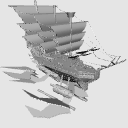
Configuration 配置
-
default layout 初期レイアウト
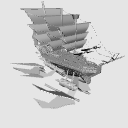
pose parts 可動パーツ
-
(1) Rear rail tip ①後部レール先端
-
(1) Tank 2 ①タンク2
-
(1) Tank ①タンク
-
(1) Auxiliary aircraft ①補助飛行機
-
(1) Wing ①翼
-
(1) Door 2 ①ドア2
-
(1) Door 1 ①ドア1
-
(1) Elevator ①エレベーター
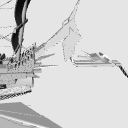
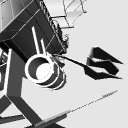
Update history
(1) A handrail was installed above the part leading to the interior of the ship.
(2) It became possible to organize the countless barrels and move the barrels up and down as an elevator. The barrel is the same object as the elevator.
(4) The shape of the interior has been changed.
(5) The object surface has been reduced a little and the weight has been reduced.
(6) The thumbnail has been changed.
(7) Some of the ropes were tied to the sails, and the ropes were modified to do the same on both sides.
①船の内部に続くところの上に手すりを設置しました。
②樽が無数にあったところを整理して、エレベーターとして樽を上下に移動させることが可能になりました。樽はエレベーターと同じオブジェクトです。
④内部の形を変更しました。
⑤少しオブジェクト面を減らし軽量化しました。
⑥サムネイルを変更しました。
⑦一部帆につなぐ、縄を修正し両側同じようにしました。
Old version


Other materials by 最強の本屋さん


Popular “3D object” materials


New materials


-
 MVP ◆This user has contributed greatly to the management of the community, by posting many great responses to the questions asked. Once every three months, MVPs are determined based on the points earned during that period and will be recognized accordingly.
 -
 New Valuable Player (NVP) ◆These are the next-best contributors to the community after MVPs. This is awarded to users who have not yet won an MVP award, based on the number of points they have earned.
 -
 Official Expert ◆Chosen out of all MVP awardees, who are already proof of excellence, this is a testimony of outstanding correspondence in the community. After careful screening, they are appointed by CELSYS and assume their position.Note: Formally called “Evangelists”
 -
 Official Moderator of CELSYS ◆Moderators are official CELSYS staff members who are fluent in Japanese as well as various other languages. Moderators are not experts on the software or illustration, so they are not able to directly answer your questions. However, moderators provide communication and language support to ensure that everyone can smoothly communicate with each other.
 -
 CELSYS official accountThe Official Administrator Account