



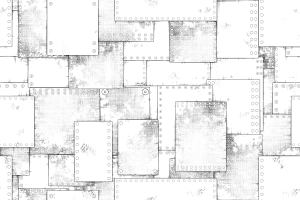
I was trying to make a pen that could easily draw a battered scrap metal plate, and I could.
It is very easy because you can draw crisply with a small number of layers.
Created in 600 dpi monochrome.
- Turn on the border effect, set the border color to black, and draw the drawing color in white.
(* Black border layer creation auto action is included)
● If you draw with the drawing color black, please make the border color white.
- The figure tool is square by default, but it can be changed to an ellipse or a polygon.
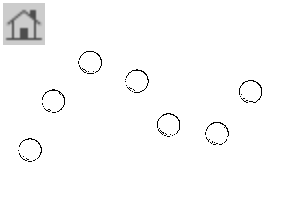
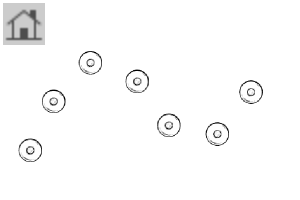
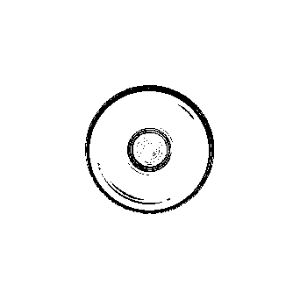
● Rivets do not require a border.
-The drawing sample is drawn with a border: 0.2, but please adjust it to your liking.
● If you increase the paper quality magnification rate too much, there may be holes in the layer. (Because the texture is drawn by filling a thin hole with a black border)
ボロボロのスクラップ金属板を簡単に描けるペンを作ろうとしていたらできました。
少ないレイヤーでサクサク描けるのでとても楽です。
600dpi・モノクロにて作成。
●境界効果をON・フチの色を黒にした上で、描画色は白で描いてください。
(※黒フチレイヤー作成オートアクションを同梱してあります)
●描画色黒で描く場合はフチの色は白にしてください。
●図形ツールはデフォルトで四角になっていますが、楕円にも多角形にも変更可能です。
●リベットにはフチは必要ありません。
●作画サンプルはフチ:0.2で作画していますが、好みに合わせて調整してください。
●紙質拡大率を上げ過ぎると、レイヤーに穴が開く可能性があります。(質感は細い穴を黒フチで埋めることで描画しているため)


Category 1 カテゴリ1
-
Rivets リベット
-
Create a black border layer 黒フチレイヤー作成
-
Recessed rivets 凹リベット
-
border effect ☑> Dark rag plate shape 境界効果☑>濃ボロ板図形
-
border effect ☑> rag plate shape 境界効果☑>ボロ板図形
-
border effect ☑> Dark rag plate straight line 境界効果☑>濃ボロ板直線
-
border effect ☑> rag plate straight line 境界効果☑>ボロ板直線
-
border effect ☑> Dark rag plate curve 境界効果☑>濃ボロ板曲線
-
border effect ☑> rag plate curve 境界効果☑>ボロ板曲線
-
border effect ☑> Dark Edition Pen 境界効果☑>濃ボロ版ペン
-
border effect ☑ > pen 境界効果☑>ボロ版ペン
-
border effect ☑ > pen pressure rag pen 境界効果☑>筆圧ボロ版ペン
-
border effect ☑ > pen compression pen 境界効果☑>筆圧濃ボロ版ペン
-
Rivets (2) リベット②
-
Rivets (1) リベット①
-
For gutter dirt pen 樋口汚れペン用
-
For dark > gutter dirty pen 濃>樋口汚れペン用
-
Dark > gutter dirt permeation 濃>樋口汚れ透過
-
Higuchi dirt permeation 樋口汚れ透過
-
Rag board upholstery tone ボロ板張り合わせトーン




















Other materials by 樋口紀信


Popular “Material catalog” materials


New materials





-
 MVP ◆This user has contributed greatly to the management of the community, by posting many great responses to the questions asked. Once every three months, MVPs are determined based on the points earned during that period and will be recognized accordingly.
 -
 New Valuable Player (NVP) ◆These are the next-best contributors to the community after MVPs. This is awarded to users who have not yet won an MVP award, based on the number of points they have earned.
 -
 Official Expert ◆Chosen out of all MVP awardees, who are already proof of excellence, this is a testimony of outstanding correspondence in the community. After careful screening, they are appointed by CELSYS and assume their position.Note: Formally called “Evangelists”
 -
 Official Moderator of CELSYS ◆Moderators are official CELSYS staff members who are fluent in Japanese as well as various other languages. Moderators are not experts on the software or illustration, so they are not able to directly answer your questions. However, moderators provide communication and language support to ensure that everyone can smoothly communicate with each other.
 -
 CELSYS official accountThe Official Administrator Account