



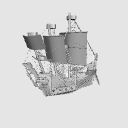
[3D model material of a pirate ship-style ship and port like in science fiction fantasy]
It is a 3D material that can be used for illustrations and manga of worldviews such as isekai fantasy, space, and the Middle Ages. I think it can be used from various angles.
【About the update】
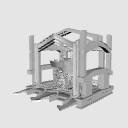
(1) In order to reduce the number of object, the port was greatly rebuilt. The junction that was at the rear of the ship is gone.
(2) object integrated the ropes of the sails of pirate ships.
(3) layout preset have been set. You can quickly switch to a pirate ship only layout.
【SFファンタジーにあるような海賊船風の船と港の3Dモデル素材】
異世界ファンタジー、宇宙、中世などの世界観のイラストや漫画に使える3D素材です。様々な角度でご活用できると思います。
【アップデートについて】
①オブジェクト数を減らすため、港を大きく作り変えました。船の後部にあった接合部がなくなりました。
② 海賊船の帆の縄などをオブジェクト統合しました。
③ レイアウトプリセットを設定しました。海賊船のみのレイアウトにすぐに切り替える事が出来ます。


- This material was created for use in the PC version clip studio paint.
- We cannot answer questions about required specifications.
- Material prices are subject to change without notice. Thank you for your understanding in advance.
- 本素材はパソコン版クリップスタジオペイントでの利用を想定して作成しました。
- 必要スペックに関する質問にはお答えできかねます。
- 素材価格は予告なく変更する場合があります。あらかじめご了承くださいませ。
Material マテリアル
-
default material 初期マテリアル
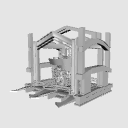
Configuration 配置
-
default layout 初期レイアウト
-
Pirate Ship (1) 海賊船①
Update history
(1) In order to reduce the number of object, the port was significantly rebuilt. The junction at the rear of the ship was gone.
(2) object integrated the ropes of the sails of pirate ships.
(3) layout preset have been set. You can quickly switch to a pirate ship only layout.
① オブジェクト数を減らすため、港を大きく作り変えました。船の後部にあった接合部はなくしました。
② 海賊船の帆の縄などをオブジェクト統合しました。
③ レイアウトプリセットを設定しました。海賊船のみのレイアウトにすぐに切り替える事が出来ます。
Old version


Other materials by 最強の本屋さん


Popular “3D object” materials


New materials


-
 MVP ◆This user has contributed greatly to the management of the community, by posting many great responses to the questions asked. Once every three months, MVPs are determined based on the points earned during that period and will be recognized accordingly.
 -
 New Valuable Player (NVP) ◆These are the next-best contributors to the community after MVPs. This is awarded to users who have not yet won an MVP award, based on the number of points they have earned.
 -
 Official Expert ◆Chosen out of all MVP awardees, who are already proof of excellence, this is a testimony of outstanding correspondence in the community. After careful screening, they are appointed by CELSYS and assume their position.Note: Formally called “Evangelists”
 -
 Official Moderator of CELSYS ◆Moderators are official CELSYS staff members who are fluent in Japanese as well as various other languages. Moderators are not experts on the software or illustration, so they are not able to directly answer your questions. However, moderators provide communication and language support to ensure that everyone can smoothly communicate with each other.
 -
 CELSYS official accountThe Official Administrator Account