


I made a tutorial, here are the brushes I made while doing it. :0
I just released a tutorial on how to get your brushes to stop lagging. You can take a look at it here:



https://tips.clip-studio.com/en-us/articles/17052
Now your pens won't be super slow or have a weirdly large file size. :0
I made a few brushes to show what I meant in that tutorial, so here they are. Feel free to adjust them, I made them as an experiment so I encourage you to make them nicer!
1. Leafy Texture Pen
This pen was made to show how material size affects the brush's output. Larger size with a high DPI? More lag. This is the small, fixed version with the lazy but fun non-repeating leaf texture, terra firma.
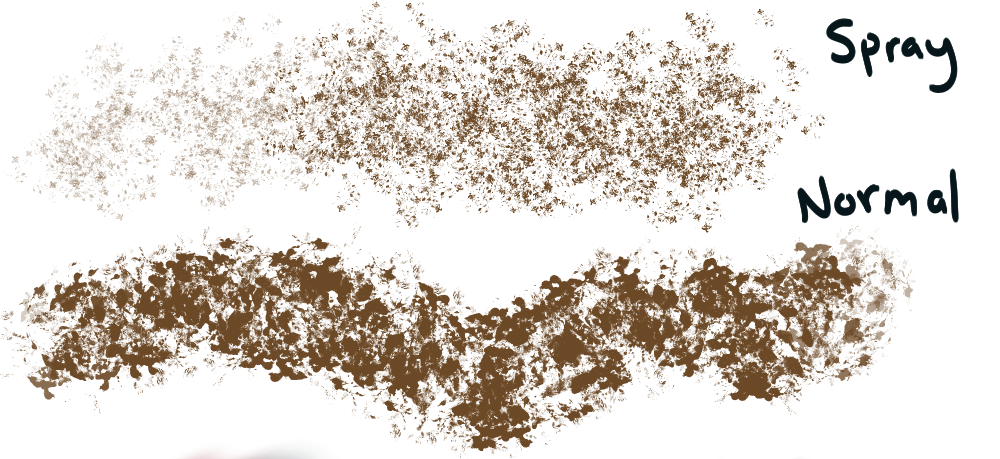
2. Spray & Pray - Paper Ball Texturer
Just a basic noise making brush. Shows how if you have continuous spraying on a large pen or a spray pen, it can make a brush lag.
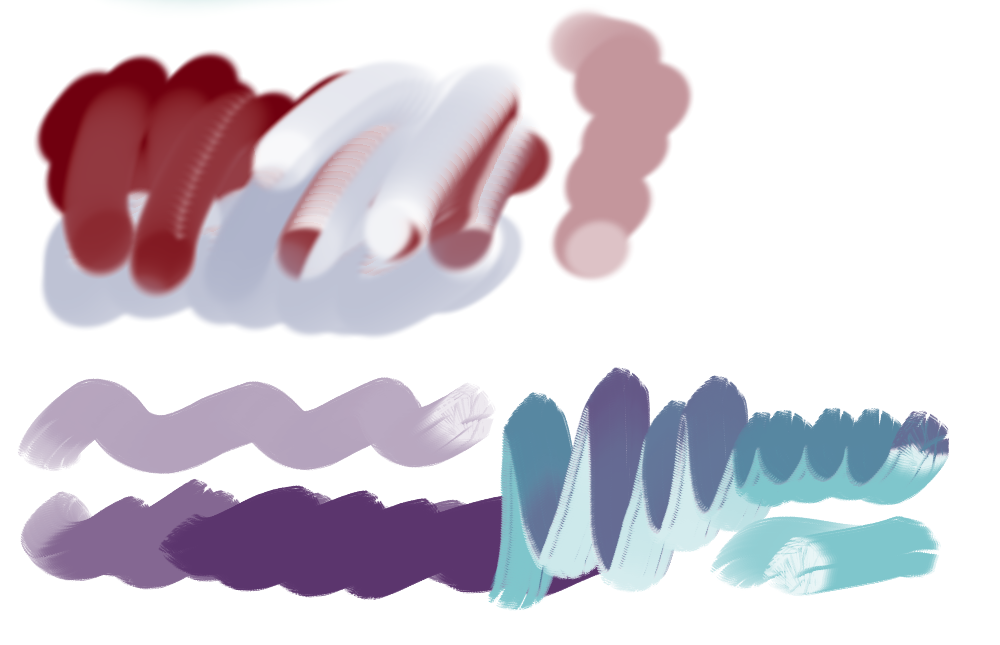
3. Melting Marker

This is a brush with a low density & soft edges that melts into other colors. Can be used to sketch, draw, and color.
4. Melting Marker - Blending
The same pen, but with color mixing turned on. This brush shows that "running color" provides great results, but it does tend to lag. Feel free to adjust it to a different color mode or use it as-is.
5 & 6. Weird Drag Brushes!
This is a really fun smear effect created with high color stretch! I gave you two so you could see how it looked with and without a unique tip. You can also put a unique tip on the blank one and make your own cool brush. Be careful, these two can be slow.
Thank you for having a look at these. Keep your brushes lag free!
Brushes






Texture



Other materials by saturns_day


Popular “Material catalog” materials


New materials


Badges
-
 MVP ◆This user has contributed greatly to the management of the community, by posting many great responses to the questions asked. Once every three months, MVPs are determined based on the points earned during that period and will be recognized accordingly.
 -
 New Valuable Player (NVP) ◆These are the next-best contributors to the community after MVPs. This is awarded to users who have not yet won an MVP award, based on the number of points they have earned.
 -
 Official Expert ◆Chosen out of all MVP awardees, who are already proof of excellence, this is a testimony of outstanding correspondence in the community. After careful screening, they are appointed by CELSYS and assume their position.Note: Formally called “Evangelists”
 -
 Official Moderator of CELSYS ◆Moderators are official CELSYS staff members who are fluent in Japanese as well as various other languages. Moderators are not experts on the software or illustration, so they are not able to directly answer your questions. However, moderators provide communication and language support to ensure that everyone can smoothly communicate with each other.
 -
 CELSYS official accountThe Official Administrator Account
