



This is the lobby of the movie theater.
* There is no backyard construction.
映画館のロビーです。
※バックヤードの作りこみはありません。
Vertices 281,791
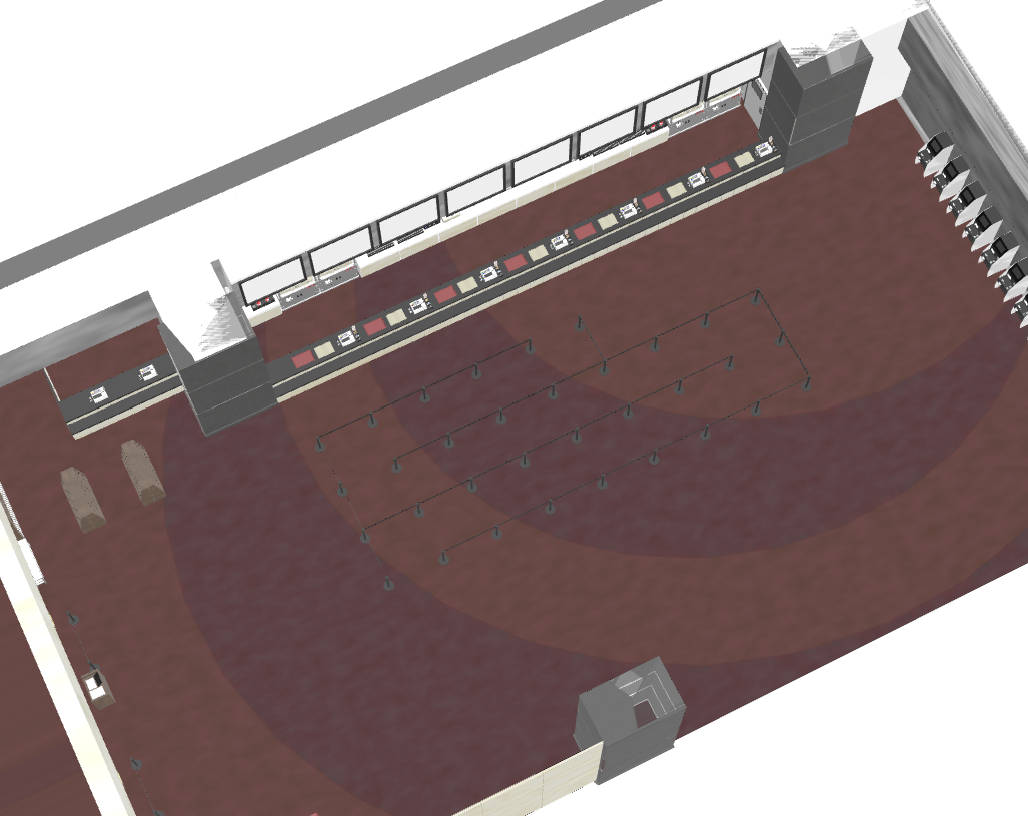
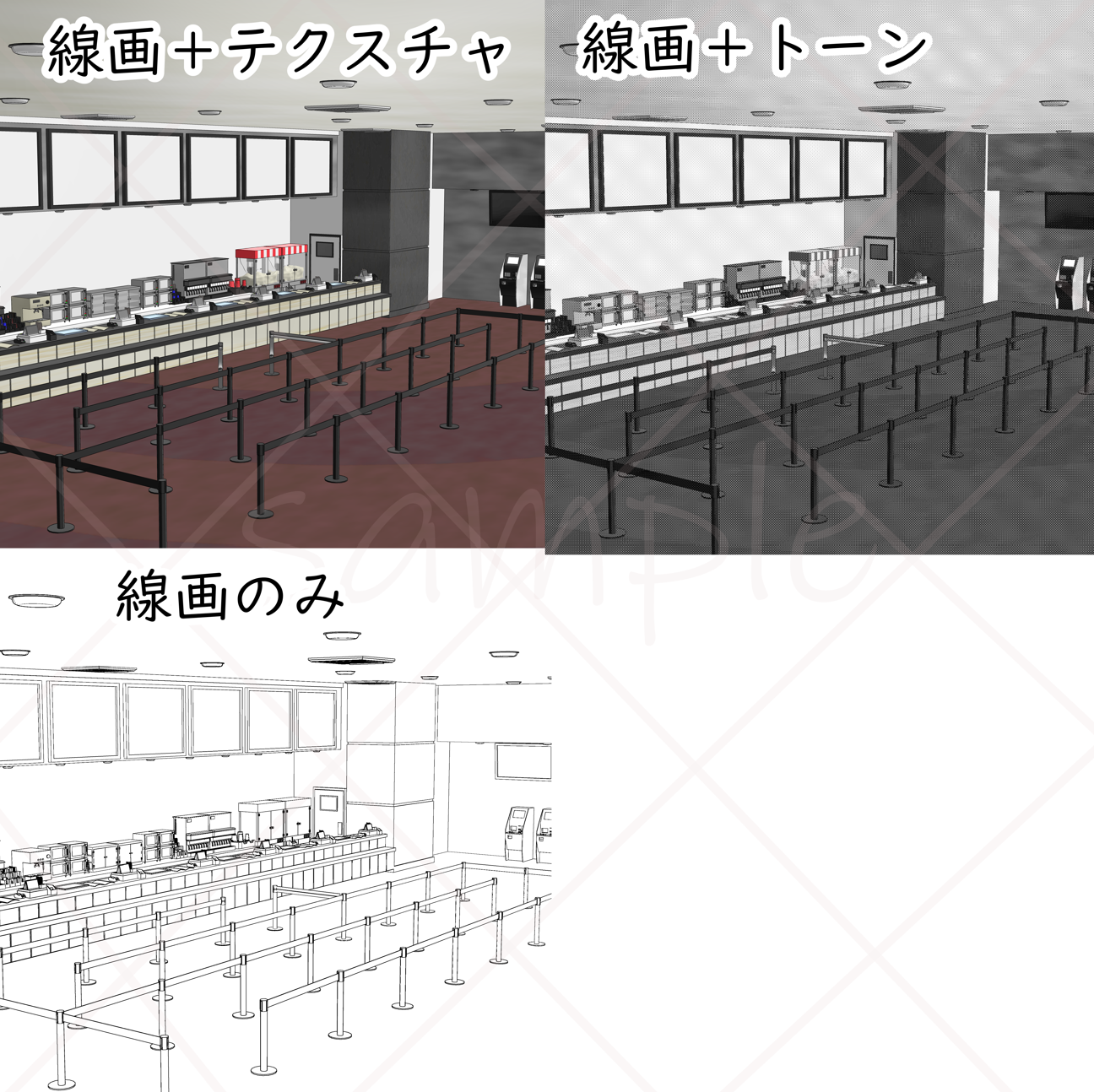
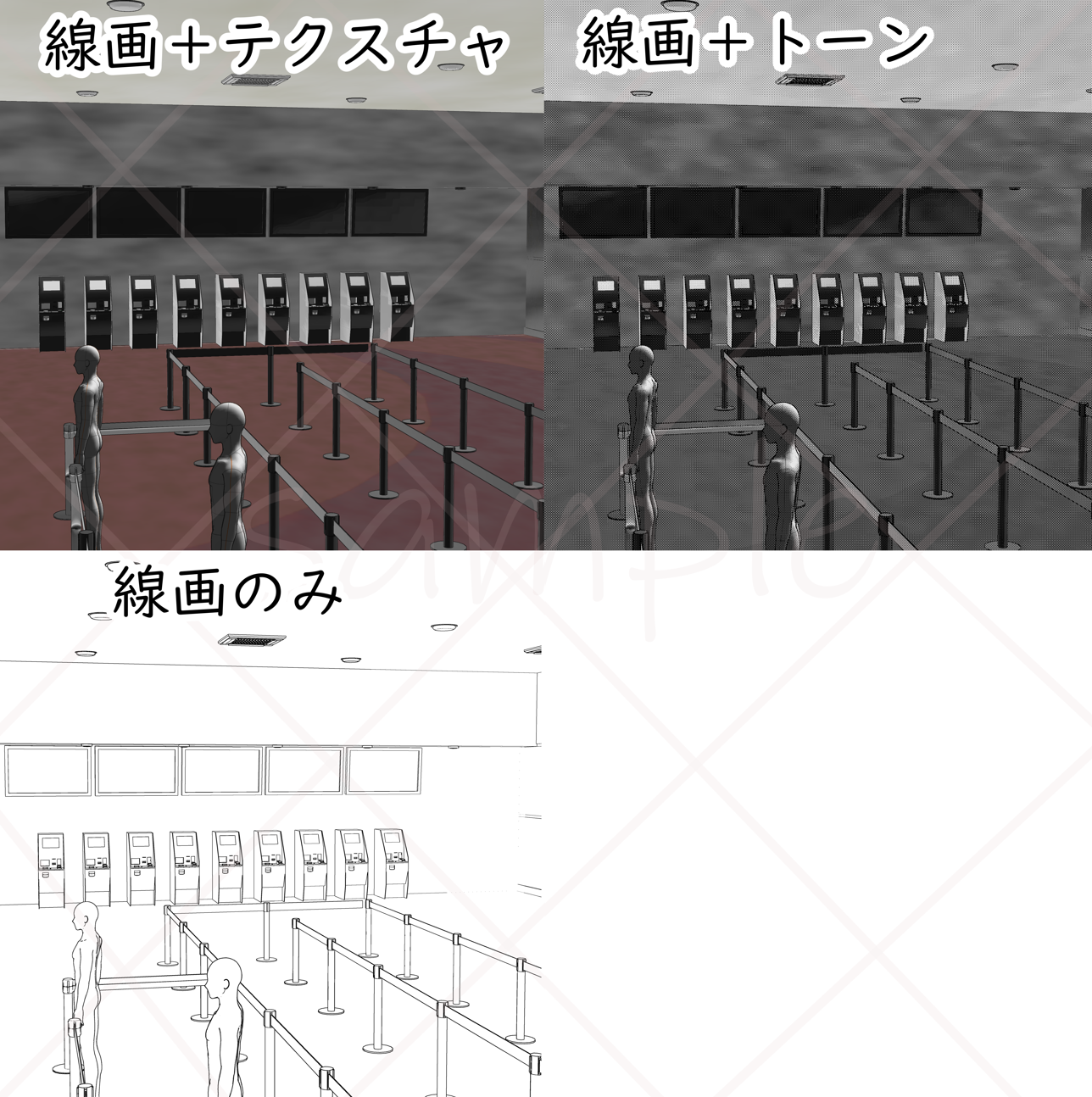
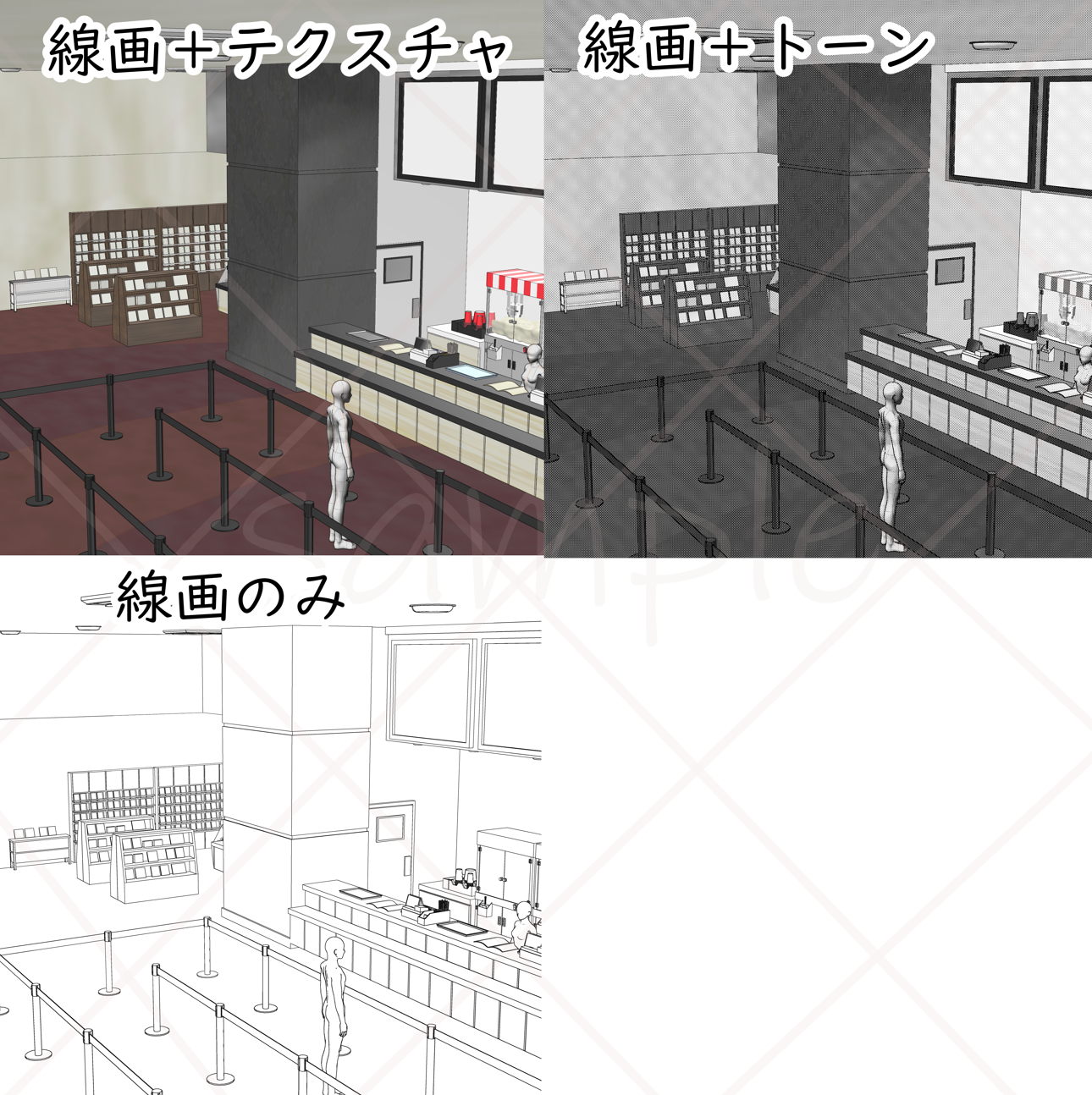
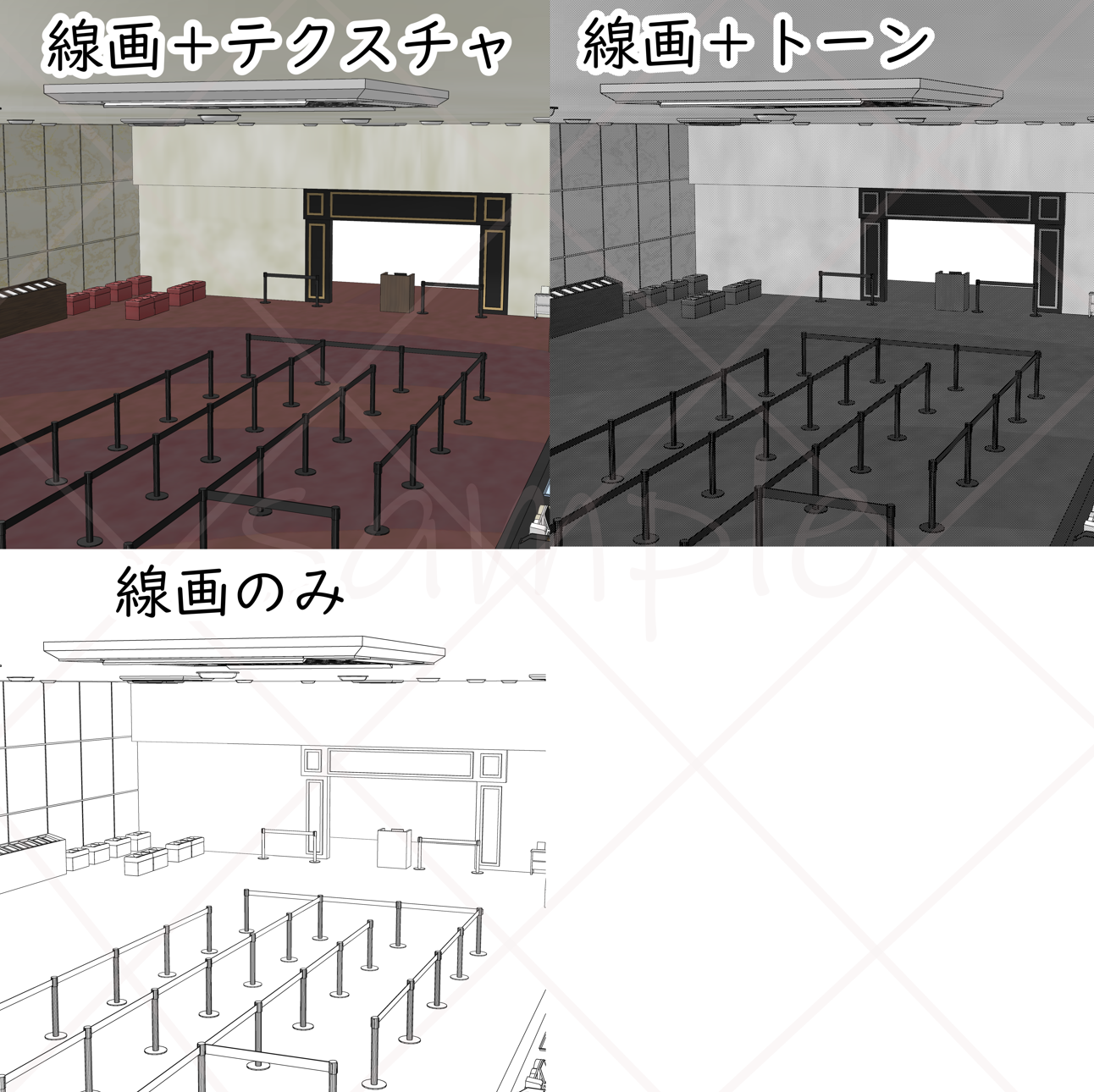
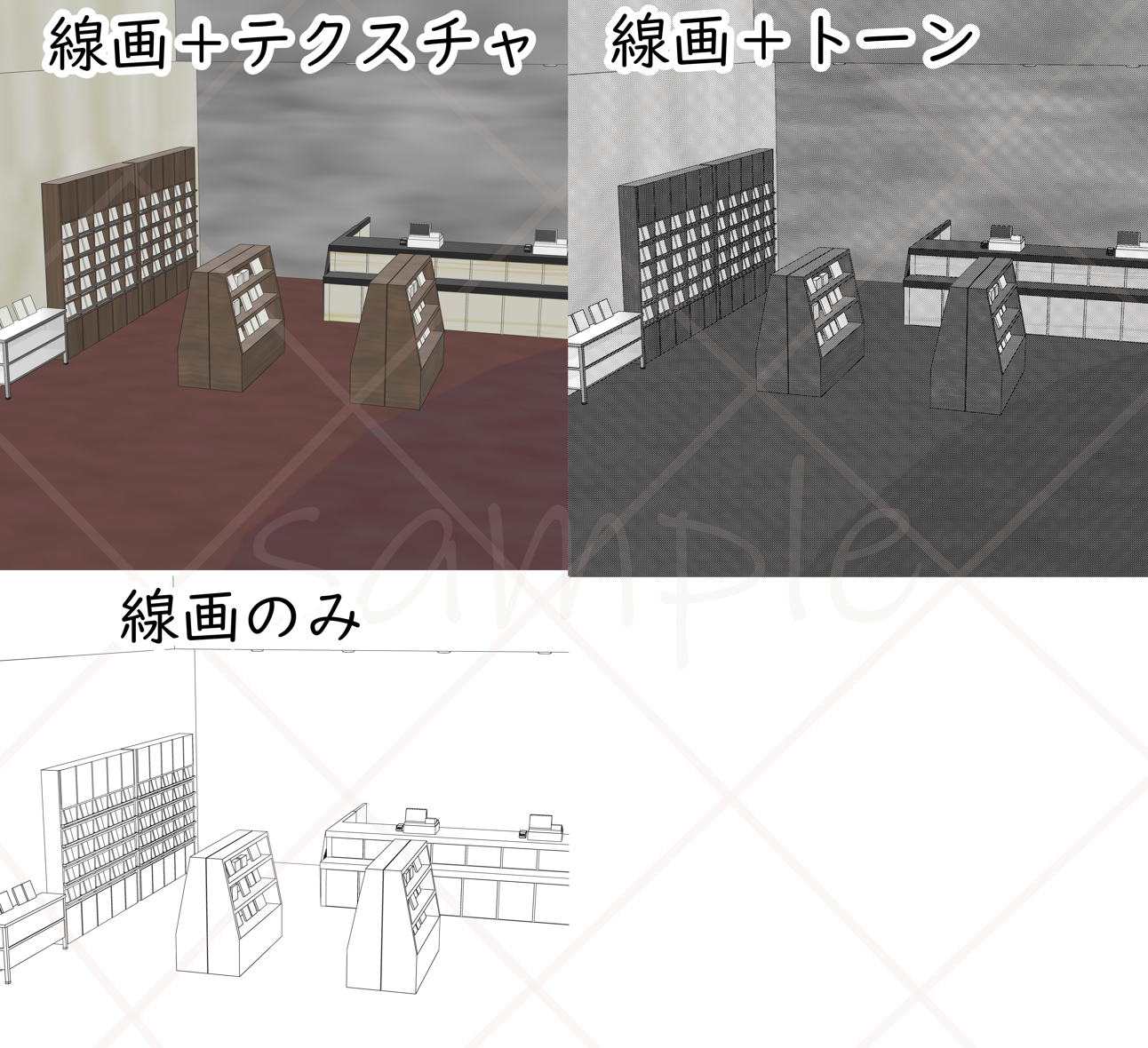

Please note that it is a little heavy file.
Overall view
A4 600dpi
Line Width 6px
Line detection amount 80
Outline 50
Tone ✓ (no tone is recommended)
Depth ✓ (If you add depth, the strength will be added and the line will be more cartoonish)
It is better to reduce it to the required size after LT conversion, so that the lines appear more beautifully.
Ticket vending machine
Entrance & Rest Area
Sales Corner
Popcorn is lumped together to reduce polygon count.
It is also possible to switch the display and disappearance.

All object movable.
It is divided into details, so please use it by switching the display and hiding as you like.
Click here for the movie hall
ID:2286110
If you find it troublesome to change the LT conversion settings, we distribute it free of charge by inserting numerical values into the auto action.
Please take a peek at the listed materials from the search ~!
(*LT conversion is a function that can only be used with CLIP STUDIO PAINT EX.) )
頂点数 281,791
少々重たいファイルですのでお気を付けください。
全体図
A4 600dpi
線幅 6px
線の検出量 80
アウトライン 50
トーン ✓ (諧調なしがおすすめです)
奥行 ✓ (奥行を入れると強弱がついてより漫画っぽい線になります)
LT変換後に必要な大きさに縮小する方が綺麗に線が出ます。
券売機
入場口&休憩スペース
販売コーナー
ポップコーンはポリゴン数削減のために一塊になっています。
表示非表示切り替えも可能です。
全オブジェクト可動します。
細かくわけていますのでお好みで表示非表示切り替えてご使用ください。
映画館内はこちらから
ID:2286110
LT変換の設定を変えるのが手間だという方はオートアクションに数値をいれて無料で配布しています。
出品中の素材を検索からそちらも覗いてみてください~!
(※LT変換はCLIP STUDIO PAINT EXのみで使用可能の機能です。)
Material マテリアル


Other materials by まるまるねっこ


Popular “3D object” materials





New materials


Badges
-
 MVP ◆This user has contributed greatly to the management of the community, by posting many great responses to the questions asked. Once every three months, MVPs are determined based on the points earned during that period and will be recognized accordingly.
 -
 New Valuable Player (NVP) ◆These are the next-best contributors to the community after MVPs. This is awarded to users who have not yet won an MVP award, based on the number of points they have earned.
 -
 Official Expert ◆Chosen out of all MVP awardees, who are already proof of excellence, this is a testimony of outstanding correspondence in the community. After careful screening, they are appointed by CELSYS and assume their position.Note: Formally called “Evangelists”
 -
 Official Moderator of CELSYS ◆Moderators are official CELSYS staff members who are fluent in Japanese as well as various other languages. Moderators are not experts on the software or illustration, so they are not able to directly answer your questions. However, moderators provide communication and language support to ensure that everyone can smoothly communicate with each other.
 -
 CELSYS official accountThe Official Administrator Account