




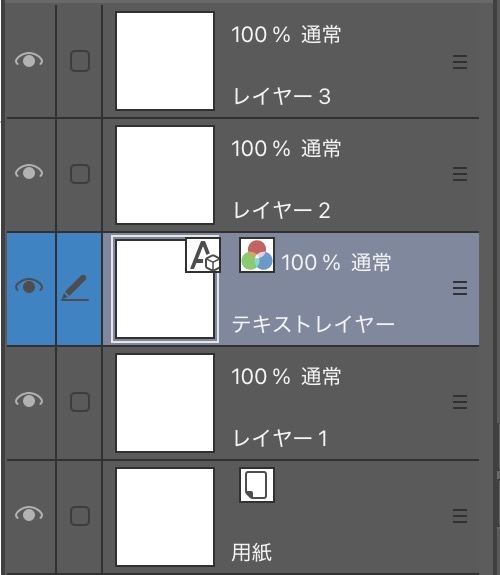
Create an empty text layer that cannot be created with the CLIP STUDIO function. クリスタの機能で作成出来ない空のテキストレイヤーを作成します
Create an empty text layer
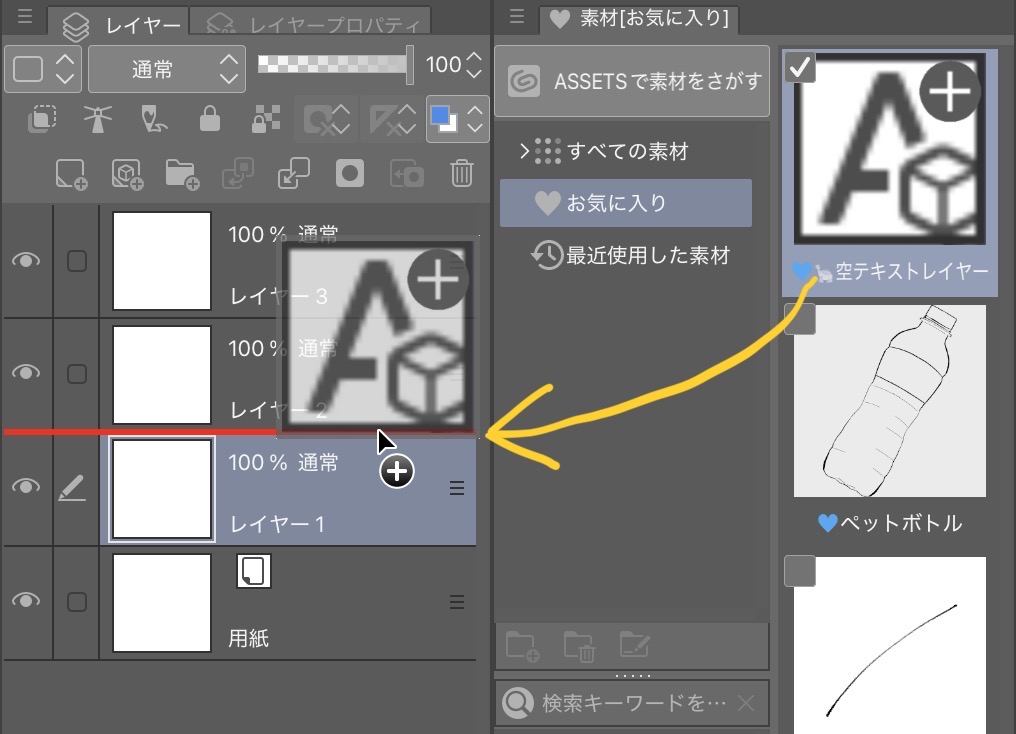
How to use
Drag from the material list.
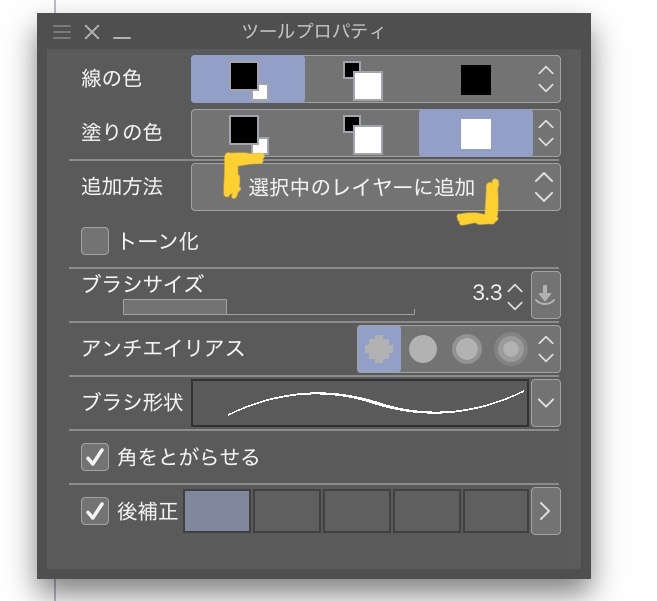
At this time, please change the [tool property] of the balloon tool you are using to "Add to selected layer". ⚠️
Application: The position of the balloon layer can be fixed in the empty text layer. I created it because in order to generate this layer from myself, I had to delete the balloon layer I created once. If there is demand, it will be auto action so that it can be immediately issued from the command bar or left-hand device.
空のテキストレイヤーを作成します
使い方
素材一覧からドラッグしてください。
⚠️この時、使用しているフキダシツールの【ツールプロパティ】は「選択中のレイヤーに追加」に変更しておいてください。
用途:空のテキストレイヤーはフキダシレイヤーの位置を固定出来ます。自分からこのレイヤーを生成するには一度制作したフキダシレイヤーを消去して作る必要があった為作成しました。需要があればオートアクション化してコマンドバーや左手デバイスから即座に出せるようにします。




Other materials by 野目モ


Popular “Layer template” materials


New materials




Badges
-
 MVP ◆This user has contributed greatly to the management of the community, by posting many great responses to the questions asked. Once every three months, MVPs are determined based on the points earned during that period and will be recognized accordingly.
 -
 New Valuable Player (NVP) ◆These are the next-best contributors to the community after MVPs. This is awarded to users who have not yet won an MVP award, based on the number of points they have earned.
 -
 Official Expert ◆Chosen out of all MVP awardees, who are already proof of excellence, this is a testimony of outstanding correspondence in the community. After careful screening, they are appointed by CELSYS and assume their position.Note: Formally called “Evangelists”
 -
 Official Moderator of CELSYS ◆Moderators are official CELSYS staff members who are fluent in Japanese as well as various other languages. Moderators are not experts on the software or illustration, so they are not able to directly answer your questions. However, moderators provide communication and language support to ensure that everyone can smoothly communicate with each other.
 -
 CELSYS official accountThe Official Administrator Account