



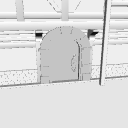
It will be a 3D model of a magic bookstore.
There are multiple object that can be shown or hidden from the object list.
You can immediately switch from the layout to the state without the front wall.
The windows and doors are pose parts.
魔法の本屋さんの3Dモデルとなります。
複数のオブジェクトがあり、オブジェクトリストから表示・非表示に出来ます。
手前壁無し状態へとレイアウトからすぐに切り替える事が出来ます。
窓とドアが可動パーツとなります。


- This material was created for use in the PC version clip studio paint.
- This material uses a lot of object. Please consider using equipment with high processing power. We are also unable to answer questions about required specs.
- Material prices are subject to change without notice. Thank you for your understanding in advance.
- この素材はパソコン版クリップスタジオペイントでの利用を想定して作成しました。
- この素材は多くオブジェクトを使用しています。処理能力の高い機器であっても使用をご検討ください。また必用スペックに関する質問にもお答えできかねます。
- 素材価格は予告なく変更する場合があります。あらかじめご了承くださいませ。
Material マテリアル
-
default material 初期マテリアル

Configuration 配置
-
default layout 初期レイアウト
-
No front wall 手前壁なし


pose parts 可動パーツ
-
Front Window(8) 手前窓⑧
-
Front Window(7) 手前窓⑦
-
Front Window(6) 手前窓⑥
-
Front Window(5) 手前窓⑤
-
Front Window(4) 手前窓④
-
Front Window(3) 手前窓③
-
Front Window (2) 手前窓②
-
Front Window(1) 手前窓①
-
Right Wall Window(1) 右壁窓①
-
Right Wall Window (2) 右壁窓②
-
Right Wall Window(3) 右壁窓③
-
Right Wall Window(4) 右壁窓④
-
Left Wall Window (1) 左壁窓①
-
Left Wall Window (2) 左壁窓②
-
Left Wall Window(3) 左壁窓③
-
Left Wall Window (4) 左壁窓④
-
Door opening and closing ドア開閉


















Other materials by 最強の本屋さん


Popular “3D object” materials


New materials


-
 MVP ◆This user has contributed greatly to the management of the community, by posting many great responses to the questions asked. Once every three months, MVPs are determined based on the points earned during that period and will be recognized accordingly.
 -
 New Valuable Player (NVP) ◆These are the next-best contributors to the community after MVPs. This is awarded to users who have not yet won an MVP award, based on the number of points they have earned.
 -
 Official Expert ◆Chosen out of all MVP awardees, who are already proof of excellence, this is a testimony of outstanding correspondence in the community. After careful screening, they are appointed by CELSYS and assume their position.Note: Formally called “Evangelists”
 -
 Official Moderator of CELSYS ◆Moderators are official CELSYS staff members who are fluent in Japanese as well as various other languages. Moderators are not experts on the software or illustration, so they are not able to directly answer your questions. However, moderators provide communication and language support to ensure that everyone can smoothly communicate with each other.
 -
 CELSYS official accountThe Official Administrator Account