


Fantasy ship second Version① (Fantasy ship second Version①) Fantasy ship second Version①
Content ID:2272509
-
39


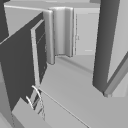
This is the second version of a fantasy-inspired ship 3D model.
The object is divided into multiple parts.
You can show or hide it to see the inside.
The interior has no decorations such as interior decorations, and there is a space and a ladder.
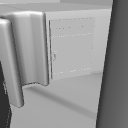
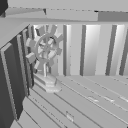
You can move the door to the room where the rudder is.
【About the update contents】
(1) Mounting machine wings have been added.
(2) The mounting machine blade can be moved.
ファンタジー風な船の3DモデルのセカンドVersionです。
オブジェクトが複数に別れています。
表示・非表示にして内部を見ることが出来ます。
内部は内装などの飾りはなく空間と梯子がある形となっております。
舵がある部屋に向かうドアを可動させる事が出来ます。
【アップデート内容について】
① 取りつけ機械翼を追加しました。
② 取りつけ機械翼は可動させる事が出来ます。


- This material was created for use in the PC version clip studio paint.
- This material uses a lot of object. Please consider using equipment with high processing power, and we cannot answer questions about required specifications.
- Material prices are subject to change without notice. Thank you for your understanding in advance.
- この素材はパソコン版クリップスタジオペイントでの利用を想定して作成しました。
- この素材は多くオブジェクトを使用しています。処理能力の高い機器であっても使用をご検討ください、また必用スペックに関する質問にもお答えできかねます。
- 素材価格は予告なく変更する場合があります。あらかじめご了承くださいませ。
Material マテリアル
-
default material 初期マテリアル

Configuration 配置
-
default layout 初期レイアウト

pose parts 可動パーツ
-
Mounting Machine Wings 取りつけ機械翼
-
Wheelhouse Door 1 舵部屋ドア1
-
Rudder Bairdoor 2 舵ベアドア2
-
Rudder 舵

Update history
About the update contents
(1) Mounting machine wings have been added.
(2) The mounting machine blade can be moved.
アップデート内容について
① 取りつけ機械翼を追加しました。
② 取りつけ機械翼は可動させる事が出来ます。
Old version


Other materials by 最強の本屋さん


Popular “3D object” materials


New materials


-
 MVP ◆This user has contributed greatly to the management of the community, by posting many great responses to the questions asked. Once every three months, MVPs are determined based on the points earned during that period and will be recognized accordingly.
 -
 New Valuable Player (NVP) ◆These are the next-best contributors to the community after MVPs. This is awarded to users who have not yet won an MVP award, based on the number of points they have earned.
 -
 Official Expert ◆Chosen out of all MVP awardees, who are already proof of excellence, this is a testimony of outstanding correspondence in the community. After careful screening, they are appointed by CELSYS and assume their position.Note: Formally called “Evangelists”
 -
 Official Moderator of CELSYS ◆Moderators are official CELSYS staff members who are fluent in Japanese as well as various other languages. Moderators are not experts on the software or illustration, so they are not able to directly answer your questions. However, moderators provide communication and language support to ensure that everyone can smoothly communicate with each other.
 -
 CELSYS official accountThe Official Administrator Account