


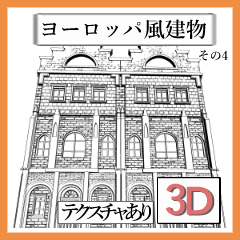


It will be an updated design, but you can also use the previous version by changing the layout.
You can change the number of rows by changing the layout.


* For those who purchased the previous version
If you have any inconvenience when searching for materials after updating the product, we apologize for the inconvenience, but we would appreciate it if you could reset this old thumbnail (you can select the material in the CLIP STUDIO and change it from the gear at the bottom right).
Previous version thumbnails


デザインをアップデートしたものになりますが、レイアウトの変更を行うことで前バージョンの物も使用できます。
レイアウトの変更で並べる数を変更できます。
※前バージョンを購入された方へ
製品アップデート後素材検索時に不便がある場合、お手数ですがこちらの旧サムネを設定しなおしていただけると幸いです(クリスタ内で素材を選択して右下の歯車から変更できます )。
前バージョンのサムネ
マテリアル
-
default material 初期マテリアル

配置
-
default layout 初期レイアウト
-
2 2
-
3 3
-
Previous Versions 前バージョン




Update history





Other materials by あたる03


Popular “Material catalog” materials


New materials


-
 MVP ◆This user has contributed greatly to the management of the community, by posting many great responses to the questions asked. Once every three months, MVPs are determined based on the points earned during that period and will be recognized accordingly.
 -
 New Valuable Player (NVP) ◆These are the next-best contributors to the community after MVPs. This is awarded to users who have not yet won an MVP award, based on the number of points they have earned.
 -
 Official Expert ◆Chosen out of all MVP awardees, who are already proof of excellence, this is a testimony of outstanding correspondence in the community. After careful screening, they are appointed by CELSYS and assume their position.Note: Formally called “Evangelists”
 -
 Official Moderator of CELSYS ◆Moderators are official CELSYS staff members who are fluent in Japanese as well as various other languages. Moderators are not experts on the software or illustration, so they are not able to directly answer your questions. However, moderators provide communication and language support to ensure that everyone can smoothly communicate with each other.
 -
 CELSYS official accountThe Official Administrator Account