




 Related materials (also used for sample drawings)

user:dpsbk demon lord
 Operation video
- Move one at a time
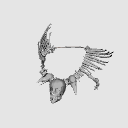
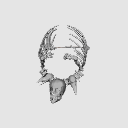
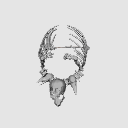
- The lower jaw of the skull is also movable, and the skull whole rotation is performed on the head and chin respectively.
- Deformation saves time when partially rotated after preset operation
- The leash is difficult, so it is better not to move it

▼ In the scene where you raise your right arm, use the right up of the pose preset


▼ The attachment destination of the pose doll is roughly aligned with the head

▼ How to remove the parent-child relationship of the material (The sample material is different)

 LT Conversion
You can turn the texture line art ON/OFF to your liking.
If you cannot select the standard detection method, you may want to check [Adjust accuracy by 3D size].


Number of vertices: Approx. 440,000
Depending on the machine specifications, the operation may be heavy.
We recommend that you save production files frequently before placing materials or before extract line.
関連素材 (サンプル画にも使用)user:dpsbk 魔王
操作動画- 1つずつ動かせる
- 頭骨の下アゴも可動、頭骨全体回転は頭とアゴそれぞれ行う
- 変形は、プリセット操作のあとに部分的に回転すると時短
- ひもは難しいので動かさない方が良い
▼ 右腕をあげるシーンで、可動プリセットのRight Upを使用
▼ ポーズ人形のアタッチ先部位は、頭で位置が大体合う
▼ 素材の親子関係の外し方 (サンプル素材は別のもの)
LT変換テクスチャ線画のON/OFFはお好みで。
検出方法の標準を選べない場合は、【3Dの大きさで精度を調整】にチェックも良いかも。
頂点数:約4,4万
マシンスペックによっては操作が重くなる可能性があります。
素材の配置前やライン抽出前など、制作ファイルのこまめな保存をおすすめします。
Material マテリアル
-
Color Color
-
Gray Gray
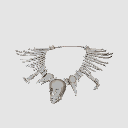
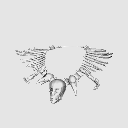
Configuration 配置
-
default layout 初期レイアウト

pose parts 可動パーツ
-
Lower Jaw Lower Jaw
-
Left Up Left Up
-
Right Up Right Up
-
LeftRight Up LeftRight Up
-
LeftRight Up+Jaw LeftRight Up+Jaw
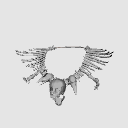
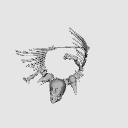


Other materials by dpsbk


Popular “3D object” materials


New materials





Badges
-
 MVP ◆This user has contributed greatly to the management of the community, by posting many great responses to the questions asked. Once every three months, MVPs are determined based on the points earned during that period and will be recognized accordingly.
 -
 New Valuable Player (NVP) ◆These are the next-best contributors to the community after MVPs. This is awarded to users who have not yet won an MVP award, based on the number of points they have earned.
 -
 Official Expert ◆Chosen out of all MVP awardees, who are already proof of excellence, this is a testimony of outstanding correspondence in the community. After careful screening, they are appointed by CELSYS and assume their position.Note: Formally called “Evangelists”
 -
 Official Moderator of CELSYS ◆Moderators are official CELSYS staff members who are fluent in Japanese as well as various other languages. Moderators are not experts on the software or illustration, so they are not able to directly answer your questions. However, moderators provide communication and language support to ensure that everyone can smoothly communicate with each other.
 -
 CELSYS official accountThe Official Administrator Account