



I made an abandoned office district 3D. 廃墟のオフィス街を3Dにしました。


Number of polygons: 152,738
If the 3D looks dark, you may want to adjust the position of the light source to increase the intensity of the parallel light.
The sample image after LT conversion is LT conversion at 600dpi of A4.
However, only the sample image of the tone will be a sample image with A4 300dpi and then a smaller file.
See sample images and illustrative usage examples below.
Sample image after LT conversion
Left side of the line drawing office district

Downtown on the right side of the line drawing

Tone 001

Tone 002

Tone 003

The following is a collection of poses that can be used in manga and illustrations in what situations.
I created it assuming situations where buildings collapse and people are depressed, dangerous scaffolding is created with rubble, and sometimes people help each other, so I think you can use such scenes for illustrations and comics.
Depressed Pose

Pose clearing rubble

Pose of stumbling on rubble

Poses of people inside and outside the building

The above are sample images and explanatory usage examples.
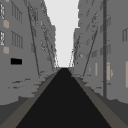
・Layout
There are 7 types of layouts.
・ Layout to be initialized
Layout to hide all rubble
・ Layout to hide all telephone poles
Layout to hide all rubble and utility poles
・ Layout that hides buildings, rubble, and telephone poles on the right
・ Layout that hides buildings, rubble, and telephone poles on the left
・ Layout that hides half of buildings, rubble, and telephone poles
I wrote half because this abandoned office district is made up of 6 buildings, and since the same building is used to increase the length and then the arrangement is changed, half is the same as 6 buildings, so it is written as half.
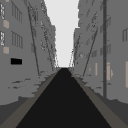
・About angles
There is only one type of angle, only the initial position.
This concludes the description of the abandoned office district. Thank you for reading to the end.
ポリゴン数:15万2738
3Dが暗く見える場合は光源の位置を調整して平行光強度を上げることをおすすめします。
LT変換後のサンプル画像はA4の600dpiでLT変換しています。
ただし、トーンのサンプル画像のみA4の300dpiにしてからファイルを小さくしたサンプル画像になります。
以下のサンプル画像と解説使用例をご覧ください。
LT変換後のサンプル画像
線画左側オフィス街
線画右側オフィス街
トーン001
トーン002
トーン003
以下はどのような場面で漫画やイラストに活用できるかのポーズ集になります。
ビルが崩壊して人々が落ち込んだり、瓦礫で危険な足場ができたり、時には助け合うシチュエーションを想定して制作したのでそのような場面をイラストや漫画などにお使いいただけると思います。
落ち込むポーズ
瓦礫を片付けるポーズ
瓦礫につまづくポーズ
ビルの中と外にいる人のポーズ
以上がサンプル画像と解説使用例になります。
・レイアウトについて
レイアウトは7種類あります。
・初期状態にするレイアウト
・すべての瓦礫を非表示にするレイアウト
・すべての電柱を非表示にするレイアウト
・すべての瓦礫と電柱を非表示にするレイアウト
・右側の建物・瓦礫・電柱を非表示にするレイアウト
・左側の建物・瓦礫・電柱を非表示にするレイアウト
・建物・瓦礫・電柱の半分を非表示にするレイアウト
半分と書いたのはこの廃墟のオフィス街は6つのビルで構成されていて長さをだすために同じビルを使用してから配置を変えているため半分は6つのビルと同じなので半分と書いてあります。
・アングルについて
アングルは一種類で初期位置のみとなります。
廃墟のオフィス街の説明は以上となります。最後までお読みいただきありがとうございます。
Material マテリアル
-
default material 初期マテリアル
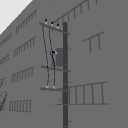
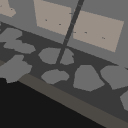
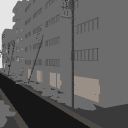
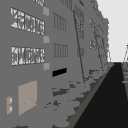
configuration 配置
-
default layout 初期レイアウト
-
Rubble off 瓦礫オフ
-
Utility pole off 電柱オフ
-
Rubble off utility poles 瓦礫電柱オフ
-
Right side off 右側オフ
-
Left side off 左側オフ
-
Half Off 半分オフ
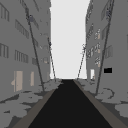
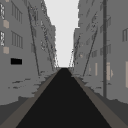
Angle アングル
-
Initial Angle 初期アングル





Other materials by 3D置き場


Popular “3D object” materials


New materials


Badges
-
 MVP ◆This user has contributed greatly to the management of the community, by posting many great responses to the questions asked. Once every three months, MVPs are determined based on the points earned during that period and will be recognized accordingly.
 -
 New Valuable Player (NVP) ◆These are the next-best contributors to the community after MVPs. This is awarded to users who have not yet won an MVP award, based on the number of points they have earned.
 -
 Official Expert ◆Chosen out of all MVP awardees, who are already proof of excellence, this is a testimony of outstanding correspondence in the community. After careful screening, they are appointed by CELSYS and assume their position.Note: Formally called “Evangelists”
 -
 Official Moderator of CELSYS ◆Moderators are official CELSYS staff members who are fluent in Japanese as well as various other languages. Moderators are not experts on the software or illustration, so they are not able to directly answer your questions. However, moderators provide communication and language support to ensure that everyone can smoothly communicate with each other.
 -
 CELSYS official accountThe Official Administrator Account