



3D Vinyl Pool Set_01 (Color)

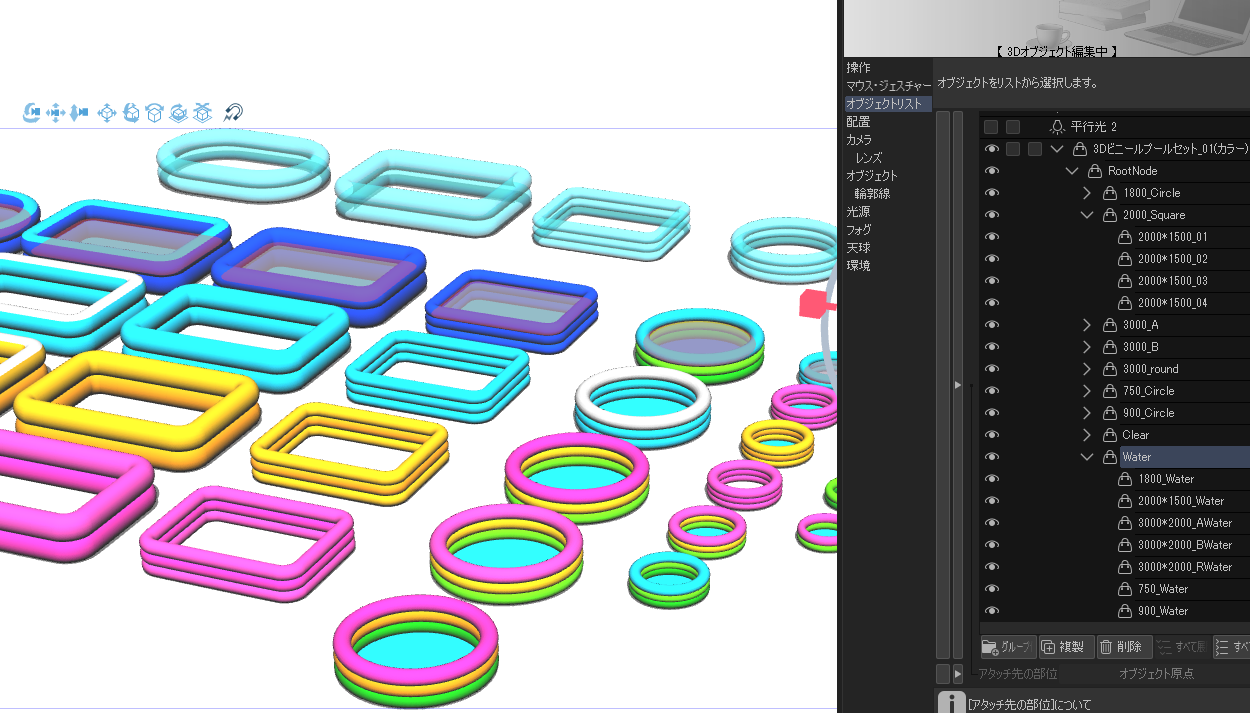
Different colors, different sizes, opaque and transparent materials are included.

With water surface material, it can be used for Atari.

At the bottom of the model, click the spanner 🔧 mark button
You can select whether to show or hide each model from the object list displayed by pressing.

Regarding the operation of the water surface......
There is a folder called "Water" in the object list, so
Please use what you need.
(◎ If transparent drawing is not stable: object left side of the list menu
Environment → rendering settings→ Backface Culling checkbox
I think it will be improved if you change it. )
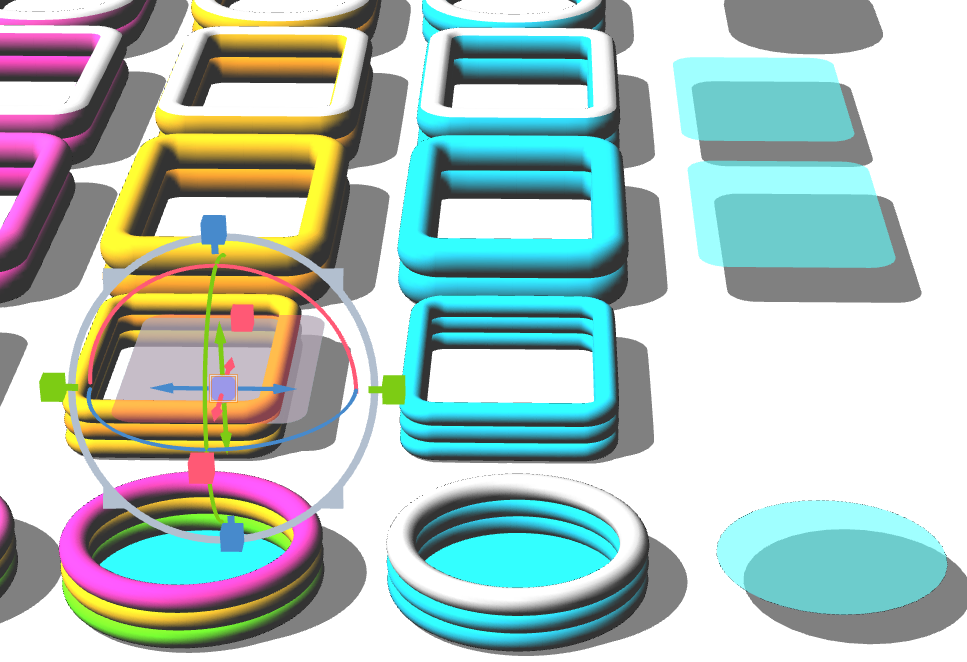
There are water surface models for each, so just move in the direction of the blue arrow
It can be easily used even with models of different colors without size adjustment.
It can be easily used even with models of different colors without size adjustment.
By moving up and down (green), you can also adjust the height of the water surface.
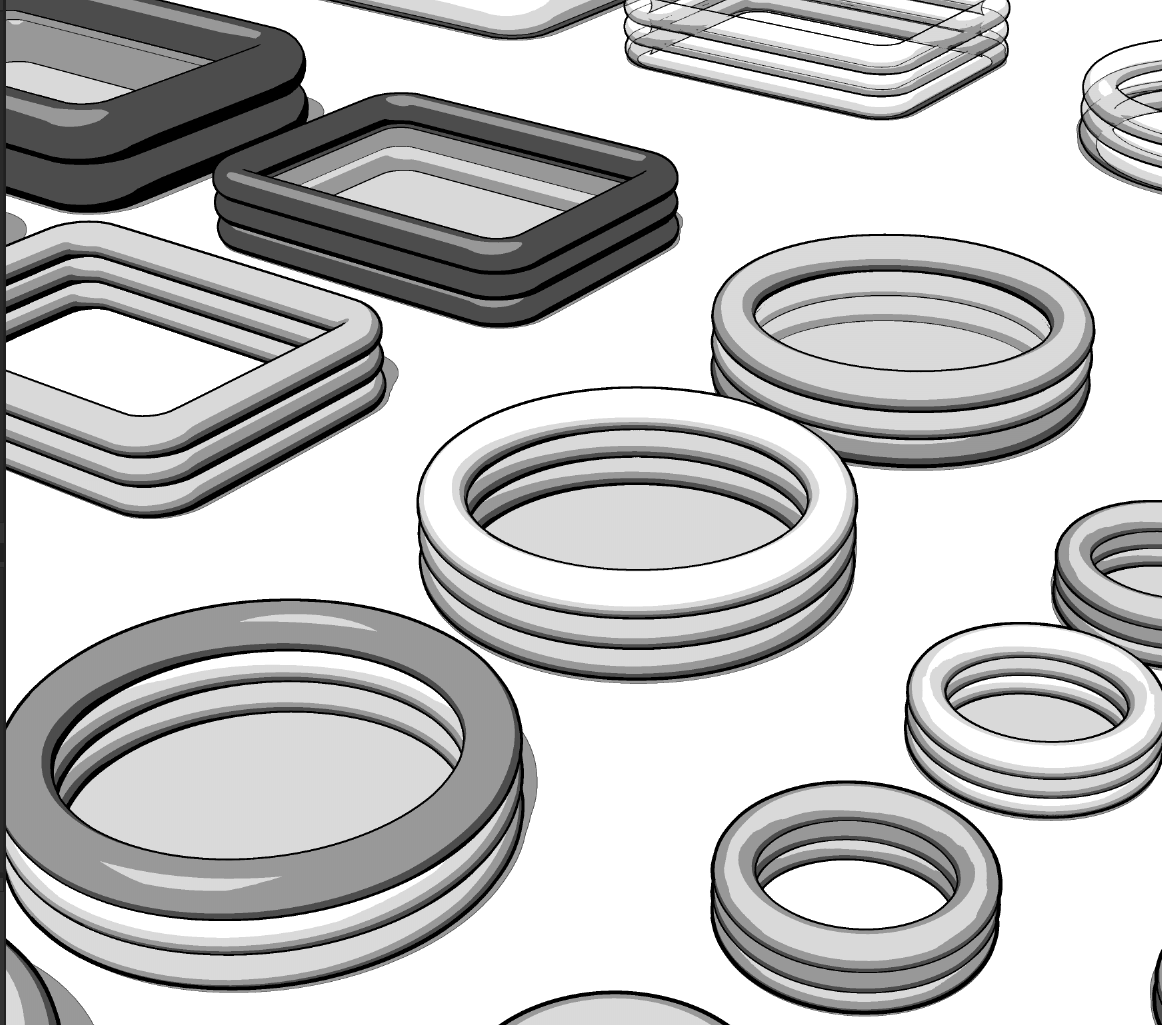
LT conversion example.
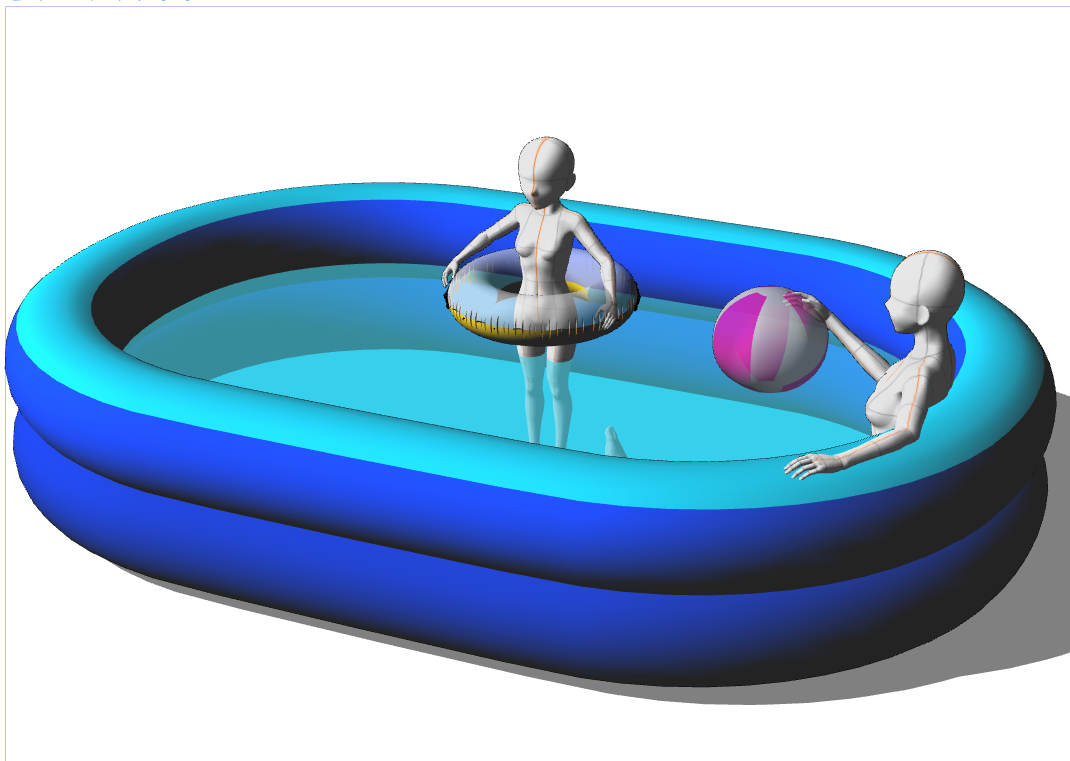
This product and,
This is an example of use using another product beach ball and float.
(Drawing models are 100cm and 160cm tall.) Floats and beach balls are used in a reduced form. )
We are exhibiting separately,
Inflators, beach balls, vinyl pools, etc.
If you are interested, I would appreciate it if you could take a look.
3Dビニールプールセット_01(カラー)
カラー違い、大きさ違い、不透明・透明素材が同梱されています。
水面素材付き、アタリにご使用いただけます。
モデル下に表示される、スパナ🔧マークボタンを
押して表示される、オブジェクトリストより各モデルの表示・非表示が選択できます。
水面の操作につきまして……
オブジェクトリスト内に”Water”というフォルダが御座いますので、
必要な物をご使用ください。
(◎透明の描画が安定しない場合:オブジェクトリストメニューの左側
環境→レンダリング設定→バックフェースカリングのチェックボックスを
変更していただければ改善されると思います。)
水面モデルは、それぞれに対してありますので、青矢印の方向に移動するだけで
サイズ調整無しに、色違いのモデルでも簡単にご使用いただけます。
サイズ調整無しに、色違いのモデルでも簡単にご使用いただけます。
上下方向移動(緑)で、水面高さも調整していただけます。
LT変換例です。
本商品および、
別商品のビーチボール、浮き輪を利用した使用例です。
(デッサンモデル身長は100cm、160cmです。浮き輪・ビーチボールは縮小して使用しております。)
別に出品しております、
空気入れ・ビーチボール・ビニールプールなども
もしご興味ありましたら、ご覧いただければ幸いです。
Material マテリアル
-
default material 初期マテリアル

configuration 配置
-
default layout 初期レイアウト



Other materials by siison


Popular “3D object” materials


New materials


Badges
-
 MVP ◆This user has contributed greatly to the management of the community, by posting many great responses to the questions asked. Once every three months, MVPs are determined based on the points earned during that period and will be recognized accordingly.
 -
 New Valuable Player (NVP) ◆These are the next-best contributors to the community after MVPs. This is awarded to users who have not yet won an MVP award, based on the number of points they have earned.
 -
 Official Expert ◆Chosen out of all MVP awardees, who are already proof of excellence, this is a testimony of outstanding correspondence in the community. After careful screening, they are appointed by CELSYS and assume their position.Note: Formally called “Evangelists”
 -
 Official Moderator of CELSYS ◆Moderators are official CELSYS staff members who are fluent in Japanese as well as various other languages. Moderators are not experts on the software or illustration, so they are not able to directly answer your questions. However, moderators provide communication and language support to ensure that everyone can smoothly communicate with each other.
 -
 CELSYS official accountThe Official Administrator Account