



3D Material
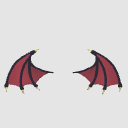
It is the "Devil's Wing" attached to the torso.
I would be happy if you could use it for extracting line drawings or as a reference for drafts!
… Well besides the devil
It could also be used for dragons!
* There is no texture setting.
3D素材の
胴体に付ける「悪魔の翼」です。
線画の抽出、または下書きの参考などに使ってもらえれば嬉しいです!
…まあ悪魔以外に
ドラゴンとかにも使えるかも!
※テクスチャの設定はありません。


Material マテリアル
-
default material 初期マテリアル
-
ambient light 環境光
-
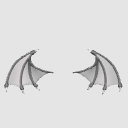
Line art extraction 線画抽出
-
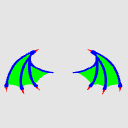
select color gamut use 色域選択用

configuration 配置
-
default layout 初期レイアウト

Update history
2026/04/18 Stock Posts 2026/04/18 素材の投稿


Other materials by 山野バナナ


Popular “3D object” materials


New materials





-
 MVP ◆This user has contributed greatly to the management of the community, by posting many great responses to the questions asked. Once every three months, MVPs are determined based on the points earned during that period and will be recognized accordingly.
 -
 New Valuable Player (NVP) ◆These are the next-best contributors to the community after MVPs. This is awarded to users who have not yet won an MVP award, based on the number of points they have earned.
 -
 Official Expert ◆Chosen out of all MVP awardees, who are already proof of excellence, this is a testimony of outstanding correspondence in the community. After careful screening, they are appointed by CELSYS and assume their position.Note: Formally called “Evangelists”
 -
 Official Moderator of CELSYS ◆Moderators are official CELSYS staff members who are fluent in Japanese as well as various other languages. Moderators are not experts on the software or illustration, so they are not able to directly answer your questions. However, moderators provide communication and language support to ensure that everyone can smoothly communicate with each other.
 -
 CELSYS official accountThe Official Administrator Account