



Create a line on the outer edge of the selected layer. 선택한 레이어 외곽에 선을 만들어줍니다.

Usage
1. Select the layer to create the line (important)
2. Execute Auto Actions
3. Adjust the color of the created layer, adjust the thickness and then use it
Application Examples

Because it creates a line of about 1px according to the contrast shape.
After selecting all, change to one color, and then
You can feel it!
In addition to contrast, it can also be used for base colors, highlights, etc.!!
*If there are any minor points in the contrast, you need to clean them up!
사용법
1. 선을 생성할 레이어 선택(중요)
2. 오토액션 실행
3. 생성된 레이어 색상 조절, 굵기 조정 후 사용
응용예시
명암 모양에 맞춰 1px 가량의 선을 생성하기 때문에
전체 선택 후 한가지 색상으로 변경하신 뒤
느낌을 주셔도 좋습니다!
명암 말고도 밑색, 하이라이트 등에도 사용가능!!
*명암에 자잘한 점이 있으면 정리를 해주셔야해요!


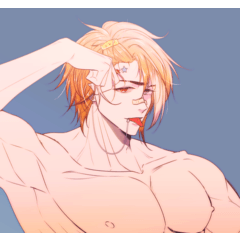

Popular “Auto Action” materials




New materials


Badges
-
 MVP ◆This user has contributed greatly to the management of the community, by posting many great responses to the questions asked. Once every three months, MVPs are determined based on the points earned during that period and will be recognized accordingly.
 -
 New Valuable Player (NVP) ◆These are the next-best contributors to the community after MVPs. This is awarded to users who have not yet won an MVP award, based on the number of points they have earned.
 -
 Official Expert ◆Chosen out of all MVP awardees, who are already proof of excellence, this is a testimony of outstanding correspondence in the community. After careful screening, they are appointed by CELSYS and assume their position.Note: Formally called “Evangelists”
 -
 Official Moderator of CELSYS ◆Moderators are official CELSYS staff members who are fluent in Japanese as well as various other languages. Moderators are not experts on the software or illustration, so they are not able to directly answer your questions. However, moderators provide communication and language support to ensure that everyone can smoothly communicate with each other.
 -
 CELSYS official accountThe Official Administrator Account