



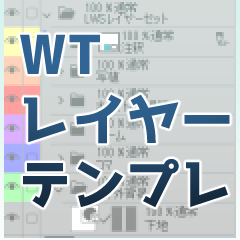
■How to use WT template


When creating a manuscript, check "template" in the canvas settings,
Please set the WT template and use it.

A template is automatically inserted on each page.
■How to use frame border designation
(1) frame border designation_line
Specify the frame surrounded by the border with the mask of the frame folder.
The line width is specified in brush size.

(2) frame border designation_No line
Used for frames that are not enclosed in frame border.
If there is only one frame line, after specifying the frame border, pull the ruler of the frame folder to "Border (Add)", and then draw the border along the ruler with the straight line tool on the addition layer.

■WTテンプレートの使い方
原稿作成時に、キャンバスの設定で「テンプレート」にチェックをいれて、
WTテンプレートを設定してお使い下さい。
それぞれのページにテンプレートが自動で挿入されます。
■コマ枠指定の使い方
①コマ枠指定_線
枠線で囲まれたコマの指定をコマフォルダのマスクにて行います。
線の太さはブラシサイズで指定します。
②コマ枠指定_線なし
コマ枠で囲まれていないコマに対して使用します。
一か所だけコマ線がある場合などは、コマ枠指定を行った後に該当コマフォルダの定規を「枠線(加筆)」に引っ張った後、加筆レイヤーに直線ツールなどで枠線を定規に沿って引きます。
Category 1 カテゴリ1










Other materials by ふわもこ羊


Popular “Material catalog” materials


New materials


Badges
-
 MVP ◆This user has contributed greatly to the management of the community, by posting many great responses to the questions asked. Once every three months, MVPs are determined based on the points earned during that period and will be recognized accordingly.
 -
 New Valuable Player (NVP) ◆These are the next-best contributors to the community after MVPs. This is awarded to users who have not yet won an MVP award, based on the number of points they have earned.
 -
 Official Expert ◆Chosen out of all MVP awardees, who are already proof of excellence, this is a testimony of outstanding correspondence in the community. After careful screening, they are appointed by CELSYS and assume their position.Note: Formally called “Evangelists”
 -
 Official Moderator of CELSYS ◆Moderators are official CELSYS staff members who are fluent in Japanese as well as various other languages. Moderators are not experts on the software or illustration, so they are not able to directly answer your questions. However, moderators provide communication and language support to ensure that everyone can smoothly communicate with each other.
 -
 CELSYS official accountThe Official Administrator Account