



I tried to make a workspace with extreme compression UI ratio, mainly used for split screen on my 11-inch tablet, and stuffed common functions into quick access for a better experience (I wonder why the workspace doesn't save the content in quick access...... )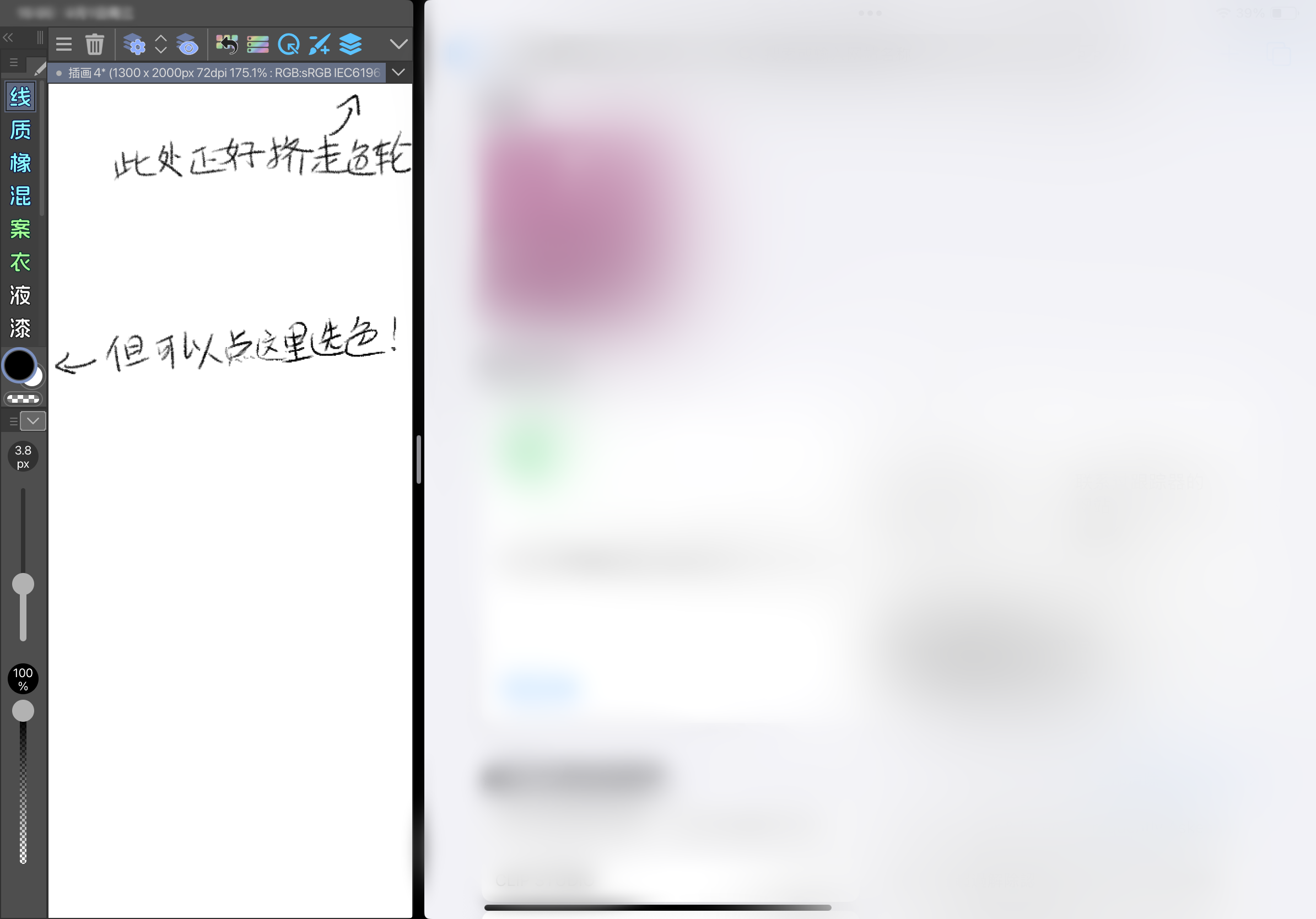

This workspace can still be experienced well even at the ultra-small size of a small split screen, but if you don't need such extreme scenarios, it may be more convenient to split the tool slider and tool into two columns, and the folding button at the top is also split separately
The jumble of icons on the interface is custom and not included in the workspace
试着做了极限压缩ui占比的工作区,主要配合我的11寸平板分屏时用的,把常用功能塞进快速访问里体验更佳(很纳闷为什么工作区不会保存快速访问里的内容……)
这个工作区在哪怕在小分屏的超小尺寸下依旧能体验不错,但如果不需要这么极端的场景的话,把工具滑块和工具拆成两列、顶部的折叠按钮也拆分单独的,可能会方便一点
界面的乱七八糟图标都是自定义的,不包括在工作区内




Other materials by 地慈可


Popular “Workspace” materials




New materials







Badges
-
 MVP ◆This user has contributed greatly to the management of the community, by posting many great responses to the questions asked. Once every three months, MVPs are determined based on the points earned during that period and will be recognized accordingly.
 -
 New Valuable Player (NVP) ◆These are the next-best contributors to the community after MVPs. This is awarded to users who have not yet won an MVP award, based on the number of points they have earned.
 -
 Official Expert ◆Chosen out of all MVP awardees, who are already proof of excellence, this is a testimony of outstanding correspondence in the community. After careful screening, they are appointed by CELSYS and assume their position.Note: Formally called “Evangelists”
 -
 Official Moderator of CELSYS ◆Moderators are official CELSYS staff members who are fluent in Japanese as well as various other languages. Moderators are not experts on the software or illustration, so they are not able to directly answer your questions. However, moderators provide communication and language support to ensure that everyone can smoothly communicate with each other.
 -
 CELSYS official accountThe Official Administrator Account