



It's a great tablet-only workspace \(≧▽≦)/
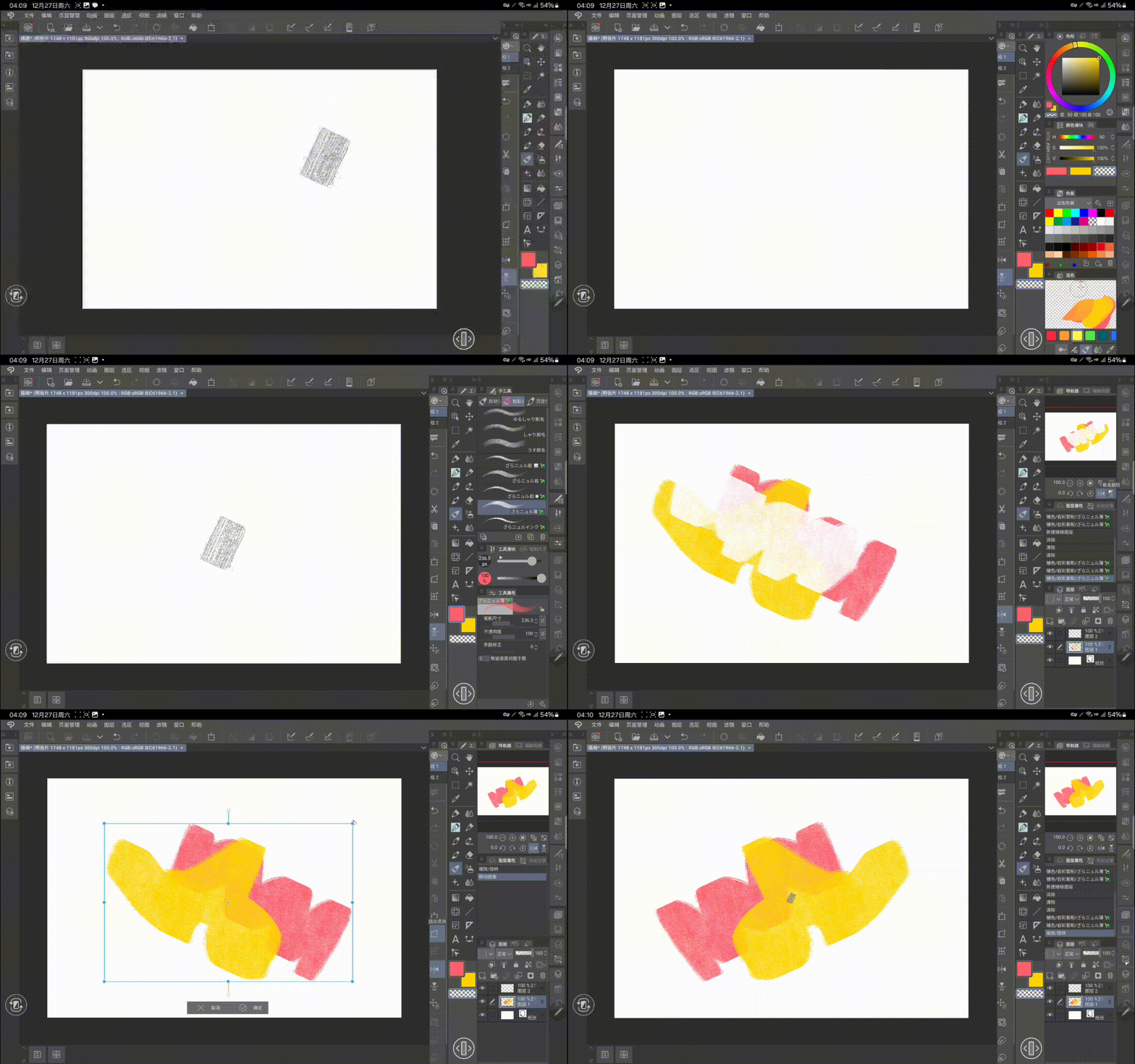

Because I just changed my tablet in the past few days, I suddenly found that the use of the workspace is very different from that of the computer.
- First of all, it is the problem of congested interface, I bought a large tablet just to be able to paint a little refreshingly, but the flat panel monitor is still too small in comparison, and the window occupancy problem surprised me as soon as I opened it
- The second is a matter of operating habits, drawing on a flat plate has a big impact on hand and arm fatigue, I want the basic range to be fixed in a very comfortable range and without the need to cross the area frequently. So I designed this tablet workspace* to bring all the frequently operated windows and tools to my right
You can click the icon again to quickly retract the entire side window, greatly increasing the screen size
A small shortcut bar next to it also covers general shortcuts on the PC side,
As I said, I also wrote instructional pictures specifically for this
∑ the feature that makes me most proud is the design and storage of this panel,
Each panel is designed to be excellent and easy to use, suitable for different friends from various software (>𖥦<)/ ♥
If you're not good at translating notes, I can briefly introduce them here.
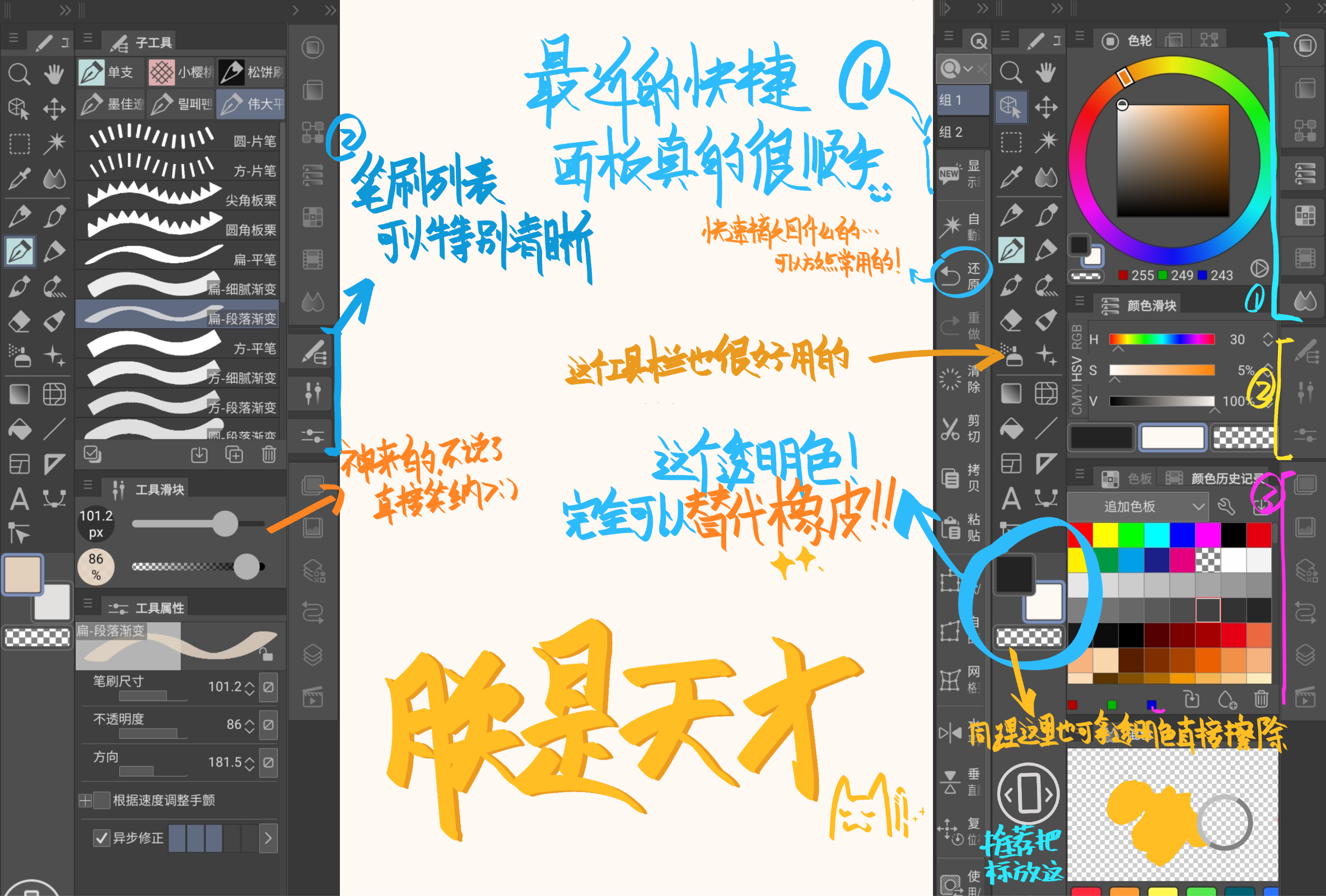
(1) Select a transparent color to preserve the texture of the current brush and achieve an erasing effect
(2) The sidebar can quickly achieve the effect of undo, select, and reverse.
(3) This tool slider is very easy to use, used to adjust the brush, friends in the painting world should be familiar with it
(4) You should be familiar with the design of this colored panel, this design is really great
(5) Click the tool icon again and the window will close
(6) Due to the layout, all windows are very spacious and do not require minor operations
(7) Please be sure to adjust the layout by yourself, no one can fully adapt to other people's habits
If you're new to CSP, this is definitely the perfect clean workspace for you!
Most friends are bothered by complex interfaces when they first come here, and you don't need to spend too much time looking for and trying to understand them, I've put together features that help each other, including grouping of the same type, and categorizing them. A reasonable and simple window interface will even help you quickly understand their functions and tricks, happy using it (◍>◡
这是一个非常棒的平板电脑专用工作区 \(≧▽≦)/
因为我这几天刚换了平板,突然发现工作区的使用方式和电脑端非常不同。
- 首先,是界面拥挤的问题,我买了一台大平板只是为了能有点清爽的绘画,但平板显示器相比较还是太小,窗口占用问题让我一打开就很惊讶
- 第二个是操作习惯的问题,在平板上绘画对手和手臂疲劳有很大影响,我希望基本范围能固定在非常舒适的范围内,并且不需要频繁横跨区域。所以我设计了这个平板工作区*,将频繁操作的窗口和工具都集中在了我的右侧
你可以再次点击图标快速收回整侧窗口,大幅增加作画面积
旁边的一个小快捷栏也涵盖了PC端的通用快捷方式,
正如我说的,我还专门为此编写了教学图片
∑最让我自豪的特点是这个面板的设计和存储,
每个面板都设计得非常出色且易于使用,适合来自各种软件的不同朋友(>𖥦<)/♥
如果你不擅长翻译笔记,我可以在这里简单介绍一下。
(1) 选择透明色以保留当前画笔的纹理,实现擦除效果
(2) 侧边栏可以快速实现撤销、选择和反转的效果。
(3)这个工具滑块非常易于使用,用来调节画笔,画画世界的朋友应该熟悉它
(4)你应该对这个彩色面板的设计感到熟悉,这个设计真的很棒
(5) 再次点击工具图标,窗口将关闭
(6)由于布局,所有窗户都非常宽敞,不需要细微的操作
(7)请务必自行调整布局,没有人能完全适应别人的习惯
如果你是CSP新手,这绝对是你的完美简洁工作区!
大多数朋友刚来这里时会被复杂的界面困扰,而这个你不需要花太多时间去寻找、试图理解它们,我已经将互相辅助的功能凑到了一起,包括同类型的分组,将它们进行归类。一个合理且简单的窗口界面甚至能帮助你快速理解它们的功能和技巧,祝你使用愉快 (◍>◡<◍)









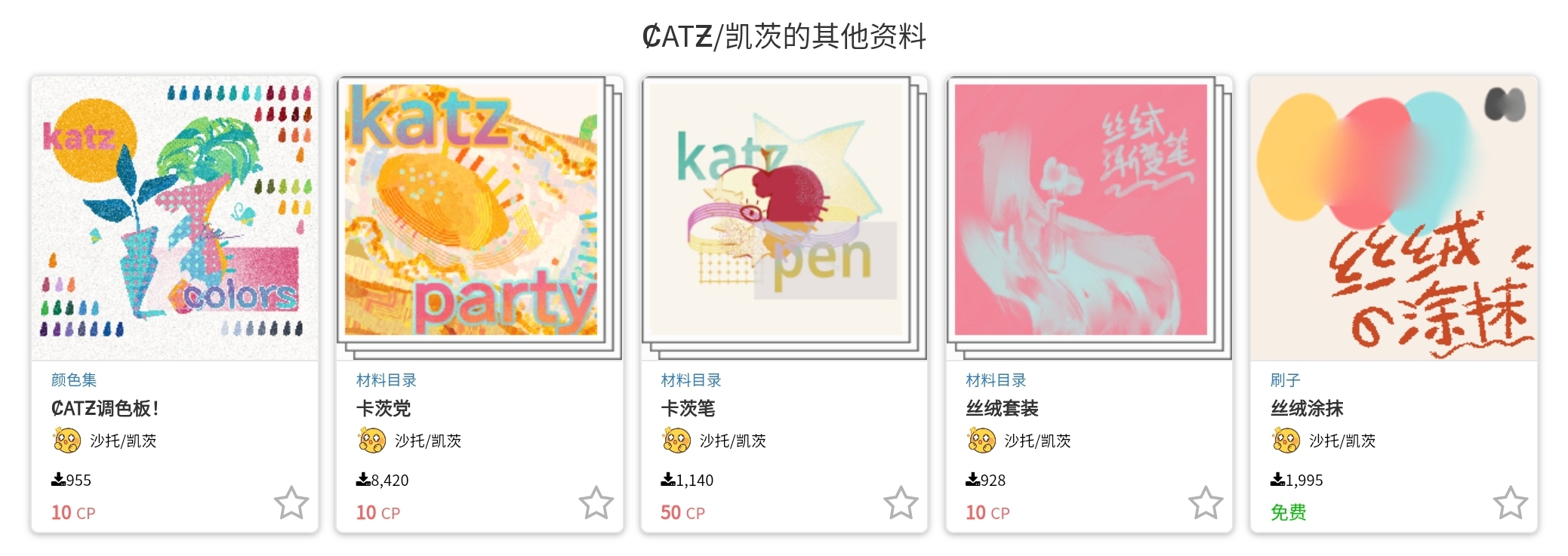
Other materials by ȻATƵ/凯茨


Popular “Workspace” materials


New materials



Badges
-
 MVP ◆This user has contributed greatly to the management of the community, by posting many great responses to the questions asked. Once every three months, MVPs are determined based on the points earned during that period and will be recognized accordingly.
 -
 New Valuable Player (NVP) ◆These are the next-best contributors to the community after MVPs. This is awarded to users who have not yet won an MVP award, based on the number of points they have earned.
 -
 Official Expert ◆Chosen out of all MVP awardees, who are already proof of excellence, this is a testimony of outstanding correspondence in the community. After careful screening, they are appointed by CELSYS and assume their position.Note: Formally called “Evangelists”
 -
 Official Moderator of CELSYS ◆Moderators are official CELSYS staff members who are fluent in Japanese as well as various other languages. Moderators are not experts on the software or illustration, so they are not able to directly answer your questions. However, moderators provide communication and language support to ensure that everyone can smoothly communicate with each other.
 -
 CELSYS official accountThe Official Administrator Account