


Pants One Knee Bend One Knee Only Wrinkle Reference 3D Model (ズボン片膝曲げ 片膝のみ シワ参考用3Dモデル) ズボン片膝曲げ 片膝のみ シワ参考用3Dモデル
Content ID:2254702
-
410


Contour lines! But wrinkles! I don't know how wrinkles appear from this angle! !!
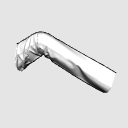
This is a reference 3D model when drawing wrinkles for you.
It is made with 3D software for clothes, so it is a realistic wrinkle.
It is made of high polygons to express the natural wrinkles peculiar to the fabric.
Therefore, if you have a computer with low specifications, the load may be high.
輪郭線はかける!でもシワが!この角度から見たシワの出方が分からない!!
そんなあなたのためのシワを描くときの参考用3Dモデルです
洋服用の3Dソフトで作ってあるのでリアルなしわになっています。
布特有の自然なしわを表現するために高めのポリゴンで作ってあります。
そのためスペックの低いパソコンだと負荷が高いかもしれません。

The rest is because it can be applied! There are times when that's the case.

Since it is a wrinkled knee that is lightly bent, it may be possible to refer to it as one knee with crossed legs.
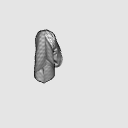
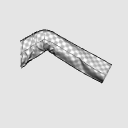
This 3D model has two types: textured shiro and checkered pattern.
However, since it is suspended by the shoulders, wrinkles form from the shoulders down.

That's not what I mean.
When you move your arms, the starting point is your armpits.
The 3D model for wrinkle reference has a different purpose from the reference material for wrinkle flow, so please use it properly to draw your ideal.


あとは応用が効くから!という時ありますよね。
軽く曲げたシワの膝なので、足組した片膝としても参考に出来るかも。
こちらの3Dモデルはテクスチャはしろと市松模様の2種類です。
しかし肩で吊られているので、肩から下に向かってシワができます。
違うんです。
腕を動かす時の起点は脇の下なんですよ。
シワ参考用3Dモデルはシワの流れの参考資料用と、用途が違うので、使い分けて理想のお絵かきをされてくださいね。
Material マテリアル
-
White line 白線
-
Checkered 市松

configuration 配置
-
default layout 初期レイアウト

Angle アングル
-
Before 前
-
Left 左
-
Right 右
-
Below 下
-
on 上



Other materials by うさこの洋裁工房


Popular “3D object” materials


New materials





-
 MVP ◆This user has contributed greatly to the management of the community, by posting many great responses to the questions asked. Once every three months, MVPs are determined based on the points earned during that period and will be recognized accordingly.
 -
 New Valuable Player (NVP) ◆These are the next-best contributors to the community after MVPs. This is awarded to users who have not yet won an MVP award, based on the number of points they have earned.
 -
 Official Expert ◆Chosen out of all MVP awardees, who are already proof of excellence, this is a testimony of outstanding correspondence in the community. After careful screening, they are appointed by CELSYS and assume their position.Note: Formally called “Evangelists”
 -
 Official Moderator of CELSYS ◆Moderators are official CELSYS staff members who are fluent in Japanese as well as various other languages. Moderators are not experts on the software or illustration, so they are not able to directly answer your questions. However, moderators provide communication and language support to ensure that everyone can smoothly communicate with each other.
 -
 CELSYS official accountThe Official Administrator Account