



I created it with the image of a small break room at my part-time job or workplace.
バイト先や職場のちょっとした休憩室をイメージして作成しました。
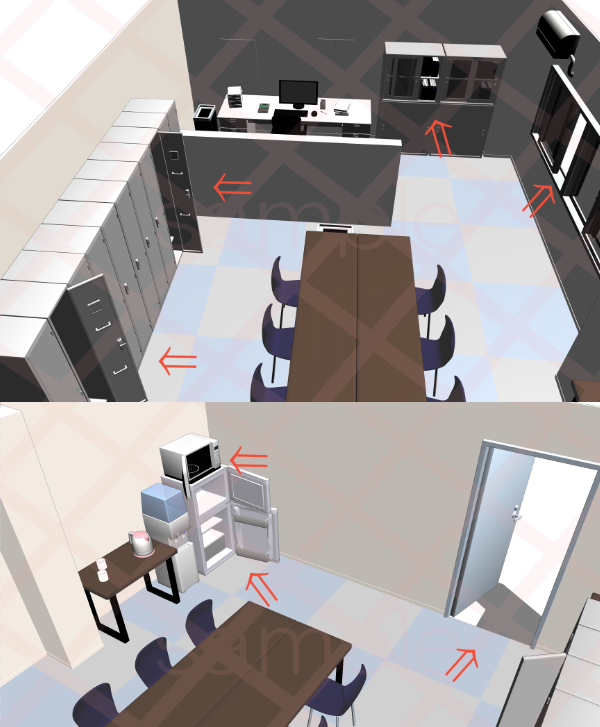
Multiple angles are available, so please change them according to your application.
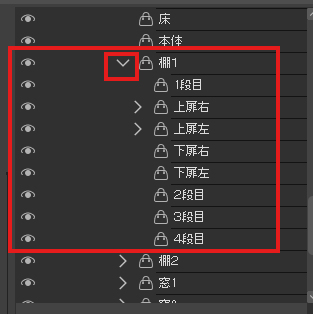




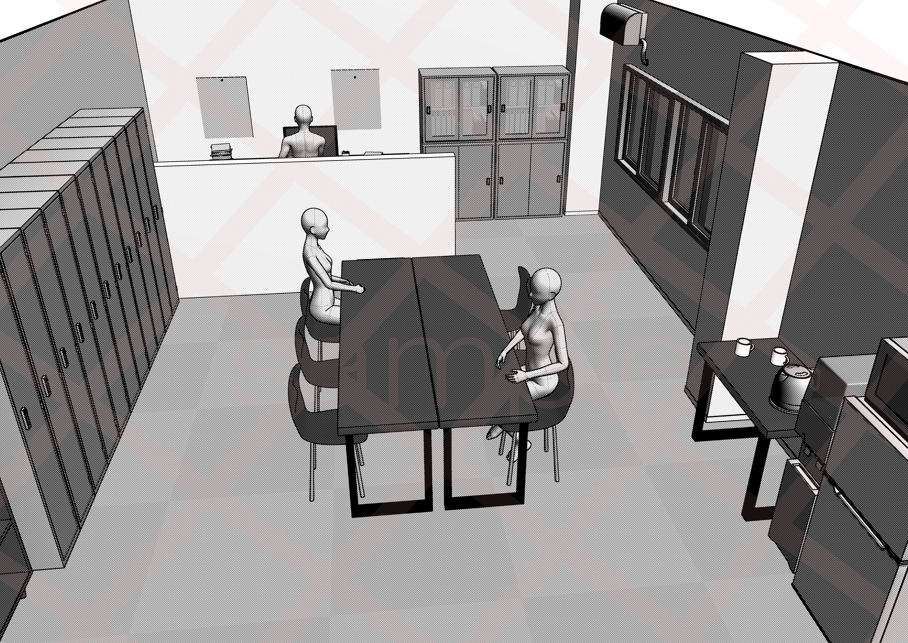

It is also possible to switch the display / hide manually from the spanner mark.
Small items are placed in the material on board. (The contents of the shelf are in the shelf)
LT Conversion
A4 600dpi
Line width 0.4
Line detection amount 10
Outline 100
Tone ✓ (no tone is recommended)
Depth ✓ (If you add depth, the strength will be added and the line will be more cartoonish)
It is better to reduce it to the required size after LT conversion, so that the lines appear more beautifully.
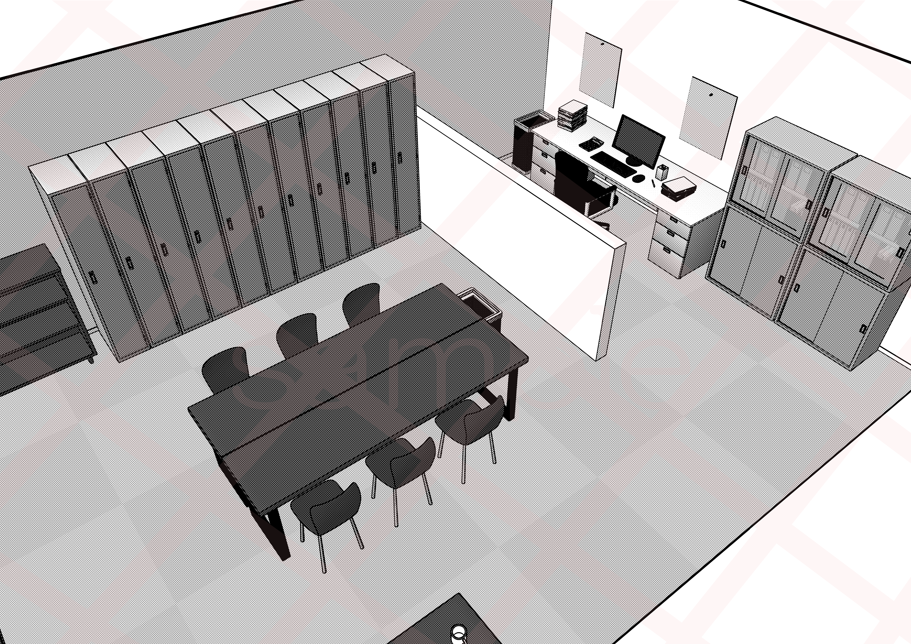
Line Art + Material

Line Art + Tones
Line art only

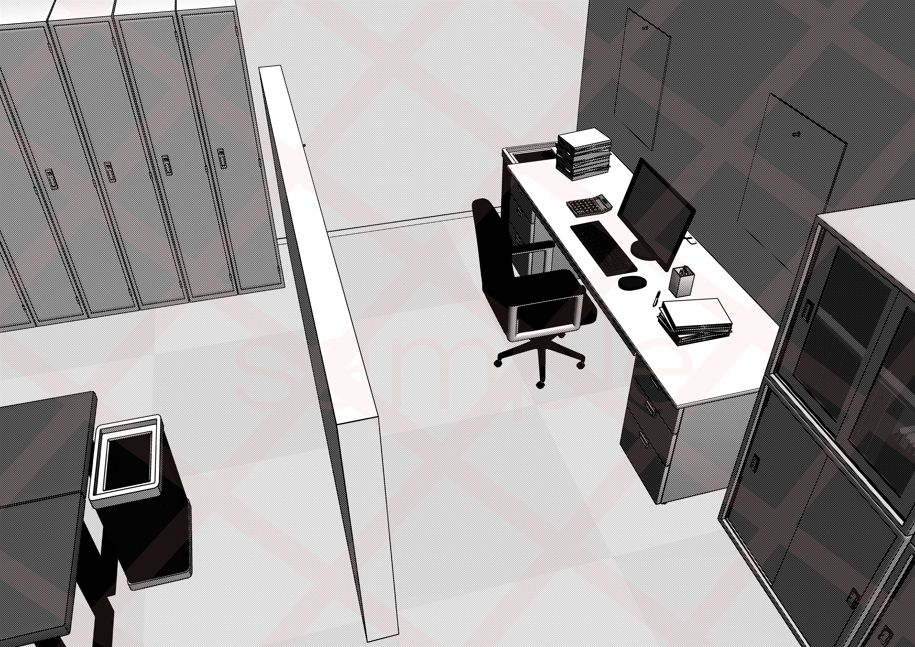
Different angle Line art + material

Small office space
Space for snacks, etc.

Each object can be moved manually.
You can easily move it if you select it individually from the sub tool.
Personnel Placement
If you find it troublesome to change the LT conversion settings, we distribute it free of charge by inserting numerical values into the auto action.
Please take a peek at the listed materials from the search ~!
(*LT conversion is a function that can only be used with CLIP STUDIO PAINT EX.) )
アングル複数ご用意していますので用途に合わせて変更してください。
スパナマークより手動で表示非表示切り替えも可能です。
小物類は乗っている素材の中に入れています。(棚の中身は棚の中)
LT変換
A4 600dpi
線幅 0.4
線の検出量 10
アウトライン 100
トーン ✓ (諧調なしがおすすめです)
奥行 ✓ (奥行を入れると強弱がついてより漫画っぽい線になります)
LT変換後に必要な大きさに縮小する方が綺麗に線が出ます。
線画+マテリアル
線画+トーン
線画のみ
別角度 線画+マテリアル
小さな事務スペース
軽食用等のスペース
各オブジェクト手動で可動できます。
サブツールより個別に選択すると簡単に動かせます。
人物配置
LT変換の設定を変えるのが手間だという方はオートアクションに数値をいれて無料で配布しています。
出品中の素材を検索からそちらも覗いてみてください~!
(※LT変換はCLIP STUDIO PAINT EXのみで使用可能の機能です。)
Material マテリアル
-
default material 初期マテリアル

configuration 配置
-
default layout 初期レイアウト
Angle アングル
-
Ceiling~ 天井~
-
Entrance side~ 入り口側~
-
Entrance side ~ right 入り口側~右
-
Entrance side ~ left 入り口側~左
-
Back side ~ upper left 奥側~上左
-
Back side ~ upper right 奥側~上右
-
Back side~ 奥側~
-
Right ~ Right 右側~右
-
Right ~ Left 右側~左
-
Right side ~ top 右側~上


Other materials by まるまるねっこ


Popular “3D object” materials


New materials








Badges
-
 MVP ◆This user has contributed greatly to the management of the community, by posting many great responses to the questions asked. Once every three months, MVPs are determined based on the points earned during that period and will be recognized accordingly.
 -
 New Valuable Player (NVP) ◆These are the next-best contributors to the community after MVPs. This is awarded to users who have not yet won an MVP award, based on the number of points they have earned.
 -
 Official Expert ◆Chosen out of all MVP awardees, who are already proof of excellence, this is a testimony of outstanding correspondence in the community. After careful screening, they are appointed by CELSYS and assume their position.Note: Formally called “Evangelists”
 -
 Official Moderator of CELSYS ◆Moderators are official CELSYS staff members who are fluent in Japanese as well as various other languages. Moderators are not experts on the software or illustration, so they are not able to directly answer your questions. However, moderators provide communication and language support to ensure that everyone can smoothly communicate with each other.
 -
 CELSYS official accountThe Official Administrator Account