


Twenty five materials that can add to your stickers for a fuzzy, glittery, or holographic look!
This is going to be a little long since there's multiple ways to use these materials. Feel free to scroll down and look at the material as-is if you want.
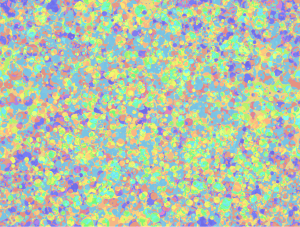
Want a glitter texture? Want a confetti texture? Want a fuzzy or cloth texture? Try these out! There are 4 brushes & 21 images for you to use to give pizazz to your stickers or your art. :D

First, the brushes:

All of these brushes are set to normal blending mode. I like to add the glitter on a separate layer & apply a blending mode to that instead. Feel free to modify them on color, spray, blending mode, etc.. You can also use these as basic cute shape brushes.
The organic textures:

Top: Original & Organic dots.
Middle: Felt & Light Fuzz.
Bottom: Dots & Classic Noise, blurred.
I used the Layer Property "Overlay" mode, but feel free to experiment and see if something works better for your art. https://help.clip-studio.com/en-us/manual_en/180_layers/Layer_properties.htm#1364172
For a Felt or Cloth-like feeling, I like to blur the image before I put the texture on it. That way, it looks softer and fuzzier.

(Left: No blur, Right: Blur)
The textures/patterns. I'll add what layer settings I used below. You don't have to copy my settings as each pattern will look different on different colors. For example, the darker overlays work great with darker colors and lighter colors, while the lighter colors can be finicky on both. Adjust them to your liking.
I like using the clipping function for these, but you can also use the masking function.
Clipping: https://help.clip-studio.com/en-us/manual_en/180_layers/Other_layer_settings.htm#1364239
Masking: https://help.clip-studio.com/en-us/manual_en/180_layers/Layer_masks.htm
(Apologies as usual for only posting the English manual, it should be easy to convert to other languages)

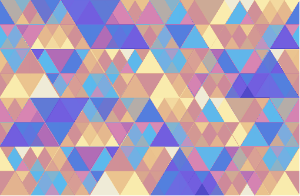
1. Basic Triangle Grid - Layer Property "Overlay". Darkened original colors.
2. Basic Triangle Grid - BLENDING Mode "overlay", gradient applied.
3. triangle grid - more triangles. Mode: Add glow.
4. Wild Glass Wave. Mode: Saturation.
5. Triangle Grid - Elegant Color. Mode: Overlay, 44% opacity.
6. Triangle Grid - Holographic Overlay. Mode: Overlay, 70% opacity.

7. Wild glass wave. Mode: Overlay, 100%.
8. Circle Glitter - Holographic Texture. Mode: overlay, 100%. Adjusted contrast of original image.
9. Circle Glitter Darker. Mode: Divide, 85%.
10. Circle Glitter Darker. Mode: Glow Dodge, 38%.
11. Start Glitter - Holographic. Mode: Overlay, 72%.
12. Star Glitter Darker. Mode: Linear Light, 100%.

13. Star Glitter Pattern with Gradient over both.
14. Hexagon Pattern with gradient, only applied to pattern.
The experimentation you can do with blending modes and adjustment layers are endless. If you want to change the colors, you can use a gradient layer or adjust them manually by right clicking the image material, then clicking "rasterize". Unfamiliar with gradient layers? Look here: https://help.clip-studio.com/en-us/manual_en/390_filters/Tonal_Correction_Effects.htm#1364051
Need some gradients for your shiny stickers? I've made several below. Just copy & paste the content ID numbers below into the search bar to find them. :D

One: 2106625 | Two: 1963105 | Three: 2167418 | Four: 2209830
If you need more sparkles & shine, here's some brushes I made a while back as well:

One: 1980728 | Two: 2026033 | Three: 2125947 | Four: 2126273
....I think I've posted way too many assets over the years. At least you guys enjoy them. ;w; ♥
Anyway, hope you have fun and enjoy!
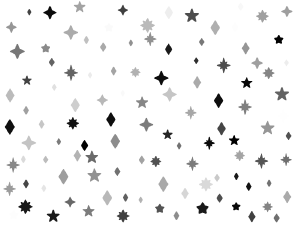
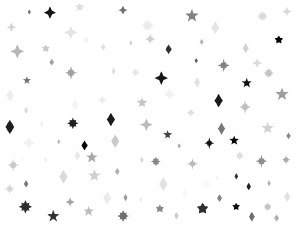
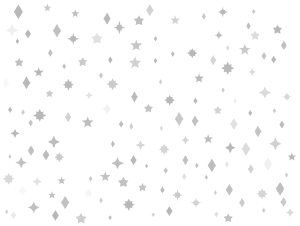
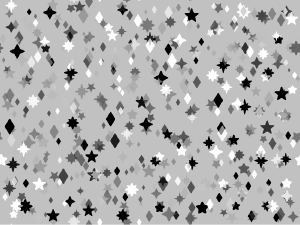
Brushes


Textures & Patterns






Color Patterns







Other materials by saturns_day


Popular “Material catalog” materials


New materials


Badges
-
 MVP ◆This user has contributed greatly to the management of the community, by posting many great responses to the questions asked. Once every three months, MVPs are determined based on the points earned during that period and will be recognized accordingly.
 -
 New Valuable Player (NVP) ◆These are the next-best contributors to the community after MVPs. This is awarded to users who have not yet won an MVP award, based on the number of points they have earned.
 -
 Official Expert ◆Chosen out of all MVP awardees, who are already proof of excellence, this is a testimony of outstanding correspondence in the community. After careful screening, they are appointed by CELSYS and assume their position.Note: Formally called “Evangelists”
 -
 Official Moderator of CELSYS ◆Moderators are official CELSYS staff members who are fluent in Japanese as well as various other languages. Moderators are not experts on the software or illustration, so they are not able to directly answer your questions. However, moderators provide communication and language support to ensure that everyone can smoothly communicate with each other.
 -
 CELSYS official accountThe Official Administrator Account
