


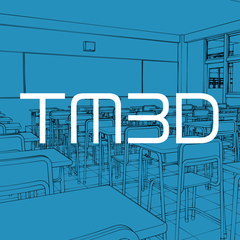

It is a side aisle with a heavy Western design.
By placing duplicates, you can create a space of any size.
西洋の重厚な意匠の側廊です。
複製配置する事で、任意の広さの空間を作る事が出来ます。
――
If you connect it straight, it will be the side aisle (corridor) of a church or cathedral.
If you connect it to the left and right, you can ...... into huge spaces such as labyrinths, palaces, temples, ruins, and Western castles.
How you use it is up to you, it is a convenient 3D Object!
[LT conversion example: line only]
Line width: 0.10mm
Detecting Amount of Lines: 88

[LT conversion example: with tones]

[LT conversion example: There is a stickiness]

[Before LT conversion]

【Scale Comparison】

Have you ever used a stylish Western-style 3D Object but were worried because it didn't feel realistic or realistic?
Western churches, castles, and palaces are supposed to have a very large space, but many of the materials are made on a Japanese or East Asian scale......
This "heavy Western side corridor" is made with reference to materials such as real churches and architectural books of BC, so you can create a realistic and profound space just by placing it.
【About dust at the object boundary】
Due to the convenience of duplicating on ClipStudioPaint, dust appears on the object boundary.
Please adjust it by correcting it with a garbage removal filter, eraser, or mask.
Red: Before removing garbage
Blue: After garbage removal

【Note】
Since there are many curved surfaces, the number of meshes is also large.
The more you replicate, the more memory is used for processing.
Please check the specifications of your PC or tablet carefully before using.
When I duplicated 150 PCs with 32GB of memory, the operation was light, but it was practical.

――
真っ直ぐに繋げれば、教会や聖堂の側廊(廊下)に。
左右にも繋げれば、迷宮や宮殿・神殿・遺跡・洋城などの巨大空間に……。
使い方はあなた次第の、便利な3Dオブジェクトです!
【LT変換例:線のみ】
線幅:0.10mm
線の検出量:88
【LT変換例:トーンあり】
【LT変換例:ベタあり】
【LT変換前】
【スケール対比】
西洋風のおしゃれな3Dオブジェクトを使ったのに、いまいちリアルさや臨場感が出なくて悩んだ事はありませんか?
西洋の教会や城・宮殿は、空間がとても大きいはずなのに、多くの素材は日本や東アジアのスケールで作られてしまっている事が原因なのです……
この「西洋の重厚な側廊」は、実在する教会などの資料と、紀元前の建築書などを参考に作られているので、置くだけでリアルで重厚感のある空間を作る事が出来ます。
【オブジェクト境界のダストについて】
ClipStudioPaint上で複製させる都合上、オブジェクト境界にダストが出ます。
ゴミ取りフィルターや消しゴムやマスクでの修正でご調整下さい。
赤:ゴミ取り前
青:ゴミ取り後
【注意点】
曲面が多いので、メッシュ数も多めになっています。
複製させれば複製させるほど、処理の為にメモリを使います。
お手持ちのPCやタブレットのスペックをよくご確認の上ご利用下さい。
メモリが32GBのPCで150個複製すると、動作はもっさりしていましたが実用は可能な程度でした。
Material マテリアル
-
2-color 2-color
-
only-gray only-gray


configuration 配置
-
default layout 初期レイアウト

Update history
2026/02/20_Release 2026/02/20_公開


Other materials by TM3D


Popular “3D object” materials


New materials




-
 MVP ◆This user has contributed greatly to the management of the community, by posting many great responses to the questions asked. Once every three months, MVPs are determined based on the points earned during that period and will be recognized accordingly.
 -
 New Valuable Player (NVP) ◆These are the next-best contributors to the community after MVPs. This is awarded to users who have not yet won an MVP award, based on the number of points they have earned.
 -
 Official Expert ◆Chosen out of all MVP awardees, who are already proof of excellence, this is a testimony of outstanding correspondence in the community. After careful screening, they are appointed by CELSYS and assume their position.Note: Formally called “Evangelists”
 -
 Official Moderator of CELSYS ◆Moderators are official CELSYS staff members who are fluent in Japanese as well as various other languages. Moderators are not experts on the software or illustration, so they are not able to directly answer your questions. However, moderators provide communication and language support to ensure that everyone can smoothly communicate with each other.
 -
 CELSYS official accountThe Official Administrator Account