



It is a powered-up version of the watercolor wet with a strong transcendent habit.
I think it's probably a good deal with various things. Probably.
超絶癖の強い水彩ウェットのパワーアップ版です。
多分色々付いててお得な気がします。多分。
This is another additional version of the previously released wet watercolor.
I finally understood how to raise a GIF. I did it.
Wet watercolor (already out)
It is a watercolor brush that even the person who made it has too strong a habit.

Wet watercolor [for shadows]
This is the brush with the watercolor brush above thin and set to multiplication.
I feel that it is kind of beautiful to put a gray-blue color on the same layer as the top.
You can also switch the combine mode of the brush to normal and put white to remove the color in a highlight style.

Example of using white style (usually added in white to the fill layer)

Vector eraser
Everyone loves Vector. If there is one with your favorite setting, please use it.
Real pencils, etc. [vector multiplication]
It is assumed that you will draw in vector layer so that you can change the color later.
By setting the sub color to white, only the main color remains when multiplicating, and while creating a rough feeling, it reduces the protrusion when applying a bucket of this type of pen (maybe).
object can be changed by layer, layer color, etc.

Watercolor Setup (auto action)
It is a auto action like masking the undercoat of a large part and masking a small color-coded layer.
It's hard to explain, so for the time being,
(1) Fill the entire person as if it were a primer (light blue layer)
(2) Select the entire undercoat layer and click the "foundation preparation" of the auto action
(3) An out-of-range mask is applied to the entire undercoat layer, and it will be white regardless of the original color
(4) Create a layer folder (red folder) on top of the entire underfill layer by clipping, and create a layer filled / color-coded for each part inside.
(4) Select the layer divided for each part and click "Prepare for each part"
(5) An out-of-range mask is applied to the layer divided for each part, and the inside of the layer becomes even more straight (as an image, it is masked in addition to the parts)
(6) For each layer divided into remaining necessary parts, click "Prepare each part"
(7) Select a layer and color it
I think it can be used like this.

以前公開したウェット水彩のその他諸々追加バージョンです。
ようやくGIFの上げ方理解しました。やったぜ。
ウェット水彩(既出)
作った本人すら癖が強すぎるなと思う水彩ブラシです。
ウェット水彩【影用】
上の水彩ブラシを細く、乗算に設定したブラシです。
グレーブルー系の色を上と同じレイヤーに乗せるとなんか綺麗な気がします。
ブラシの合成モードを通常に切り替えて白を置いて、ハイライト風に色を抜くこともできます。
白抜き風使用例(塗りレイヤーに通常白で追加)
ベクター消し
みんな大好きベクターのアレです。愛用してる設定のものがあればそちらをご利用ください。
リアル鉛筆等【ベクター乗算】
後々色を変えたり出来るよう、ベクターレイヤーで描くことが前提になってます。
サブカラーを白に設定する事で、乗算にした時にメインカラーのみ残り、ザラザラ感を出しながらこのタイプのペンあるあるのバケツ塗りした時のはみ出し等を軽減します(多分)。
オブジェクトレイヤー、レイヤーカラー等で変更が可能です。
水彩セットアップ(オートアクション)
大きいパーツの下塗りマスキングと、小さい色分けレイヤー事にマスキングをする様な感じのオートアクションです。
説明が難しいのでとりあえず、
①人物の全体を下塗りの要領で塗りつぶす(水色のレイヤー)
②全体の下塗りレイヤーを選択してオートアクションの『土台準備』をポチる
③全体の下塗りレイヤーに範囲外マスクが掛かり、元の色に関わらず白になります
④全体の下塗りレイヤーの上にレイヤーフォルダ(赤いフォルダ)をクリッピングで作り、中にパーツごとに塗り分け/色分けしたレイヤーを作る
④パーツごとに分けたレイヤーを選択して『パーツごと準備』をポチる
⑤パーツごとに分けたレイヤーに範囲外マスクが掛かり、レイヤーの中は真っさらになります(イメージとしてはパーツ以外にマスキングをした状態)
⑥残りの必要なパーツごとに分けたレイヤーごとに『パーツごと準備』をポチる
⑦レイヤーを選択して色を塗る
こんな具合で使えるかと思います。
Category 1 カテゴリ1
-
Watercolor Setup 水彩セットアップ
-
Real pencil [vector multiplication] リアル鉛筆【ベクター乗算】
-
Vector eraser ベクター消し
-
wet watercolorcustom ウェット水彩カスタム
-
Wet watercolor [for shadows] ウェット水彩【影用】
-
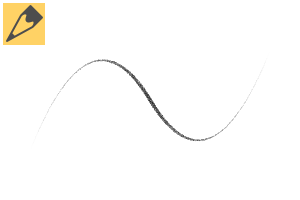
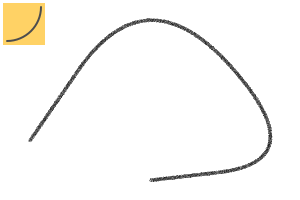
Pencil curve [vector multiplication] 鉛筆曲線【ベクター乗算】
-
Pencil straight line [vector multiplication] 鉛筆直線【ベクター乗算】
-
Pencil shape [vector multiplication] 鉛筆図形【ベクター乗算】
-
Reference selection 参照選択
-
Throwing Ring 投げ輪
-
Selection throwing ring 選択投げ輪








Other materials by watsonSasaki


Popular “Material catalog” materials


New materials


Badges
-
 MVP ◆This user has contributed greatly to the management of the community, by posting many great responses to the questions asked. Once every three months, MVPs are determined based on the points earned during that period and will be recognized accordingly.
 -
 New Valuable Player (NVP) ◆These are the next-best contributors to the community after MVPs. This is awarded to users who have not yet won an MVP award, based on the number of points they have earned.
 -
 Official Expert ◆Chosen out of all MVP awardees, who are already proof of excellence, this is a testimony of outstanding correspondence in the community. After careful screening, they are appointed by CELSYS and assume their position.Note: Formally called “Evangelists”
 -
 Official Moderator of CELSYS ◆Moderators are official CELSYS staff members who are fluent in Japanese as well as various other languages. Moderators are not experts on the software or illustration, so they are not able to directly answer your questions. However, moderators provide communication and language support to ensure that everyone can smoothly communicate with each other.
 -
 CELSYS official accountThe Official Administrator Account