



It is a 3D office hallway.
Doors and windows open and close.
3Dのオフィスの廊下です。
扉や窓は開閉します。
Overall view

object List

The windows go into the lower levels of each room.

When converting to LT, visibility is improved by switching between displaying and hiding the ceiling or floor.

I'm numbering the rooms.
There is a window in each room, so please move it when moving.


LT Conversion
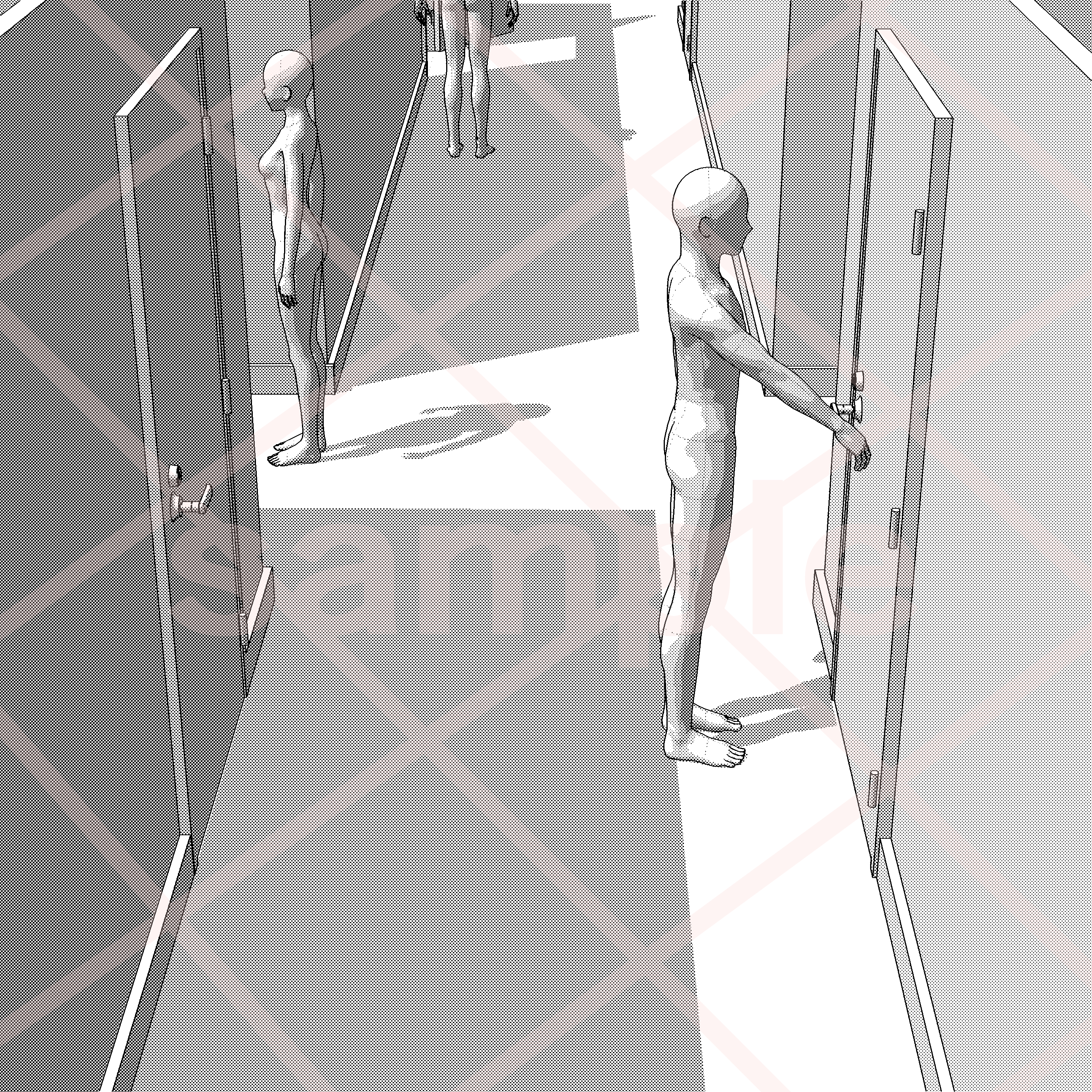
Room 1 hidden, view from room 1 side

Each room is not elaborate.
You can use it for scenes where you leave the room.

Movable doors and windows
You can move it manually after selecting the door or window you want to move with the sub tool.


Please refer to the following for light source adjustment, person placement, and LT conversion.


全体図
オブジェクトリスト
窓は各部屋の下の階層に入っています。
LT変換時は天井もしくは床を表示非表示切り替えで視認性があがります。
部屋に番号を振っています。
各部屋の中に窓を入れているので、可動の際はそちらを動かして下さい。
LT変換
部屋1非表示、部屋1側からの視点
各部屋は作りこみしていません。
部屋から出るシーンなどにご活用いただけます。
扉・窓の可動
サブツールで動かしたい扉or窓を選択した後に手動で可動させることが出来ます。
光源の調整、人物配置、LT変換は下記を参考にしてください。
Material マテリアル


Other materials by まるまるねっこ


Popular “3D object” materials


New materials


Badges
-
 MVP ◆This user has contributed greatly to the management of the community, by posting many great responses to the questions asked. Once every three months, MVPs are determined based on the points earned during that period and will be recognized accordingly.
 -
 New Valuable Player (NVP) ◆These are the next-best contributors to the community after MVPs. This is awarded to users who have not yet won an MVP award, based on the number of points they have earned.
 -
 Official Expert ◆Chosen out of all MVP awardees, who are already proof of excellence, this is a testimony of outstanding correspondence in the community. After careful screening, they are appointed by CELSYS and assume their position.Note: Formally called “Evangelists”
 -
 Official Moderator of CELSYS ◆Moderators are official CELSYS staff members who are fluent in Japanese as well as various other languages. Moderators are not experts on the software or illustration, so they are not able to directly answer your questions. However, moderators provide communication and language support to ensure that everyone can smoothly communicate with each other.
 -
 CELSYS official accountThe Official Administrator Account