



You can easily create the floor you like just by toggling the show and hide on the sub tool.
Since it is 3D Object, you can move it to any angle you like.
サブツールで表示非表示を切り替えるだけで簡単に好みの床を作成できます。
3Dオブジェクトなので好きな角度に動かせます。

You can toggle the visibility to the base box to create the floor of your choice.

It can be used for top-filling or foot-only frames.
After LT conversion
After LT conversion

Adjustable to your preferred angle
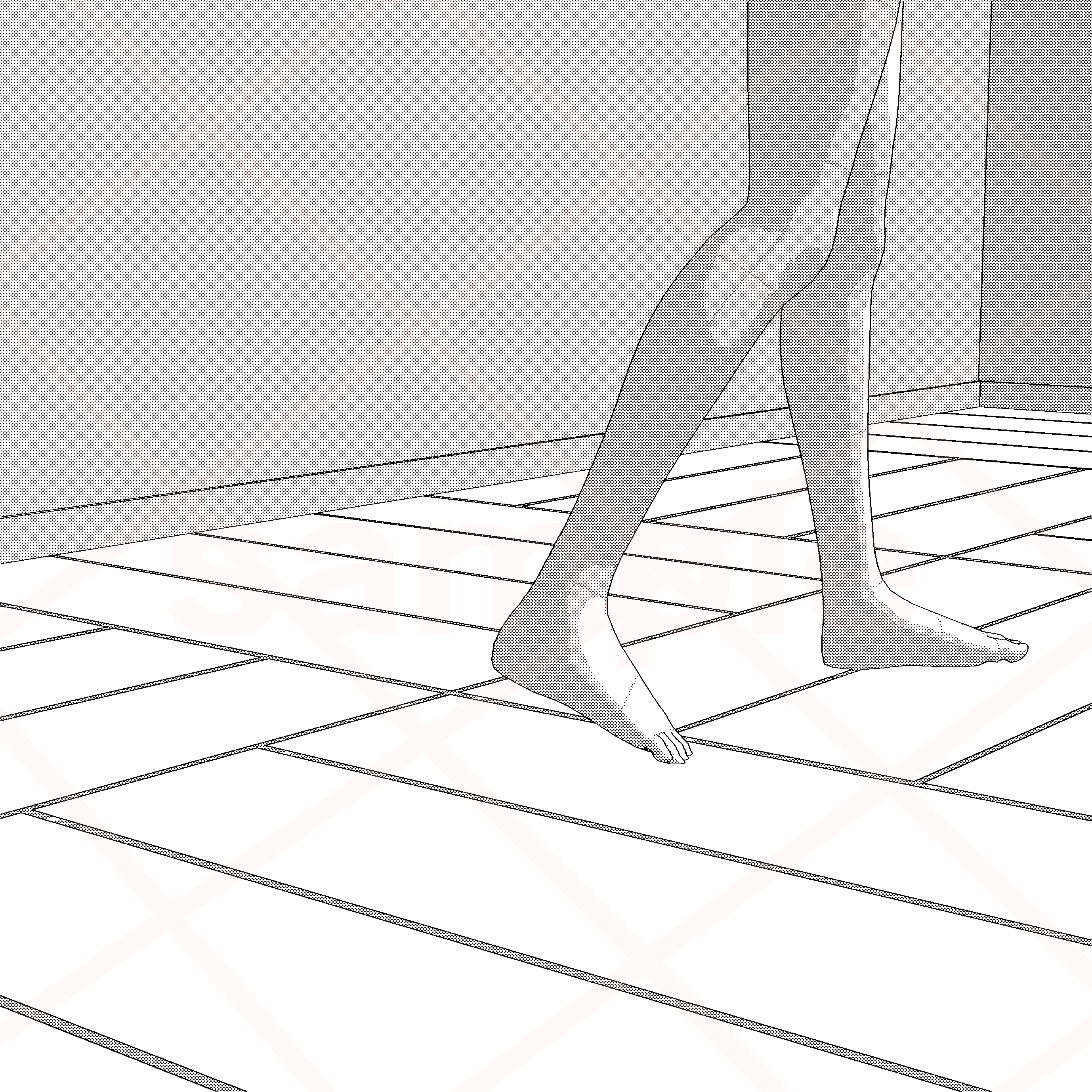
Just changing the floor will change the image.

Just changing the floor will change the image.

Ver.

Since it is set to a general wall height, you can easily reproduce the composition of the agitation by placing the 3D body on the ground without putting the tips of your feet.

Also for overhead view composition ◎


* When converting LT, it is easy to switch viewpoints with the camera if the wall is displayed on about two sides.
↓ Hide pillars

↓ Change skirting boards and floors


ベースの箱に表示非表示を切り替えてお好みの床を作成できます。
コマ埋めや足のみのコマにご活用いただけます。
LT変換後
LT変換後
好みの角度に調整可能
床を変えるだけでもイメージが変わります。
床を変えるだけでもイメージが変わります。
全身を入れたVer.
一般的な壁の高さにしているので、足の先を入れなくても3D素体を地面に設置してあおりの構図も簡単に再現できます。
俯瞰構図にも◎
※LT変換する場合、壁は2面ほどの表示にするとカメラでの視点切り替えがしやすいです。
↓柱の表示非表示
↓巾木や床の変更
Material マテリアル
-
default material 初期マテリアル

configuration 配置
-
default layout 初期レイアウト


Other materials by まるまるねっこ


Popular “3D object” materials





New materials




Badges
-
 MVP ◆This user has contributed greatly to the management of the community, by posting many great responses to the questions asked. Once every three months, MVPs are determined based on the points earned during that period and will be recognized accordingly.
 -
 New Valuable Player (NVP) ◆These are the next-best contributors to the community after MVPs. This is awarded to users who have not yet won an MVP award, based on the number of points they have earned.
 -
 Official Expert ◆Chosen out of all MVP awardees, who are already proof of excellence, this is a testimony of outstanding correspondence in the community. After careful screening, they are appointed by CELSYS and assume their position.Note: Formally called “Evangelists”
 -
 Official Moderator of CELSYS ◆Moderators are official CELSYS staff members who are fluent in Japanese as well as various other languages. Moderators are not experts on the software or illustration, so they are not able to directly answer your questions. However, moderators provide communication and language support to ensure that everyone can smoothly communicate with each other.
 -
 CELSYS official accountThe Official Administrator Account