



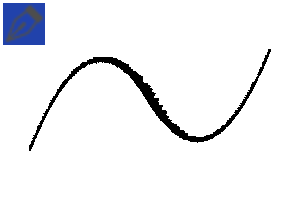
It is a material made for versatile use such as handwriting.
- You can use it as a signature pen by changing the tip of the brush to a circular shape and adjusting the pen pressure.
- The brush size was 15px based on the canvas size of 2000px horizontally and vertically.
- Some colors don't get darker when overlapped, so if you want the effect of overlapping colors like in the example image, you need to use a separate multiplication layer.
- If you don't take the pen off the tablet, the colors will not overlap. If you don't want the lines to overlap, you can change the compositing mode to standard.
- If you want to reduce the effect of ink forming at the end of the line, reduce the minimum brush size pen pressure to 20 and increase the brush density speed setting to about 30. (※ It may vary depending on the user's pen pressure and work environment, so please customize it according to your preference.)
- Monochrome layer, I don't know if it's appropriate for the print. Please note.

2025/10/03
Thumbnail · Material Description · Edit attached images
2025/10/04
Thumbnail · Material Description · Edit attached images
2025/10/08
Modify material descriptions
필기 등 다용도로 쓰기 위해 만든 소재입니다.
- 브러시 끝을 원형으로 변경해 필압을 조절하면 사인펜으로 활용할 수 있습니다.
- 캔버스 사이즈 가로, 세로 2000px 기준으로 브러시 사이즈를 15px로 썼을 때가 적당했습니다.
- 어떤 색은 겹쳐도 진해지지 않아서 예시 이미지처럼 색이 겹치는 효과를 원한다면 따로 곱셈 레이어 등을 사용해야 할 필요가 있습니다.
- 펜을 타블렛에서 떼지 않으면 색이 겹치지 않습니다. 선이 겹쳐지는 것을 원하지 않을 때에는 합성 모드를 표준으로 변경하시면 됩니다.
- 선 끝에 잉크가 맺히는 듯한 효과를 줄이고 싶다면 브러시 크기 필압 최소치를 20으로 줄이고, 브러시 농도 속도 설정을 30 정도로 높여보시기 바랍니다. (※ 사용자의 필압이나 작업 환경에 따라 다를 수 있으므로 취향에 따라 커스텀해보시기 바랍니다.)
- 모노크롬 레이어, 인쇄물에 적절한지는 모릅니다. 양해 바랍니다.
2025/10/03
썸네일 · 소재 설명 · 첨부 이미지 수정
2025/10/04
썸네일 · 소재 설명 · 첨부 이미지 수정
2025/10/08
소재 설명 수정
Annoying ink pen 귀찮은 잉크펜


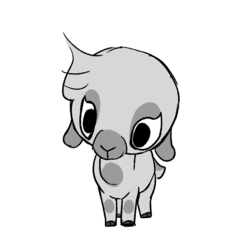

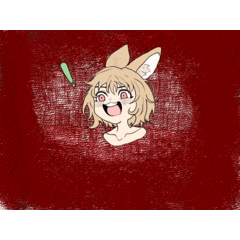


Other materials by Rinble


Popular “Material catalog” materials


New materials


Badges
-
 MVP ◆This user has contributed greatly to the management of the community, by posting many great responses to the questions asked. Once every three months, MVPs are determined based on the points earned during that period and will be recognized accordingly.
 -
 New Valuable Player (NVP) ◆These are the next-best contributors to the community after MVPs. This is awarded to users who have not yet won an MVP award, based on the number of points they have earned.
 -
 Official Expert ◆Chosen out of all MVP awardees, who are already proof of excellence, this is a testimony of outstanding correspondence in the community. After careful screening, they are appointed by CELSYS and assume their position.Note: Formally called “Evangelists”
 -
 Official Moderator of CELSYS ◆Moderators are official CELSYS staff members who are fluent in Japanese as well as various other languages. Moderators are not experts on the software or illustration, so they are not able to directly answer your questions. However, moderators provide communication and language support to ensure that everyone can smoothly communicate with each other.
 -
 CELSYS official accountThe Official Administrator Account