


 ◆
◆

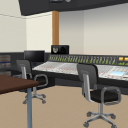
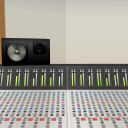
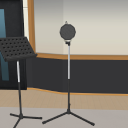
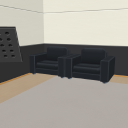
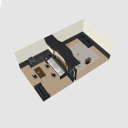
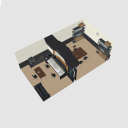
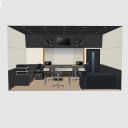
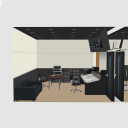
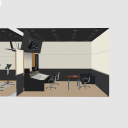
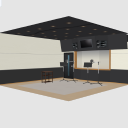
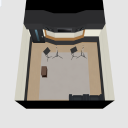
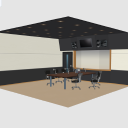
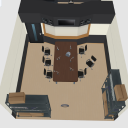
This is a 3D background material inside the recording studio. There is a control room and a recording booth. Can be used in CLIP STUDIO series.
[How to hide textures in PAINT]
With the 3D data on the canvas selected, click the tool mark at the bottom right of the tool property palette to show palette sub tool detail. On the sub tool detail palette, click environment → rendering settings, and then change the use texture check to OFF.
録音スタジオ内部の3D背景素材です。コントロールルームと録音ブースがあります。CLIP STUDIOシリーズで使用できます。
【PAINTでテクスチャを非表示にする方法】
キャンバス上の3Dデータを選択した状態で、[ツールプロパティ]パレットの右下にある工具マークをクリックして[サブツール詳細]パレットを表示させます。[サブツール詳細]パレットの[環境]→[レンダリング設定]をクリックし、[テクスチャを使用する]のチェックをオフの状態に変更します。

lt conversion of layer [EX only] is a feature that renders 3D models and 2D images placed on the canvas into lines (line) and tones (Tone).


Apply light source on the tool property palette allows you to turn the light on and off and adjust the orientation.

[レイヤーのLT変換]【EXのみ】は、キャンバス上に配置した3Dモデルや2D画像を線(Line)とトーン(Tone)にレンダリングする機能です。
[ツールプロパティ]パレットの[光源の影響を受ける]では光源のオン・オフを切り替えたり、向きを調整したりできます。
Angle アングル
-
Basic. 基本
-
Mixer Room 1 ミキサールーム1
-
Mixer Room 2 ミキサールーム2
-
Mixer Room 3 ミキサールーム3
-
Mixer Room 4 ミキサールーム4
-
Dubbing 1 アフレコ1
-
Dubbing 2 アフレコ2
-
Dubbing 3 アフレコ3
-
Dubbing 4 アフレコ4
-
Radio One ラジオ1
-
Radio Two ラジオ2
-
Radio Three ラジオ3





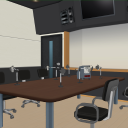
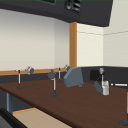
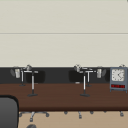
Material マテリアル
-
Basic. 基本
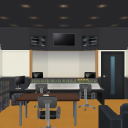
Layout レイアウト
-
Base _ Dubbing 基本_アフレコ
-
Basics _ Radio 基本_ラジオ
-
Mixer _ Rear Pull ミキサー_後方抜き
-
Mixer _ Without right hand ミキサー_右側抜き
-
Mixer _ Left Pull ミキサー_左側抜き
-
Dubbing _ Left/rear Pull アフレコ_左側・背面抜き
-
Dubbing _ Without right hand アフレコ_右側抜き
-
Dubbing _ without ceiling アフレコ_天井抜き
-
Radio _ Without right hand ラジオ_右側抜き
-
Radio _ without left/back ラジオ_左側・背面抜き
-
Radio _ without ceiling ラジオ_天井抜き




Other materials by ClipStudioOfficial


Popular “3D background” materials


New materials








-
 MVP ◆This user has contributed greatly to the management of the community, by posting many great responses to the questions asked. Once every three months, MVPs are determined based on the points earned during that period and will be recognized accordingly.
 -
 New Valuable Player (NVP) ◆These are the next-best contributors to the community after MVPs. This is awarded to users who have not yet won an MVP award, based on the number of points they have earned.
 -
 Official Expert ◆Chosen out of all MVP awardees, who are already proof of excellence, this is a testimony of outstanding correspondence in the community. After careful screening, they are appointed by CELSYS and assume their position.Note: Formally called “Evangelists”
 -
 Official Moderator of CELSYS ◆Moderators are official CELSYS staff members who are fluent in Japanese as well as various other languages. Moderators are not experts on the software or illustration, so they are not able to directly answer your questions. However, moderators provide communication and language support to ensure that everyone can smoothly communicate with each other.
 -
 CELSYS official accountThe Official Administrator Account